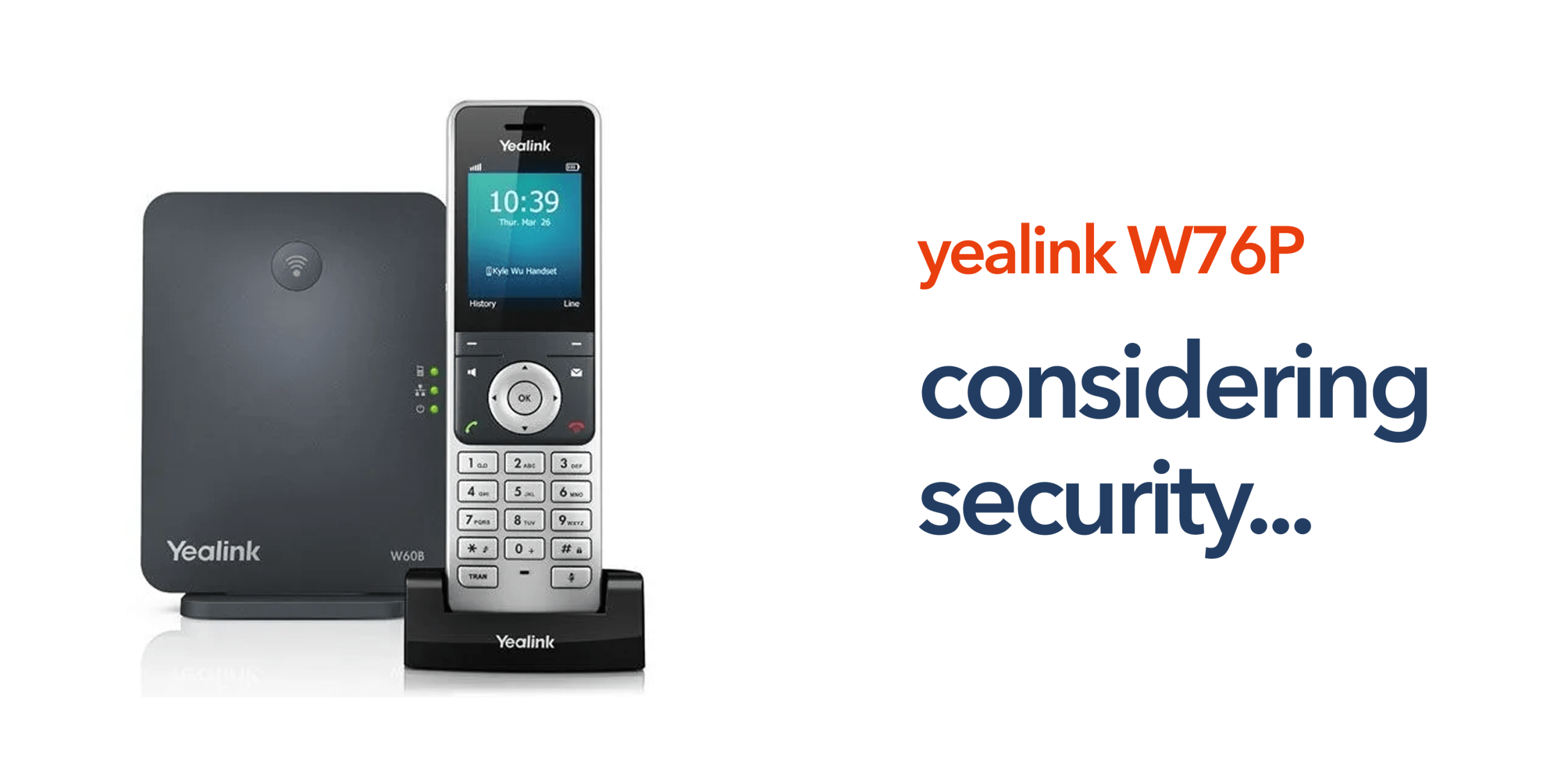
Wireless business phones have become common across modern workplaces. Offices, retail stores, warehouses, and hospitality environments all benefit from phones that allow employees to move freely while staying connected. Devices such as the Yealink W76P DECT phone system combine wireless mobility with the flexibility of Voice over Internet Protocol. This allows organisations to run their communications through a cloud-based business phone system rather than relying on traditional landlines.
However, wireless communications also introduce new security considerations. Businesses deploying cordless VoIP phones must ensure that both the device and network infrastructure remain protected.
Understanding VoIP wireless security helps organisations maintain reliable communication while protecting sensitive conversations.
How Wireless VoIP Phones Work
Wireless VoIP phones operate differently from traditional desk phones connected to the public switched telephone network. Instead of sending voice signals through physical phone lines, a VoIP system converts audio into digital data and transmits it through internet networks. In systems like the Yealink W76P, communication typically follows this structure:
- The wireless handset connects to a DECT base station
- The base station connects to the business network
- Calls are routed through a cloud telephony platform.
This architecture provides flexibility but requires proper configuration to ensure security across the entire system.
The Role of DECT in Wireless Phone Security
Many wireless business phones rely on DECT technology, which stands for digital enhanced cordless telecommunications. DECT is designed specifically for voice communication and offers several advantages compared with WiFi calling. The key DECT security features include encrypted communication between handset and base station, dedicated radio frequencies for voice traffic, and reduced interference compared with WiFi networks.
Because DECT networks are separate from standard wireless internet traffic, they can provide an additional layer of protection for business voice communication. However, organisations must still ensure that the VoIP platform and network infrastructure remain secure.
Core VoIP Wireless Security Risks Businesses Should Understand
While wireless VoIP systems are generally secure, poor configuration can expose organisations to several security risks. Businesses deploying wireless phones such as the Yealink W76P should understand the most common vulnerabilities and how they affect the communications infrastructure.
- Unauthorised network access: If VoIP devices are connected to unsecured or poorly protected networks, attackers may attempt to gain access to the communications environment. Strong network security policies, controlled device access, and properly configured firewalls help prevent unauthorised connections to the business phone system.
- SIP credential attacks: VoIP systems rely on SIP credentials to authenticate devices on the network. When weak passwords or default login details are used, attackers may attempt to register unauthorised devices. This can result in fraudulent call activity or compromised communications.
- Network eavesdropping: Without encryption, voice traffic can potentially be intercepted while it travels across a network. Secure signalling protocols and encrypted media streams ensure conversations remain private and protected.
- Misconfigured devices: Incorrectly configured VoIP phones can expose unnecessary services, open network ports, or allow unauthorised access. Devices should always be deployed using the manufacturer’s security recommendations and best practice VoIP configuration guidelines.
Best Practices for VoIP Wireless Security
Businesses deploying wireless VoIP phones should follow several practical security practices to protect their communications systems. Devices such as the Yealink W76P are designed for professional environments, but security ultimately depends on how the wider network, VoIP platform, and authentication processes are configured.
Let’s take a look at some of the best practices to secure WoIP wireless connectivity.
Use Encrypted Voice Traffic
Encryption is one of the most important protections for wireless VoIP communication. When encryption is enabled, voice data is converted into secure packets that cannot easily be intercepted while traveling across the network. Secure signalling and media protocols help protect communication between the handset, the DECT base station, and the VoIP platform. This ensures that business conversations remain private even when calls pass through multiple network points.
Implement Strong Authentication
Each VoIP device should use unique SIP credentials to register with the phone system. Strong passwords and secure authentication policies prevent unauthorised devices from accessing the communications network. Businesses should avoid default credentials and ensure each handset, base station, or VoIP endpoint is configured with its own authentication details. Proper credential management helps prevent fraudulent call activity and unauthorised registrations.
Keep Device Firmware Updated
VoIP device manufacturers regularly release firmware updates to fix vulnerabilities, improve stability, and enhance security features. Keeping devices such as the Yealink W76P business phone updated ensures organisations benefit from the latest protection measures. Regular updates also help maintain compatibility with cloud telephony platforms and VoIP phone systems used within modern business telecom infrastructure.
Segment Voice Traffic
Many organisations separate voice traffic from general data traffic using dedicated network configurations such as VLANs. By isolating VoIP traffic from other network activity, businesses can reduce potential security risks and improve call performance. Network segmentation also helps prevent malicious traffic from affecting the communications system and allows IT teams to monitor voice infrastructure more effectively.
Secure the Business Network Infrastructure
VoIP wireless security is heavily dependent on the underlying network. Businesses should ensure routers, switches, and firewalls are configured securely and regularly updated. Using business-grade networking equipment and properly configured firewalls helps protect VoIP systems from external attacks and unauthorised access attempts.
Restrict Device Access and Provisioning
VoIP devices should only be accessible to authorised administrators. Restricting access to device configuration interfaces prevents unauthorised users from modifying settings or exposing security vulnerabilities. Many organisations also use secure auto-provisioning systems to deploy devices consistently and safely across multiple locations.
Disable Unnecessary Services and Ports
Many VoIP phones support features that may not be required in every deployment. Disabling unused services, ports, and remote access features reduces the potential attack surface of the device. This simple step can significantly improve the overall security of wireless VoIP infrastructure.
Monitor Call Activity and System Logs
Monitoring call logs and VoIP activity helps businesses identify unusual behaviour such as unexpected international calls or repeated authentication attempts. Early detection allows organisations to respond quickly to potential security threats before they affect the wider communications system.
Work With a Trusted VoIP Provider
Security is not only about the devices used within the office. The reliability and protection of the VoIP platform itself also play a major role. Businesses should work with telecom providers that maintain secure cloud telephony infrastructure, provide proactive monitoring, and support secure network configuration. A trusted provider can help ensure wireless VoIP deployments remain both reliable and protected as business communication needs evolve.
Why Security Matters as Businesses Move from PSTN to VoIP
Across the UK, organisations are moving away from the traditional public switched telephone network as legacy infrastructure is phased out. Cloud telephony and VoIP phone systems are replacing traditional business telephone systems. This transition creates new opportunities for flexibility and remote communication. However, it also requires businesses to take a more active role in protecting their communications infrastructure. A properly configured VoIP deployment can deliver strong security alongside improved scalability and flexibility.
How the Yealink W76P Supports Secure Business Communication
The Yealink W76P DECT phone system is designed for professional environments that require both mobility and reliability. The key security capabilities include:
- Encrypted DECT communication between the handset and the base station
- Secure VoIP signalling protocols
- Enterprise-grade firmware updates
- Compatibility with secure cloud telephony platforms.
These features help organisations maintain protected voice communication while supporting mobile employees. When deployed within a properly configured network, the device can deliver reliable wireless communication for modern business environments.
Building Secure Wireless Business Communications
Wireless VoIP phones allow businesses to stay connected while giving employees greater mobility. Teams can move around offices, retail spaces, or multiple locations without losing access to business calls. The key is ensuring VoIP wireless security is considered from the start of deployment. circle.cloud helps UK organisations modernise their communications with reliable cloud phone systems, secure VoIP infrastructure, and business broadband designed for stable connectivity. If your business is upgrading from legacy phone systems or deploying wireless VoIP phones, working with experienced telecom specialists helps ensure your communications remain both flexible and secure.
FAQs
Are DECT wireless phones secure for business use?
Yes. DECT phones include built-in encryption between the handset and base station. When combined with secure VoIP platforms and network configuration, they can provide reliable business communication security.
Is the Yealink W76P suitable for business environments?
Yes. The Yealink W76P is designed specifically for business use and supports features such as encrypted DECT communication, multi-handset support, and integration with cloud phone systems.
Can wireless VoIP phones be hacked?
Like any network device, VoIP phones can be vulnerable if they are poorly configured. Using strong authentication, encryption, and secure network design significantly reduces risk.
Do wireless VoIP phones work with cloud telephony platforms?
Yes. Many wireless business phones, including the Yealink W76P, integrate with cloud telephony platforms and hosted VoIP phone systems used by modern businesses.