Many organisations are replacing traditional desk phones as the UK telecom industry moves away from legacy infrastructure such as the Public Switched Telephone Network (PSTN). Wireless VoIP devices are becoming increasingly important for teams that move around the workplace. Retail staff, healthcare teams, warehouse employees, and hospitality workers often need to stay reachable without being tied to a desk.
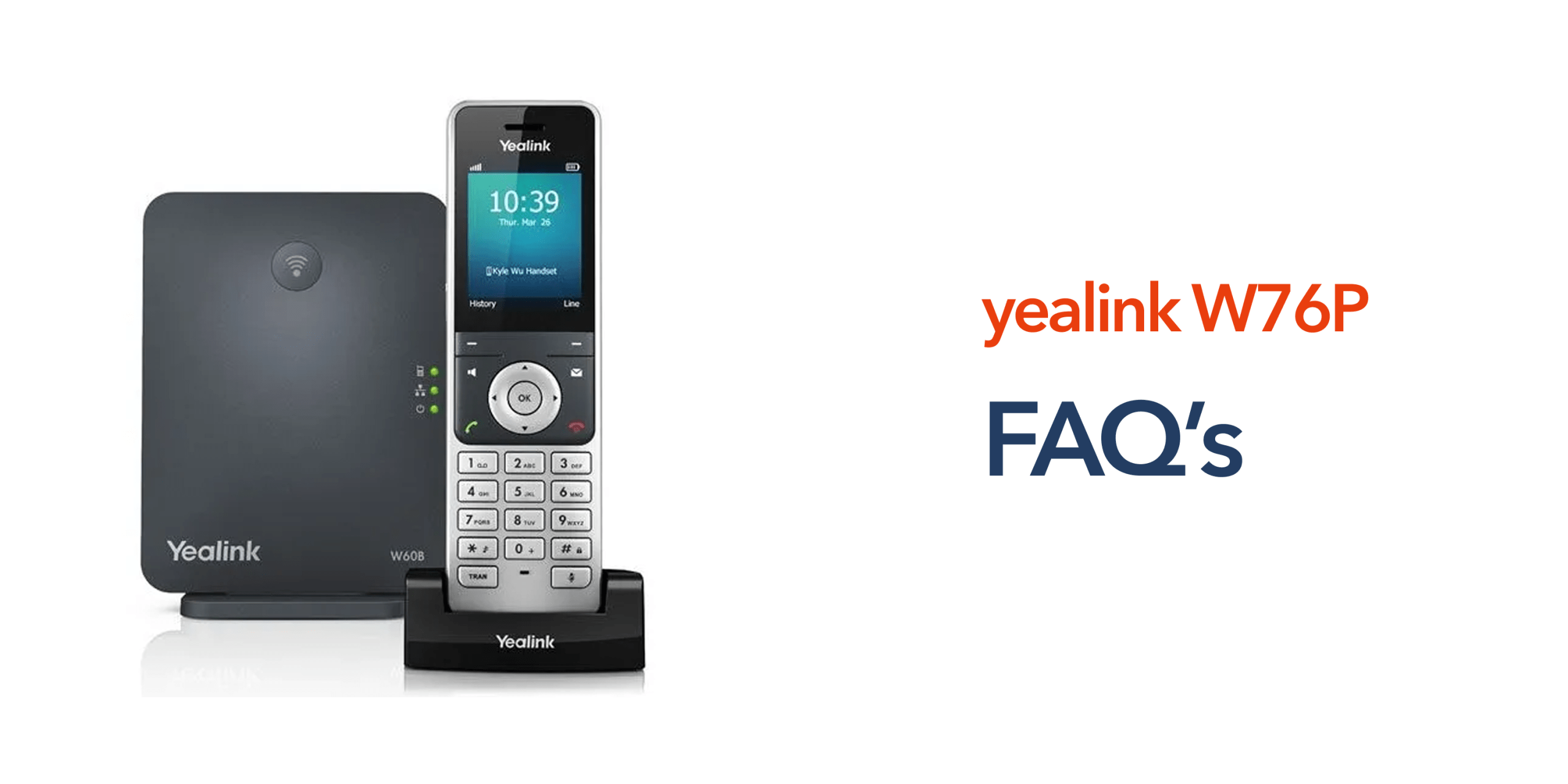
This is where cordless VoIP systems like the Yealink W76P are commonly used. The Yealink W76P is a DECT wireless phone system designed to connect with modern VoIP phone systems and cloud telephony platforms. It combines mobility, reliability, and simple deployment for businesses that require flexible communication.
Before choosing the device, many buyers have similar questions about its capabilities, compatibility, and suitability for their environment. The following Yealink W76P FAQs article answers the most common questions businesses ask before deploying the system.
What Is the Yealink W76P?
The Yealink W76P is a wireless DECT phone system designed for business environments. It typically includes a DECT base station, a cordless handset, and support for VoIP phone systems. The base station connects to the organisation’s network and VoIP platform. The cordless handset then communicates with the base station using Digital Enhanced Cordless Telecommunications technology. This allows employees to move freely throughout the workplace while remaining connected to the business phone system.
How Many Handsets Can the Yealink W76P Support?
A single Yealink W76P base station can support up to 10 cordless handsets and up to 20 simultaneous calls. This makes the system suitable for teams that require multiple wireless devices within the same workspace. Businesses can deploy additional base stations if larger coverage areas are required.
What Are the Key Yealink W76P Features?
The Yealink W76P includes several features designed for modern business communication. The common Yealink W76P features include:
- DECT wireless connectivity
- HD voice call quality
- Support for multiple SIP accounts
- Long handset battery life
- Easy handset provisioning
- Compatibility with VoIP phone systems.
These capabilities allow the device to integrate easily into existing cloud telephony deployments.
What Are the Yealink W76P Specifications?
The Yealink W76P is a DECT wireless phone system designed for business environments that require mobility and reliable communication. The system includes a base station that can support up to ten registered handsets and multiple SIP accounts, allowing it to integrate easily with VoIP phone systems. It also delivers HD audio for clear calls, connects through Ethernet, and offers long handset battery life for extended talk and standby time. These specifications make the device well-suited to workplaces where employees need to remain reachable while moving around the site.
How Much Does the Yealink W76P Cost?
The price of the Yealink W76P typically depends on the configuration and the number of handsets required. In most cases, the standard bundle, which includes a DECT base station and one handset, costs roughly £90 to £120 excluding VAT in the UK market.
Businesses can expand the system by adding additional handsets, which usually cost £55 to £75 per device. Optional accessories such as DECT repeaters may also be used to extend wireless coverage in larger buildings. The final cost, therefore, depends on how many devices and accessories are required for the workplace.
Does the Yealink W76P Work With VoIP Phone Systems?
Yes. The Yealink W76P DECT phone system is designed to work with VoIP platforms. The base station connects to the organisation’s network and registers with a VoIP phone system using SIP credentials. Once connected, the handset can make and receive calls through the organisation’s cloud telephony platform. This makes the device suitable for businesses moving from PSTN infrastructure to modern VoIP communications.
How Easy Is the Yealink W76P to Deploy?
Deployment of the Yealink W76P is generally straightforward for most business environments. The setup process typically involves connecting the base station to the network, entering the SIP credentials provided by the VoIP platform, and registering the cordless handsets with the base station. Because the system uses wireless DECT technology, it can be installed without running additional phone cabling throughout the workplace, making it a practical option for businesses that need a simple and flexible communication setup.
What Is the Range of the Yealink W76P?
Coverage varies depending on the workplace environment. In typical indoor conditions, the handset can communicate with the base station across large office spaces or retail environments. Additional base stations can be installed if coverage needs to extend across multiple floors or large facilities.
Is the Yealink W76P Suitable for Modern Cloud Communications?
Yes. The Yealink W76P is designed to work with modern cloud telephony platforms and VoIP phone systems. The device connects to the network and registers with a VoIP service using SIP, allowing calls to be managed through a cloud-based phone system rather than traditional landlines. As businesses prepare for the UK PSTN switch-off, wireless VoIP devices like the Yealink W76P are becoming increasingly common. They allow organisations to deploy flexible communication systems that support mobile employees and modern working environments.
Does the Yealink W76P Support HD Voice?
Yes. The Yealink W76P supports HD voice technology, which helps deliver clearer and more natural-sounding audio during calls. This improves overall communication quality for both internal conversations and customer interactions.
Does the Yealink W76P Support Call Transfer and Voicemail?
Yes. When connected to a VoIP phone system, the Yealink W76P can support common business telephony features such as call transfer, call hold, voicemail access, and call routing. These features depend on the capabilities of the VoIP platform being used.
Can the Yealink W76P Be Used for Remote or Hybrid Work?
The Yealink W76P is primarily designed for workplace environments where employees move within the same building. However, when integrated with a cloud phone system, it can operate alongside other communication tools such as desk phones and softphones that support remote or hybrid working.
What Type of Businesses Use the Yealink W76P?
The Yealink W76P business phone is commonly used in workplaces where employees need mobility while staying connected to the company phone system. Because the device uses DECT wireless technology, it allows staff to move around the workplace without losing reliable communication.
Common examples include retail stores that often use the system so employees can answer customer enquiries while assisting shoppers. Warehouses and logistics facilities benefit from wireless handsets that allow teams to stay connected across large operational areas. Healthcare and care environments also rely on DECT phones so administrative staff can move between departments while remaining reachable. In hospitality settings, managers and reception teams can respond to calls while moving throughout the venue rather than remaining at the front desk.
How Long Does the Yealink W76P Battery Last?
The Yealink W76P handset is designed to provide long battery performance for everyday business use. While battery life varies depending on usage, the handset typically supports extended talk time and standby time throughout the working day. This allows employees to use the device continuously without needing frequent charging.
Does the Yealink W76P Support Multiple SIP Accounts?
Yes. The Yealink W76P supports multiple SIP accounts, allowing businesses to configure different extensions or departments within the same phone system. This flexibility makes it easier for organisations to manage separate call queues, teams, or business numbers while using a single DECT base station.
How Many Calls Can the Yealink W76P Handle at Once?
The Yealink W76P base station can support up to 20 simultaneous calls. This capacity makes the system suitable for busy workplaces where multiple employees may be handling calls at the same time, such as retail stores, offices, or customer service environments.
Conclusion
These Yealink W76P FAQs address many of the common questions businesses ask when evaluating cordless VoIP phones. From specifications and call capacity to deployment and cloud compatibility, understanding these details can help organisations decide whether the device fits their communication needs. For businesses planning modern, wireless phone systems, the Yealink W76P offers a reliable option designed for today’s cloud-based telecom environments.