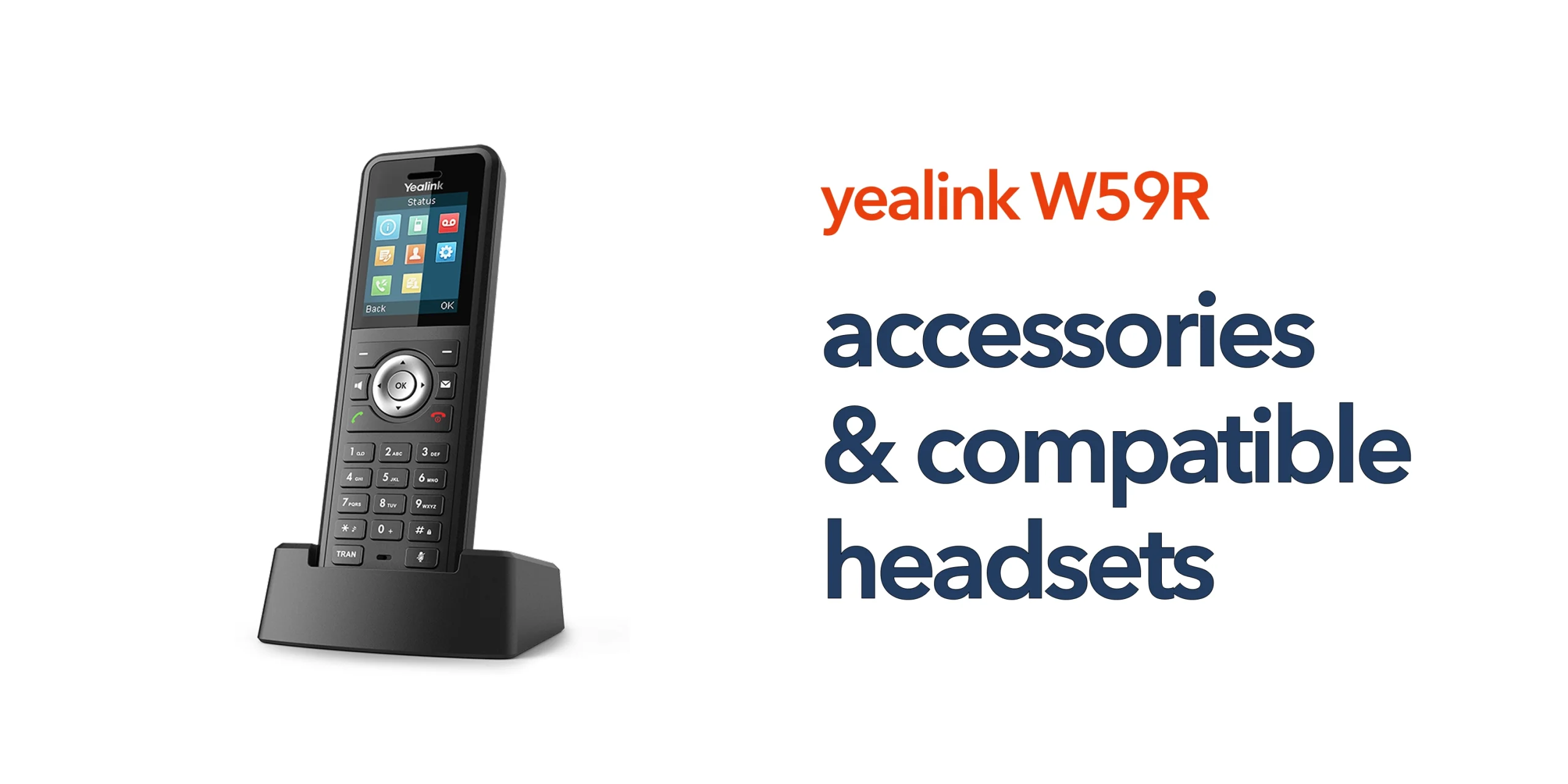
The Yealink W59R is built for demanding environments where standard handsets often fall short. Its rugged design, resistance to dust and water, and use of digital enhanced cordless telecommunications (DECT) make it a reliable choice for mobile teams across warehouses, retail spaces, and industrial settings. It is designed to keep your staff connected wherever they are working. However, the handset alone only delivers part of the solution. In modern business telecoms, devices are expected to support flexible working, clear communication, and seamless integration with cloud telephony platforms. This is where the right accessories make a measurable difference.
Choosing Yealink W59R compatible headsets and accessories allows businesses to extend the device’s capabilities. Headsets enable hands-free communication, improving productivity and reducing interruptions. Charging solutions help maintain uptime across long shifts. Carry accessories support mobility, making it easier for staff to stay connected without slowing down operations.
For UK businesses using VoIP and cloud-based business phone systems, these additions are not simply upgrades. They are essential components of a reliable communication environment. When combined with stable business broadband and a properly configured system, they help ensure your telecom infrastructure supports how your business actually operates.
Why Accessories Matter in a VoIP Environment
Modern business phone systems are no longer standalone devices. They are part of a wider voice over internet protocol infrastructure that includes:
- Cloud telephony platforms
- Business broadband and internet connectivity
- Wireless DECT coverage
- Call routing and user configuration
Accessories enhance how your team interacts with that system. Without them, even the best Yealink VoIP phone can feel limited. For businesses transitioning from PSTN to VoIP, this becomes even more important. Flexibility, mobility, and clarity are now essential.
Compatible Headsets for Yealink W59R
Choosing the right headset depends on how your team works day to day. Different environments require different levels of mobility, comfort, and audio performance. Understanding the available options helps ensure your Yealink W59R setup supports both productivity and reliability.
Wireless DECT Headsets
Wireless DECT headsets are one of the most practical additions to the Yealink W59R, especially in environments where mobility is essential. They allow staff to move freely while staying connected, making them ideal for warehouses, retail floors, healthcare settings, and large office spaces. By enabling hands-free communication, they support multitasking and help improve overall productivity. Options such as the Yealink WH62 and WH63 series are designed to integrate seamlessly with Yealink phones, ensuring reliable performance within a VoIP environment.
Bluetooth Headsets (via Adapter)
Bluetooth headsets can also be used with the Yealink W59R through a USB dongle, expanding compatibility with a wider range of professional devices. This approach offers greater flexibility, allowing businesses to choose lightweight headsets suited for long shifts while benefiting from features such as noise cancellation for clearer calls. This is particularly valuable in busy or noisy environments where maintaining call quality is critical.
Wired Headsets
For businesses that prioritise simplicity and consistency, wired headsets remain a dependable option. They provide stable audio performance without the need to manage battery life and are typically more cost-effective. While they do limit mobility, they are well-suited to fixed workstations or controlled environments where movement is not a primary requirement.
Essential Accessories for Yealink W59R
Alongside headsets, the right accessories help ensure your Yealink W59R performs reliably throughout the working day. They support uptime, improve usability, and reduce disruption in busy environments. Choosing the right combination can make a noticeable difference to how your communication system operates.
Charging Cradles and Spare Batteries
Charging cradles and spare batteries play a critical role in high-usage environments where downtime is not acceptable. Additional charging solutions help ensure continuous device availability, reduce disruption during shifts, and support better lifecycle management of your equipment. Spare batteries are particularly valuable in sectors with long operating hours, allowing devices to remain in use without interruption.
Belt Clips and Carry Accessories
Belt clips and carry accessories enhance the mobility that the Yealink W59R is designed for. They make it easier for staff to keep the handset accessible while on the move, which is essential for engineers, field workers, warehouse teams, and security personnel. Simple additions like belt clips can significantly improve both comfort and day-to-day usability.
Protective Cases
Although the W59R is built to be rugged, protective cases can further extend its lifespan. This is especially useful in industrial environments, outdoor operations, and high-impact workplaces where devices are exposed to tougher conditions. Reducing the risk of damage helps lower replacement costs and supports long-term reliability.
Matching Accessories to Your Business Use Case
Matching accessories to your business use case ensures your Yealink W59R setup delivers the right balance of mobility, reliability, and performance.
- Retail and customer-facing environments require mobility, as staff need to answer calls while assisting customers, so wireless headsets, belt clips, and spare batteries help improve response times and service quality.
- Warehousing and industrial settings prioritise durability and hands-free communication, making DECT wireless headsets, protective cases, and multi-charging setups essential for maintaining reliable communication across large sites.
- Office-based businesses focus on clarity and comfort, where wired or Bluetooth headsets combined with desk charging solutions support consistent communication without unnecessary complexity.
- Multi-site organisations require consistency across locations, so accessories should align with your cloud telephony platform, business phone systems configuration, and network infrastructure to ensure a unified communication experience.
How Accessories Support Modern Business Telecoms
Accessories are not just add-ons. They play a direct role in how effectively your telecom system performs. The right accessories support better call handling within VoIP phone systems, improve the user experience across wireless devices, and increase overall reliability in business communication. They also enable greater flexibility for hybrid and mobile teams, allowing staff to stay connected wherever they are working. When combined with a reliable business internet connection and a properly configured business phone system, they form part of a complete and scalable communication solution.
Choosing the Right Setup for Your Business
Selecting Yealink W59R compatible headsets should not be based on price alone. The right choice depends on how your business operates day to day, including how mobile your team needs to be, the environment they work in, and how the devices integrate with your cloud telephony system. It is also important to consider long-term scalability to ensure your setup can grow with your business. Many organisations find that working with a telecom provider simplifies this process, helping ensure that devices, accessories, and infrastructure all work together without unnecessary complexity.
Get More from Your Yealink W59R
The Yealink W59R is a capable device, but its real value depends on how well it fits into your wider telecommunications setup. When paired with the right accessories, it can improve communication efficiency, reduce downtime, and better support mobile and flexible working. It also helps future-proof your telecom infrastructure as your business grows and adapts to modern cloud-based systems. If you are upgrading your business phone systems or preparing for the PSTN switch-off, now is the right time to review your setup. Speak to our team to find the right accessories and configuration for your business.
FAQs
What headsets are compatible with Yealink W59R?
Wireless DECT headsets like the Yealink WH62 and WH63 are fully compatible. Bluetooth headsets can also be used with a USB adapter.
Does the Yealink W59R support Bluetooth headsets?
Yes, but it requires a compatible USB Bluetooth dongle.
Are wireless headsets better than wired ones for business use?
Wireless headsets offer more mobility, while wired headsets provide simplicity and consistent performance. The right choice depends on your environment.
Do accessories improve VoIP performance?
They improve usability and call handling, which indirectly enhances overall communication efficiency within VoIP systems.