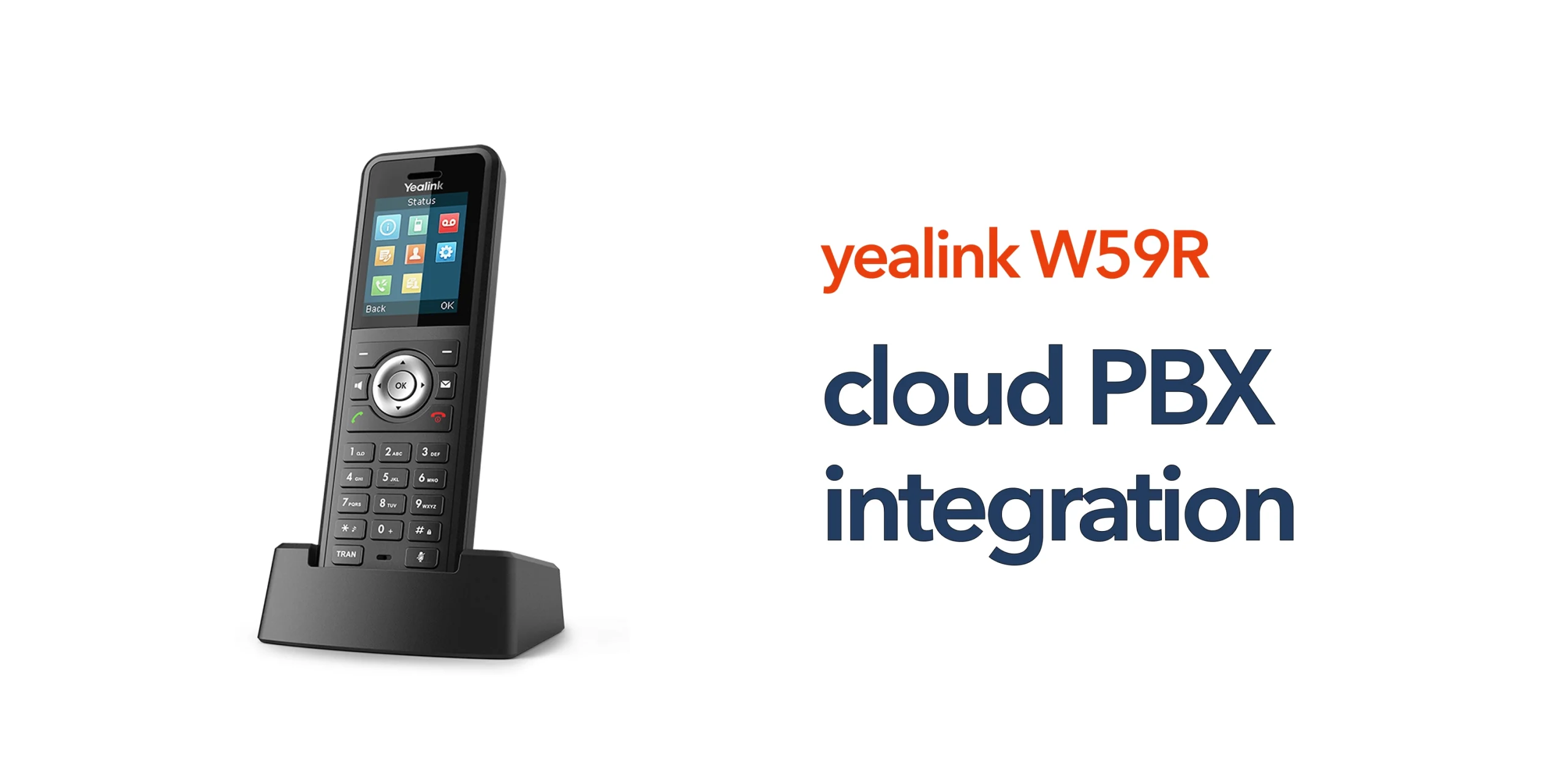
Many businesses focus on choosing the right handset, but the real value comes from how that device fits into your wider communication system. On its own, a handset can only provide basic functionality. Without proper integration, you miss out on the features and flexibility that modern business telecoms are designed to deliver.
When connected to a cloud phone system, the handset becomes part of a complete, centralised communication platform. This allows your business to manage calls more efficiently, support mobile teams, and maintain consistent communication across locations. It also ensures your system can scale as your business grows, without the limitations of traditional phone setups.
This is where Yealink W59R cloud PBX integration becomes important. It connects the device to a modern, cloud-based environment, turning it from a standalone handset into a reliable communication tool that supports productivity, flexibility, and long-term business performance.
What Is Yealink W59R Cloud PBX Integration?
Yealink W59R cloud PBX integration refers to connecting the handset to a cloud-based phone system using VoIP technology, allowing it to operate as part of a centralised communication platform rather than a standalone device. Once integrated, the W59R can make and receive calls over the internet, access business features such as call routing and voicemail, and be managed centrally alongside other devices. It also enables seamless communication across multiple locations, supporting both on-site and remote teams. This integration transforms the handset into a flexible, scalable communication tool that aligns with modern business telecom needs.
How the Integration Works
The Yealink W59R operates as part of a wider communication system, connecting through a DECT base station that links to your network and cloud PBX platform. The setup is completed using SIP credentials provided by your telecom provider, allowing the device to function within a fully managed VoIP environment. In simple terms:
- The handset connects wirelessly to the base station using DECT technology
- The base station connects to your business network via Ethernet
- The cloud PBX platform manages calls, routing, and advanced features
This structure removes the need for traditional phone lines and enables a more flexible, cloud-based communication system. It allows businesses to manage calls centrally, support mobile teams, and scale their setup without adding complex infrastructure.
Key Benefits of Integration for Your Business
Integrating your handset with a cloud phone system is not just a technical upgrade. It directly improves how your business communicates, collaborates, and scales. With Yealink W59R cloud PBX integration, these benefits become part of your everyday operations.
Centralised Communication Management
With Yealink W59R cloud PBX integration, all users, devices, and call settings are managed from a single platform. This simplifies administration, reduces the need for on-site maintenance, and gives your business greater control over how communication is handled.
Improved Flexibility and Mobility
The Yealink W59R allows staff to move freely while staying connected. When integrated with a cloud system, this flexibility extends beyond a single location, supporting remote teams, multi-site operations, and more dynamic ways of working.
Scalable Business Communication
As your business grows, your communication system can scale with it. New users, extensions, and devices can be added quickly without the need for additional infrastructure, making it easier to adapt to changing business needs.
Enhanced Call Handling Features
Cloud PBX integration unlocks a range of advanced features that improve how your business manages communication. These include:
- Call routing and auto-attendants
- Voicemail and call recording
- Call queues and call forwarding
These tools help ensure calls are handled efficiently, improving both internal coordination and customer experience.
Reliable and Future-Ready Infrastructure
With the UK moving away from PSTN and ISDN, cloud-based systems offer a more reliable and future-proof solution. Integrating the Yealink W59R ensures your communication setup is built on modern infrastructure that supports long-term business continuity.
Common Challenges Businesses Face
While Yealink W59R cloud PBX integration offers clear benefits, businesses can still face issues if the setup is not properly planned or managed. Understanding these challenges helps avoid disruption and ensures a smoother deployment.
Incorrect Configuration
Misconfigured SIP credentials, extensions, or network settings can prevent the system from working as intended. This often results in poor call quality, failed registrations, or inconsistent connectivity, all of which impact day-to-day communication.
Network Limitations
VoIP depends on a stable and well-optimised internet connection. If your network cannot handle voice traffic effectively, it can lead to latency, dropped calls, and reduced reliability across your communication system.
Lack of Integration Planning
Some businesses deploy devices without considering how they fit into the wider telecom infrastructure. Without proper planning, this can limit functionality, create inefficiencies, and reduce the long-term value of your investment.
Best Practices for Successful Integration
To get the most from Yealink W59R cloud PBX integration, it is important to approach setup with a clear plan. Following best practices helps ensure reliable performance and long-term value.
Ensure Network Readiness
A stable and reliable business internet connection is essential for VoIP. Your network should be optimised to handle voice traffic, ensuring clear call quality and consistent performance across all users.
Use Proper Configuration
Accurate setup of SIP credentials, extensions, and call routing is critical. Proper configuration ensures the system works as intended and avoids common issues such as registration errors or poor call handling.
Plan for Coverage and Capacity
DECT base station placement and capacity planning play a key role in performance. Ensuring adequate coverage and supporting the right number of users helps maintain consistent connectivity across your working environment.
Work with an Experienced Provider
Successful integration is not just about connecting devices. It is about making sure your entire communication system works together. An experienced provider can manage setup, optimise performance, and provide ongoing support as your business grows.
Is Cloud PBX Integration with Yealink W59R Right for You?
Yealink W59R cloud PBX integration is particularly suited to businesses that need reliable, flexible communication as part of their daily operations. It works especially well for:
- Businesses that are moving to cloud telephony and replacing traditional phone systems
- Organisations with mobile or on-site teams that need constant connectivity
- Multi-site operations that require consistent and unified communication
- Companies preparing for the UK PSTN switch-off
If your business depends on clear, scalable, and reliable communication, this type of integration offers a practical and future-ready solution.
Final Thought
The Yealink W59R is a powerful device, but its real value comes from how it is used. With the right setup, Yealink W59R cloud PBX integration turns a simple handset into a complete communication solution. If you are planning to upgrade your business phone system, speak to circle.cloud. We help UK businesses implement cloud-based communication systems that are simple, reliable, and built to support long-term growth.
FAQs
What is cloud PBX integration?
It is the process of connecting devices like the Yealink W59R to a cloud-based phone system, allowing calls to be managed over the internet.
Do I need special equipment for integration?
Yes. You will need a DECT base station, a network connection, and access to a cloud PBX platform.
Is the Yealink W59R compatible with most cloud systems?
Yes. It supports SIP-based VoIP platforms, making it compatible with most modern cloud phone systems.
Does integration improve call quality?
When properly configured on a stable network, it can significantly improve call quality and reliability.