According to UK Government research, 83% of UK businesses handle digital data, with nearly all medium and large organisations relying on continuous data processing to operate.
Based on industry benchmarks for per-user network activity, a medium-sized business can generate 10–50 million digital operations per day. At the same time, larger enterprises can exceed 100 million per day, driven by cloud platforms, automation, and connected devices.
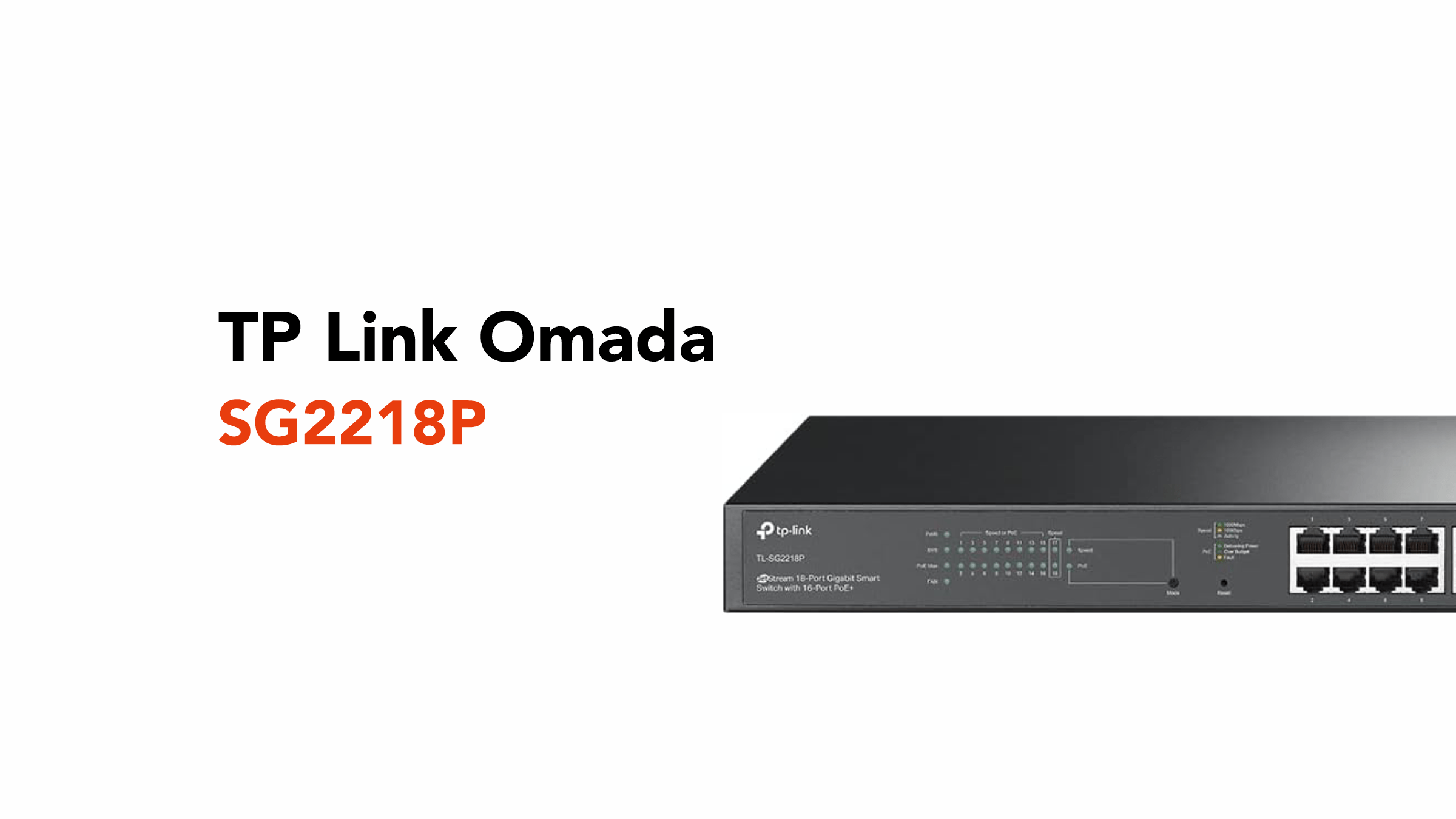
This is exactly the kind of demand devices like the TP-Link Omada SG2218P series are built to handle, giving businesses the control and stability needed as network activity scales.
Before discussing the SG2218P in more detail, let’s define what a PoE (Power over Ethernet) smart switch does.
What is the TP-Link Omada SG2218P PoE Switch?
The TP-Link Omada SG2218P is a smart PoE switch that connects and powers multiple devices across your network from a single location.
With 16 ports delivering both data and power over a single cable, it’s easier to run devices like WiFi access points, IP (Internet Protocol) phones, and security cameras without extra wiring.
Also, by providing power and connectivity over one line, it helps keep your network organised and running smoothly as more users and devices come online.
Key Features of the TP-Link Omada SG2218P
Now that we know what the SG2218P is, what actually makes it stand out?
16 PoE+ Ports for Scalable Connectivity
The TP-Link Omada SG2218P comes with 16 PoE+ ports, each capable of delivering both power and data through a single Ethernet cable.
As mentioned, this means you can connect and power multiple devices at once, including:
- WiFi access points
- IP phones
- Security cameras
- Access control systems
With a total PoE power budget of 150W, the SG2218P can comfortably support a full range of business devices simultaneously.
In a typical setup, that could look like:
- 6–8 WiFi access points (around 10–20W each)
- 6–10 VoIP (Voice over Internet Protocol) phones (around 5–10W each)
- 4–6 IP (Internet Protocol) security cameras (around 8–15W each)
Or a mixed environment such as:
- 4 WiFi access points
- 6 IP phones
- 4 security cameras
All powered from a single switch, without the need for separate power supplies.
As your network grows, the switch gives you the capacity to expand without needing additional hardware straight away.
Gigabit Speeds with Fibre Uplinks
The SG2218P comes with 16 Gigabit Ethernet ports (10/100/1000 Mbps), providing fast, stable connections throughout your network.
In practical terms, that means your day-to-day work, whether it’s video calls, cloud systems, or file transfers, runs smoothly without bottlenecks.
Alongside these, you also get 2 SFP uplink ports designed for fibre connections. SFP stands for Small Form-factor Pluggable, which is simply a type of port used for fibre connections. It allows the switch to connect over longer distances or link into other parts of a network using fibre-optic cables.
Fibre-optic cables are typically used when you need to connect over longer distances or link your switch to other parts of your network, such as another floor, a server room, or a second building.
So while the Gigabit ports handle your everyday devices, the fibre uplinks give you a faster, more reliable backbone that helps your network grow without needing to replace your equipment later on.
Smarter Traffic Management with QoS
Not all network traffic is equally important, especially when everything is happening at once.
The SG2218P includes QoS (Quality of Service), which prioritises critical activities like:
- Voice calls
- Video conferencing
- Business applications
In simple terms, it ensures that the things that need to work right now aren’t slowed down by less urgent traffic.
So even if someone is downloading large files or running backups, your Teams call stays clear, and your systems remain responsive.
As daily network activity climbs into the millions of operations, that kind of prioritisation becomes essential, not optional.
VLAN Support for Better Network Organisation
The switch supports VLANs (Virtual Local Area Networks), allowing you to split your network into separate segments without adding extra hardware.
Instead of everything sharing the same space, you can organise your network into clearly defined sections, for example:
- A secure internal staff network
- A guest WiFi network
- A dedicated CCTV network
This separation improves security by keeping sensitive systems isolated and performance by preventing different types of traffic from interfering with each other.
It’s a simple way to add structure and control as your network grows more complex.
Built-In Security Features
As more devices connect to your network, controlling access becomes increasingly important.
The SG2218P includes built-in tools to help manage this:
- Access Control Lists (ACLs) let you define who can access specific parts of the network
- Port security restricts which devices can connect to each port
- 802.1X authentication requires users or devices to log in before gaining access
Together, these features act as a layer of protection that works quietly in the background, helping to prevent unauthorised access while keeping day-to-day operations running smoothly.
Centralised Management with Omada SDN
The SG2218P integrates with Omada SDN (Software-Defined Networking), providing a central platform for managing your network.
Rather than configuring each device individually, you can control everything from a single dashboard.
From here, you can:
- Monitor network performance and PoE consumption in real time.
- Adjust settings across your network
- Troubleshoot issues quickly
- Manage multiple sites from one place
As your network grows, this kind of central control saves time, reduces complexity, and makes it far easier to stay on top of everything.
Quiet, Durable Design for Business Environments
Built with a metal casing and designed for long-term reliability, the SG2218P is made to run continuously in business environments.
Its intelligent cooling fans ensure it remains quiet, making it suitable for offices, meeting rooms, or back-end installations where noise needs to be kept to a minimum.
It’s designed to be installed once and trusted to keep running without constant attention.
Why the SG2218P Makes Sense for Growing UK Businesses
As UK businesses increasingly rely on cloud platforms, digital tools, and connected devices, the pressure on networks continues to rise.
What might have worked for a small team quickly starts to struggle as more users come online, more systems are added, and more data moves across the network every day.
The SG2218P is built for exactly that stage of growth. It gives you the capacity to connect more devices, the power to run them efficiently, and the control to keep everything performing as it should.
Whether you’re expanding your office, rolling out better WiFi coverage, introducing VoIP systems, or adding security infrastructure, the switch provides a solid foundation without overcomplicating things.
It also helps future-proof your setup. Instead of constantly adding small fixes or extra hardware, you’ve got a system that’s designed to scale with your business, supporting more users, more traffic, and more demand as you grow.
In short, it’s not just about meeting today’s needs. It’s about making sure your network is ready for what comes next.
Build It Properly with circle.cloud
Having the right hardware is only part of the picture. How your network is designed and set up makes all the difference.
That’s where circle.cloud comes in.
From planning your network layout to configuring VLANs, PoE deployments, and full Omada environments, circle.cloud helps ensure everything is set up correctly from day one.
No guesswork, or patchwork fixes, just a network that works the way your business needs it to.
Talk to circle.cloud about:
- Network design and optimisation
- Omada deployments
- Multi-site connectivity
- Business-grade WiFi performance
Because when your network is built properly, everything else runs more smoothly.