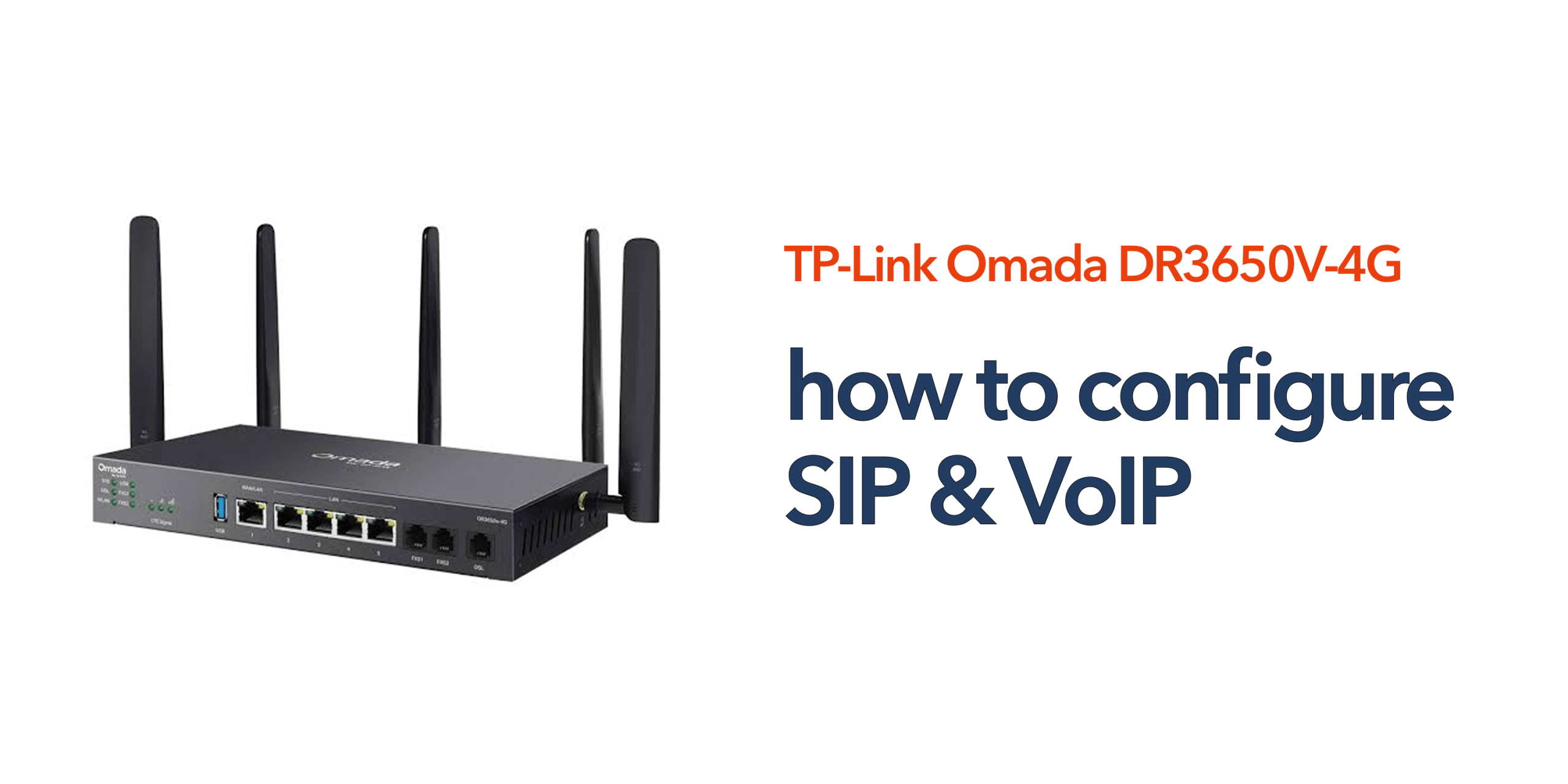
Modern businesses depend on reliable voice communications. Whether your organisation uses hosted VoIP, SIP trunks, or cloud phone systems, correct network configuration plays a major role in call quality and reliability. The TP-Link Omada DR3650V-4G is designed to support business communications by combining broadband connectivity, advanced routing, and integrated 4G failover. However, achieving the best results requires proper SIP and VoIP configuration. This guide explains how to configure SIP & VoIP on the TP-Link DR3650V-4G and optimise your network for business-grade communications.
Why SIP and VoIP Configuration Matters
Many businesses invest in modern cloud phone systems but overlook the network infrastructure supporting them. Poor configuration can lead to:
- Dropped calls
- One-way audio
- Call jitter
- Delayed conversations
- Registration failures
- Reduced call quality during periods of heavy network usage
By correctly configuring SIP and VoIP settings, businesses can improve reliability and ensure voice traffic receives the priority it requires.
Understanding SIP and VoIP
Before you configure SIP & VoIP settings, it is important to understand how these technologies work together. Although SIP and VoIP are often mentioned interchangeably, they perform different functions within a business communication system. Understanding the distinction can help ensure a smoother deployment and make troubleshooting easier if issues arise later.
What is VoIP?
Voice over Internet Protocol (VoIP) allows voice calls to travel across internet connections rather than traditional telephone lines. Businesses use VoIP to:
- Reduce telephony costs
- Support remote working
- Access advanced call features
- Replace legacy PSTN and ISDN systems
What is SIP?
Session Initiation Protocol (SIP) is the signalling protocol commonly used to establish, manage, and terminate VoIP calls. SIP handles:
- Call setup
- User registration
- Call routing
- Session management
Most hosted phone systems and SIP trunk providers rely on SIP to deliver voice services.
Preparing the TP-Link DR3650V-4G
Before beginning the configuration process, it is important to ensure the router is ready for deployment. Verify that the TP-Link Omada DR3650V-4G is running the latest firmware version, internet connectivity is active, SIP provider credentials are available, firewall policies have been reviewed, and all network devices are correctly connected. Taking these preparatory steps helps avoid configuration issues later and ensures the router benefits from the latest security enhancements, bug fixes, and performance improvements.
Accessing the Router Management Interface
To configure SIP and VoIP services, you will first need access to the router’s management interface. Connect a device to the local network, open a web browser, and enter the router’s management IP address.
Log in using administrator credentials and navigate to the Omada management dashboard. From this central interface, you can manage routing policies, firewall settings, Quality of Service rules, security controls, and other network configurations required for VoIP optimisation.
Configure SIP & VoIP Traffic Prioritisation
One of the most important steps when deploying VoIP services is ensuring voice traffic receives priority over less time-sensitive network activity. Without traffic prioritisation, activities such as large downloads, software updates, or cloud backups can negatively affect call quality. Proper prioritisation helps maintain reliable communications, particularly during busy periods when network demand is high.
Enable Quality of Service (QoS)
Quality of Service (QoS) allows the router to identify and prioritise specific types of network traffic. For business VoIP deployments, QoS should be configured to prioritise SIP signalling traffic, RTP voice streams, hosted PBX communications, and video conferencing applications. By giving voice traffic higher priority, the router can help reduce latency, jitter, and packet loss, resulting in clearer and more reliable calls.
Create Voice Traffic Policies
Where possible, dedicated traffic policies should be created specifically for voice communications. These policies can prioritise SIP ports, recognised VoIP providers, and hosted telephony platforms. Separating voice traffic from general network activity helps ensure that bandwidth-intensive applications do not interfere with call quality and prevent important business conversations from being disrupted.
Configure SIP ALG Settings
Many organisations experience VoIP issues due to SIP ALG settings on their router. While SIP ALG is designed to assist SIP traffic passing through firewalls and Network Address Translation (NAT) environments, it can often create more problems than it solves.
What is SIP ALG?
SIP Application Layer Gateway (SIP ALG) is a feature built into many routers that attempts to inspect and modify SIP traffic. Although intended to improve compatibility, SIP ALG can alter SIP packets in ways that interfere with VoIP services. This may result in registration failures, one-way audio, call setup issues, or poor overall call performance.
Disable SIP ALG
For this reason, many hosted VoIP and SIP trunk providers recommend disabling SIP ALG. Within the router settings, navigate to the NAT or Firewall section, locate the SIP ALG option, disable the feature, and save the changes. This simple adjustment is often one of the most effective ways to resolve common SIP-related communication issues.
Configure Firewall Rules for VoIP
Security remains an important consideration when deploying business communication systems. Firewall settings should be reviewed carefully to ensure legitimate SIP traffic can pass through the network while maintaining protection against unauthorised access attempts. Businesses should consider allowing trusted SIP provider traffic, restricting unnecessary inbound connections, monitoring suspicious activity, and implementing appropriate access controls. The objective is to maintain strong security without negatively affecting communication reliability.
Configure 4G Failover for Voice Continuity
A key advantage of the TP-Link Omada DR3650V-4G is its integrated 4G failover capability. This feature helps maintain connectivity when the primary broadband connection becomes unavailable, ensuring business communications remain operational during unexpected outages.
Why Failover Matters
Even brief internet outages can disrupt customer calls, sales enquiries, support services, and remote working arrangements. With 4G failover configured correctly, the router can automatically switch to a mobile data connection whenever the primary broadband service fails. This minimises downtime and helps maintain continuity for business-critical communications.
Test Failover Performance
After configuration, it is important to test the failover functionality. Disconnect the primary internet connection and confirm that the router automatically switches to the 4G network. Because the WAN connection changes during failover, calls already in progress may briefly drop and devices will need to re-register on the new connection — this is normal. What matters is that SIP devices successfully re-register and new calls can be placed and received promptly once the 4G connection is active. Regular testing helps ensure the failover system will perform as expected during a real outage.
Testing Your SIP and VoIP Configuration
Once the configuration is complete, a thorough validation process should be carried out. Confirm that devices are registering successfully, inbound and outbound calls are functioning correctly, audio quality meets expectations, call transfers operate properly, conference calling features work as intended, and failover functionality performs reliably. Regular testing helps identify potential issues before they impact employees or customers.
Common SIP and VoIP Issues
Even with proper configuration, some issues may occasionally occur. Understanding the most common causes can help speed up troubleshooting and minimise disruption.
One-Way Audio
One-way audio occurs when one participant can hear the other, but communication only works in a single direction. This problem is often caused by NAT configuration issues, SIP ALG interference, or firewall restrictions that prevent voice traffic from flowing correctly.
Registration Failures
If devices cannot register with the hosted phone system or SIP provider, the issue may stem from incorrect credentials, blocked network ports, or provider-side configuration errors. Verifying account details and reviewing network settings are usually the first steps in resolving registration problems.
Poor Call Quality
Poor call quality is typically linked to network performance issues. Congestion, insufficient bandwidth, and the absence of effective QoS policies can all contribute to choppy audio, latency, and dropped calls. Addressing these factors early helps maintain a positive user experience and supports more professional customer communications.
Is the TP-Link DR3650V-4G Suitable for Business VoIP?
For many SMEs and multi-site organisations, the TP-Link DR3650V-4G offers an effective platform for cloud communications. Its combination of:
- Business-grade routing
- QoS capabilities
- Integrated 4G failover
- Centralised management
- Security controls
These qualities and features make the DR3650V-4G well-suited to supporting hosted VoIP and SIP-based services. When properly configured, the router can help businesses maintain reliable communications while reducing the risk of downtime.
Conclusion
Learning how to configure SIP & VoIP correctly is essential for achieving reliable business communications. The TP-Link DR3650V-4G provides the tools needed to support modern cloud telephony, but proper configuration is key to maximising performance. By prioritising voice traffic, disabling problematic SIP ALG features, securing firewall settings, and enabling 4G failover, businesses can improve call quality and maintain continuity even during connectivity disruptions. As more organisations move towards cloud-first communications, having a resilient network foundation becomes just as important as the phone system itself.
If you’d rather leave the configuration to the experts, speak to circle.cloud for hands-on SIP, VoIP, and network setup support.
FAQs
Does the TP-Link DR3650V-4G support hosted VoIP systems? Yes. The router is designed to support cloud telephony platforms, SIP trunks, and hosted VoIP deployments.
Should SIP ALG be disabled? In many business VoIP environments, disabling SIP ALG improves compatibility and reduces call-related issues.
Can the DR3650V-4G prioritise voice traffic? Yes. Quality of Service settings allow administrators to prioritise SIP and VoIP traffic over other network activity.
Does 4G failover work with SIP services? Yes. When configured correctly, the router can re-establish SIP connectivity through its 4G backup connection during broadband outages, though calls in progress at the moment of failover may need to be re-dialled.
Is the TP-Link DR3650V-4G suitable for small businesses? Yes. Its combination of broadband management, failover protection, and VoIP support makes it suitable for SMEs and growing organisations.