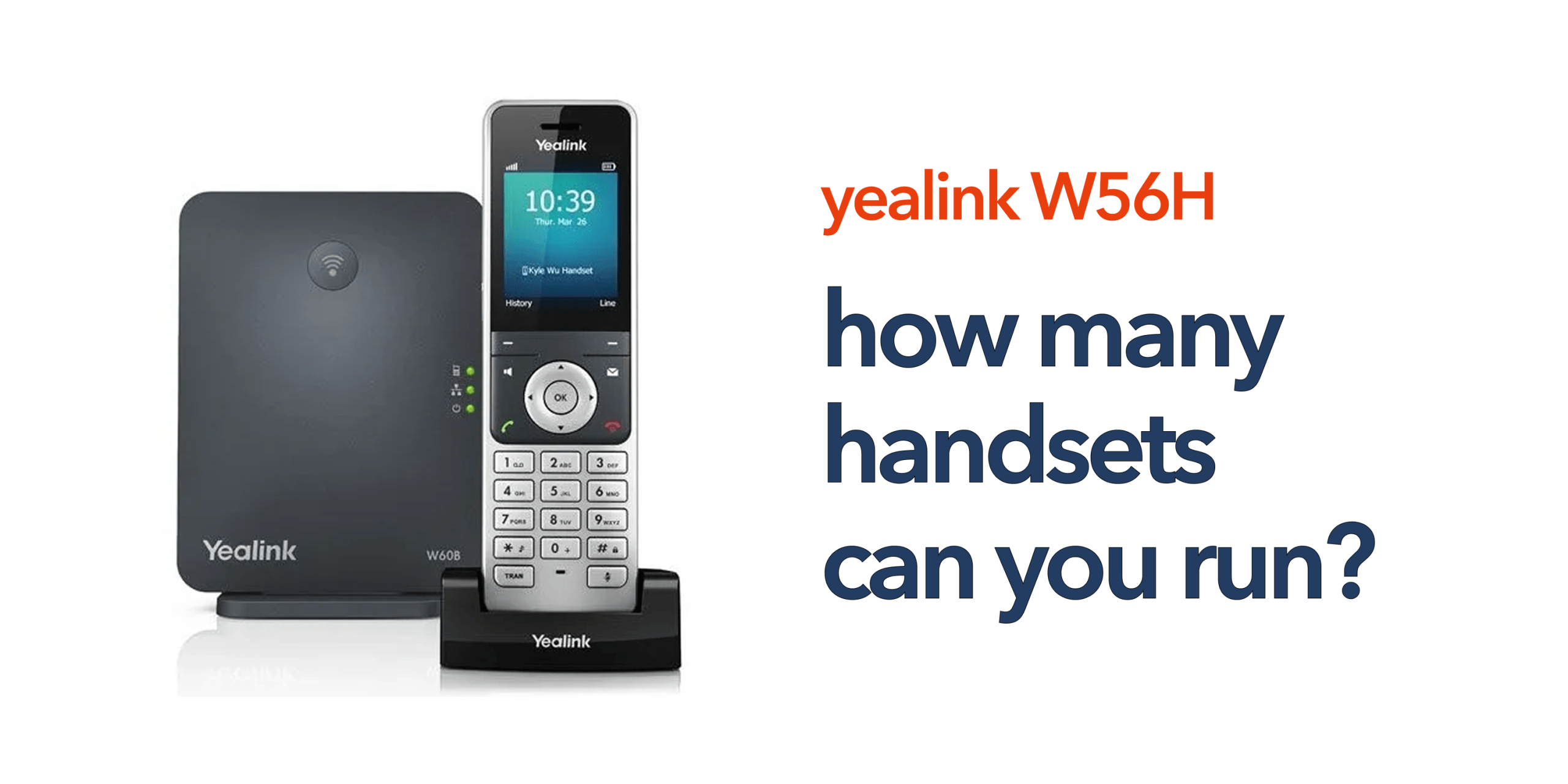
If you are setting up or upgrading your business phone system, one of the first things to understand is how many handsets your setup can realistically support. It sounds straightforward, but with a Yealink W56H system, the answer is not as simple as counting devices. The handset is only one part of a wider DECT system. The real capacity depends on your base station, your VoIP platform, and how your system is configured. This is where many businesses get caught out. They choose the right handset but overlook the infrastructure behind it.
Getting this right matters. Too few resources and you risk dropped calls or limited availability. Too much, and you may overspend on hardware you do not need. A properly planned system ensures your team can communicate reliably today while giving you room to grow.
Understanding how many handsets you can run is not just a technical detail. It is a key part of building a communication system that supports your business as it scales.
Understanding the Yealink W56H System
If you are planning a business phone setup, it is easy to assume the handset defines what your system can handle. In reality, the Yealink W56H system works differently. The Yealink W56H is only one part of the system. It works alongside a DECT base station, which controls how many devices and calls your setup can support. This means capacity is determined by the system design, not just the handset.
How Many Handsets Can a Yealink W56H System Support?
In a typical setup, the number of handsets you can run depends on the DECT base station rather than the handset itself. Most businesses using a Yealink W56H system rely on standard base stations such as:
- Yealink W60B Base Station
- Yealink W70B Base Station
With these base stations, you can connect:
- Up to 8 handsets per base station
This is the standard configuration for most small to medium-sized offices. It provides enough capacity for typical teams while keeping the setup simple and easy to manage.
Understanding System Limits: Handsets vs Calls
A common misunderstanding is assuming that more handsets automatically means more calls can be made at the same time. In a Yealink W56H system, multiple handsets can be connected without issue; however, the number of simultaneous calls is still limited. For example, even if 8 handsets are connected, only around 4 active calls may be handled at once. This limit is not determined by the handsets themselves but is controlled by the base station and the capabilities of your VoIP platform.
Scaling a Yealink W56H System
As your business expands, your communication system should be able to grow with it without disruption. The Yealink W56H setup is designed with scalability in mind, allowing you to gradually increase capacity based on operational needs. Whether you are adding a few new users or building a larger communication network, the system can be extended in stages while maintaining reliability and call quality.
Adding More Handsets
One of the simplest ways to scale your setup is by adding additional W56H handsets to your existing base station. This process is straightforward and does not require major reconfiguration.
This approach is particularly useful for:
- Expanding teams that need individual handsets
- New office rooms or departments within the same location
- Shared workspaces where multiple users rotate devices
However, it is important to remember that while more handsets can be registered, the number of simultaneous calls remains limited by the base station capacity.
Adding More Base Stations
When your team grows beyond the capacity of a single base station (typically around 8 handsets, depending on configuration), the next step is to introduce additional base stations. This expansion provides several key advantages:
- Higher user capacity by distributing handsets across multiple bases
- Improved indoor coverage, reducing dead zones in larger offices
- Better call handling, as the load is shared between base stations rather than concentrated in one unit
This setup is ideal for medium-sized businesses that require more flexibility without moving to a full enterprise DECT system.
Moving to Multi-Cell Systems
For larger organisations or multi-floor environments, upgrading to a multi-cell DECT system is the most scalable solution. In this setup, multiple base stations are interconnected to operate as a single unified network. Key benefits include:
- Support for dozens or even hundreds of handsets across locations
- Seamless roaming, allowing users to move between areas without dropping calls
- Centralised management makes it easier to configure, monitor, and maintain the entire system from one control point
This architecture is ideal for enterprises, large campuses, warehouses, or any environment where mobility and uninterrupted communication are critical.
Real Business Scenarios
Different businesses require different levels of communication infrastructure depending on their size, layout, and growth plans. The Yealink W56H system can be adapted to suit a wide range of environments, from small offices to large multi-zone facilities, ensuring reliable communication at every stage.
Small Office (Up to 8 Users)
In a small office environment, a single base station is usually sufficient to handle day-to-day communication needs. This setup can support up to 8 W56H handsets, making it ideal for compact teams where communication is centralised and office space is limited.
This configuration is simple to install, easy to manage, and highly cost-effective. It works well for startups, small businesses, or professional offices where users operate within close proximity and do not require complex infrastructure.
Growing Business (10–20 Users)
As a business begins to expand, a single base station may no longer be enough to ensure consistent performance and coverage. In such cases, deploying 2 to 3 base stations becomes a practical solution to support a larger number of users.
This distributed setup helps balance the load across multiple units, improving overall system performance during peak usage. It also enhances coverage across a wider office space, reducing signal issues and ensuring that all users maintain stable connectivity regardless of their location within the premises.
Large Office or Warehouse
For large-scale environments such as corporate offices, manufacturing sites, or warehouses, a multi-cell DECT system is the most effective solution. This advanced setup connects multiple base stations into a unified network, allowing seamless communication across different zones.
With this configuration, users can move freely between areas without experiencing call drops or interruptions. The system is highly scalable, meaning it can grow alongside the organisation as more users, floors, or operational zones are added. It also provides centralised management, making it easier for IT teams to monitor and control the entire communication infrastructure efficiently.
What Affects Your System Capacity?
System capacity in a Yealink W56H or similar DECT-based setup is not determined by a single factor such as the number of handsets alone. Instead, it depends on a combination of environmental, usage, and planning considerations that together influence performance, reliability, and scalability.
Office Layout
The physical layout of your office plays a major role in how well your system performs. Walls, floors, partitions, and even construction materials can significantly impact DECT signal strength and coverage. For example, concrete walls, metal structures, and multiple floors can weaken or block signals, leading to reduced coverage or dead zones. In contrast, open-plan offices typically allow for stronger and more consistent connectivity. Proper placement of base stations is therefore essential to ensure smooth communication across the entire workspace.
Call Volume
The overall number of calls taking place at the same time directly affects system performance. Even if many handsets are connected, the system can only handle a limited number of simultaneous calls based on the base station and VoIP platform capacity. In environments with high call traffic, such as customer service teams or busy administrative offices, ensuring sufficient call handling capacity is critical. Without proper planning, users may experience call queuing, delays, or dropped connections during peak hours.
Mobility Needs
How frequently staff move around within the workspace also impacts system requirements. In offices where employees are mostly stationary, a basic setup may be sufficient. However, in dynamic environments where users are constantly moving, such as warehouses, hospitals, or large office floors, strong and consistent coverage becomes essential. In such cases, proper base station placement or multi-cell deployment ensures uninterrupted connectivity and smooth handover between coverage zones.
Future Expansion
A well-designed communication system should not only meet current needs but also accommodate future growth. Businesses that anticipate hiring more staff, expanding office space, or increasing call volume should plan their DECT infrastructure accordingly. Building scalability into the system from the beginning helps avoid costly upgrades or major reconfigurations later. This ensures that the communication setup can evolve smoothly alongside the business without disrupting daily operations.
Why the Yealink W56H System Works for Businesses
The Yealink W56H is a simple, scalable cordless communication solution designed for VoIP systems and growing businesses. It offers reliable wireless connectivity, allowing users to move freely while staying connected. It supports easy VoIP integration, making setup quick and straightforward. It also provides flexible deployment, from small offices to larger multi-base setups. Overall, it is a practical choice for SMEs that need reliable and scalable communication.
Common Mistakes to Avoid
Understanding common mistakes helps ensure your Yealink W56H system performs efficiently and scales smoothly as your business grows. Many issues arise not from the equipment itself, but from incorrect planning and assumptions during setup.
- Assuming handset equals system capacity: Capacity depends on the base station, not the number of handsets.
- Underestimating coverage requirements: Poor planning can cause weak signals and dropped calls.
- Not planning for growth: Late scaling often becomes costly and complex.
- Ignoring system design: Bad layout reduces performance even with good hardware.
Final Thoughts
The number of handsets you can run on a Yealink W56H system is typically up to 8 per base station. This can be increased by adding more base stations or using a multi-cell system, depending on your business size and requirements. However, the real limit depends on how the system is designed and configured. A properly planned setup ensures reliable communication in daily use and allows the system to scale as your business grows. Focusing on overall system design instead of just handset numbers helps maintain good performance, coverage, and call quality.
If you are planning a Yealink W56H system and want it set up for both current needs and future growth, circle.cloud can design and deploy a tailored solution for your business. Speak to our team today.
FAQs
What is a Yealink W56H system?
It is a DECT-based business phone setup using W56H handsets and a compatible base station.
How many handsets can I connect?
Usually up to 8 per base station.
Can I increase capacity later?
Yes, by adding more base stations or upgrading to a multi-cell system.
How many calls can happen at once?
Typically, around 4 simultaneous calls per base station.
Is this system suitable for growing businesses?
Yes. It is designed to scale with additional hardware.