According to the Office for National Statistics, UK businesses generate more than £660 billion in e-commerce sales annually. It’s hard to think of any modern-day professional environment that doesn’t rely on an internet connection.
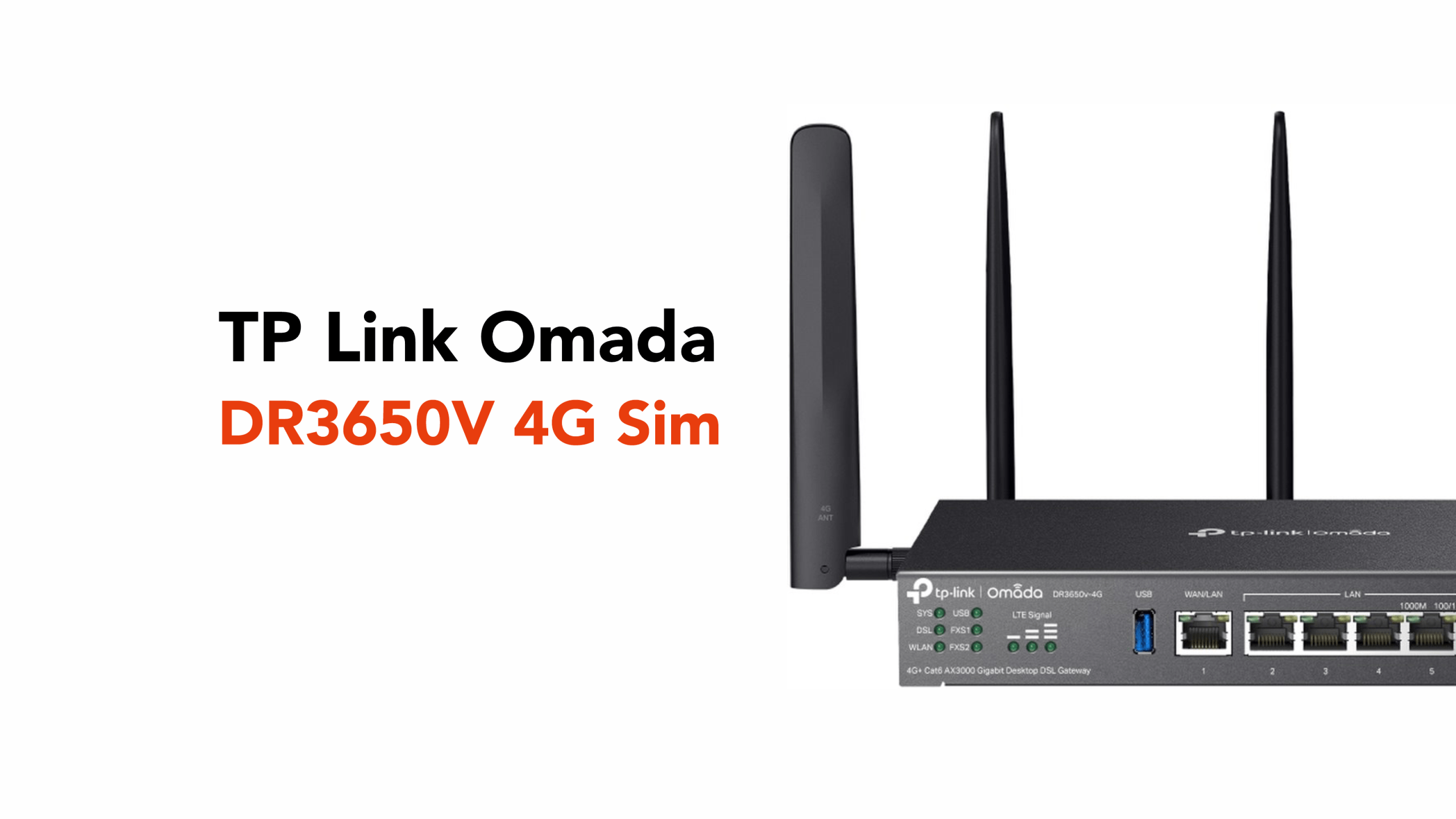
This is where business-grade routers like the TP-Link Omada DR3650v-4G come into play.
Designed as part of the TP-Link Omada ecosystem, this device combines high-speed networking, integrated VoIP (Voice over Internet Protocol) capabilities, and automatic 4G failover to keep organisations online when their primary connection drops.
Let’s take a closer look at this business gateway router.
What the TP-Link Omada DR3650v-4G Is
The TP-Link Omada DR3650v-4G is a business gateway router designed to connect offices, remote branches, and small enterprises to the internet while managing traffic between internal devices such as computers, VoIP phones, printers, and servers.
Unlike the standard router found in many homes, this device is built for professional networking environments where reliability, redundancy, and centralised management are essential.
One of the defining characteristics of the router is its connectivity flexibility.
The DR3650v-4G supports multiple internet technologies, including:
- Ethernet broadband
- DSL connections such as VDSL2 profile 35b
- Integrated 4G+ Cat6 LTE connectivity
This allows businesses to combine several types of internet access within a single device.
The router also includes Wi-Fi 6 (AX3000) wireless networking, meaning it can function as both a business gateway and a wireless access point in smaller offices. Wi-Fi 6 improves performance in busy networks by handling multiple devices more efficiently.
Key functions include:
- 4G LTE failover connectivity
- VoIP support for business telephony
- VPN gateway capabilities
- Cloud management via Omada
Simply put, the router acts as the central traffic controller for a business network, ensuring that data, voice calls, and cloud services move smoothly between internal devices and the wider internet.
These capabilities are made possible through several core features built into the router.
Key Features of the DR3650v-4G Explained
Below are some of the most important features that make the TP-Link Omada DR3650v-4G suitable for modern business networks.
4G Failover for Business Continuity
One of the most valuable features of the TP-Link Omada DR3650v-4G is its automatic 4G failover capability.
Internet outages can happen for many reasons, including:
- ISP (Internet Service Provider) network faults
- Fibre line damage
- Local infrastructure maintenance
- Power disruptions affecting exchange equipment
To mitigate these risks, the router includes integrated LTE connectivity and dual-SIM support.
This means businesses can install two separate mobile SIM cards, often from different network providers. If one mobile network experiences issues or a poor signal, the router can automatically switch to the second SIM, maintaining the backup connection.
If the primary wired internet connection fails, the device automatically switches to the available 4G mobile network. This transition typically happens within seconds, helping keep critical systems online.
The router can also support multiple WAN connections, allowing businesses to combine DSL, Ethernet broadband, and 4G connectivity for improved reliability or traffic load balancing. While the router supports multi-WAN load balancing, 4G is typically configured as a ‘Backup’ (Failover) priority to avoid excessive mobile data consumption during normal operation.
For businesses that rely heavily on:
- cloud platforms
- remote working tools
- VoIP phone systems
- customer-facing websites
This layered connectivity can significantly reduce the risk of downtime.
Built-In VoIP Support
Another key capability of the DR3650v-4G is its integrated VoIP support, making it suitable for organisations running IP-based phone systems.
VoIP support allows businesses to:
- Route voice calls over the internet
- Connect SIP (Session Initiation Protocol) phones and PBX (Private Branch Exchange) systems
- Manage multiple phone lines
The router includes 2 × RJ11 FXS ports, which allow businesses to connect traditional analogue telephones or fax machines.
This is particularly useful for organisations that are gradually transitioning from legacy telephony systems to fully IP-based communications.
For companies using hosted phone platforms or unified communications solutions, the router helps ensure voice traffic is prioritised and stable.
This is particularly useful for:
- Customer support teams
- Call centres
- Remote offices
- Hybrid workplaces
By combining routing and telephony support in a single device, the DR3650v-4G reduces the need for additional hardware.
Secure VPN Connectivity
Security is another important feature of the router.
The DR3650v-4G supports several secure Virtual Private Network (VPN) technologies, including:
- IPSec (Internet Protocol Security)
- OpenVPN (Open Virtual Private Network)
- WireGuard
- SSL VPN (Secure Sockets Layer Virtual Private Network)
These technologies allow businesses to create encrypted connections between offices or provide secure remote access for employees working outside the office.
For companies with multiple locations or remote teams, VPN connectivity helps ensure sensitive data remains protected as it travels over the internet.
Cloud Management via Omada
Using the Omada controller, network administrators can monitor and manage routers, switches, and access points through a single interface. The DR3650v-4G can be managed locally or integrated into the Omada SDN Controller (Cloud, Hardware, or Software) for unified management.
This centralised management allows businesses to:
- Configure networks remotely
- Monitor network performance
- Manage security policies
- Deploy updates across multiple locations
For organisations with multiple offices or branch locations, this cloud-based approach simplifies network administration and reduces the need for on-site configuration.
Secure Remote Access for Modern Workplaces
With hybrid work becoming the new normal for many professions, secure remote connectivity has become an essential feature for many businesses.
By supporting multiple VPN protocols, the DR3650v-4G enables employees to securely connect to the office network from virtually anywhere.
For example, remote staff can:
- Access internal company systems
- Connect to file servers
- Use VoIP phone extensions
- Access private databases
All through an encrypted connection that protects sensitive business data.
This capability makes the router particularly valuable for organisations that support remote teams, branch offices, or travelling employees.
Now that we’ve outlined the DR3650v-4G’s main functions, let’s look at where it can be used.
Typical Business Use Cases
The TP-Link Omada DR3650v-4G is designed for small and medium-sized businesses that need reliable connectivity without the complexity of large enterprise networking systems.
Some common use cases include:
Small Business Offices
Companies that rely on cloud applications, VoIP phone systems, and stable internet connectivity for day-to-day operations.
Retail and Hospitality
Shops, cafés, and restaurants that depend on internet access for payment systems, online ordering platforms, and guest Wi-Fi.
Remote or Branch Offices
Businesses with multiple locations that need secure connectivity between sites.
Hybrid Work Environments
Organisations supporting remote employees who require secure access to internal company systems.
In each of these scenarios, the router’s combination of 4G backup connectivity, VPN support, and cloud management helps ensure business continuity.
While the TP-Link Omada DR3650v-4G is a powerful business gateway router, it’s only part of what ensures your company remains reliably connected to the internet.
Businesses also need professionals to handle:
- Proper configuration,
- Designing the network,
- And providing ongoing support
Which is where circle.cloud steps up to the plate.
Get the Right Professionals for Your Needs
At circle.cloud, our team helps businesses design and deploy robust networking and communication solutions, from VoIP phone systems to fully managed connectivity services.
If you’re looking to improve your organisation’s network reliability or explore business VoIP solutions, get in touch with circle.cloud to discuss the best options for your setup.