Managed PoE Switching for Business
Most modern businesses know the chaos well: a tangle of network cables running everywhere. Many of these setups still rely on Power over Ethernet (PoE), often supported by clunky power bricks hiding under desks like forgotten relics.
That’s where a smart network hub, or PoE switch, steps in and quietly restores order.
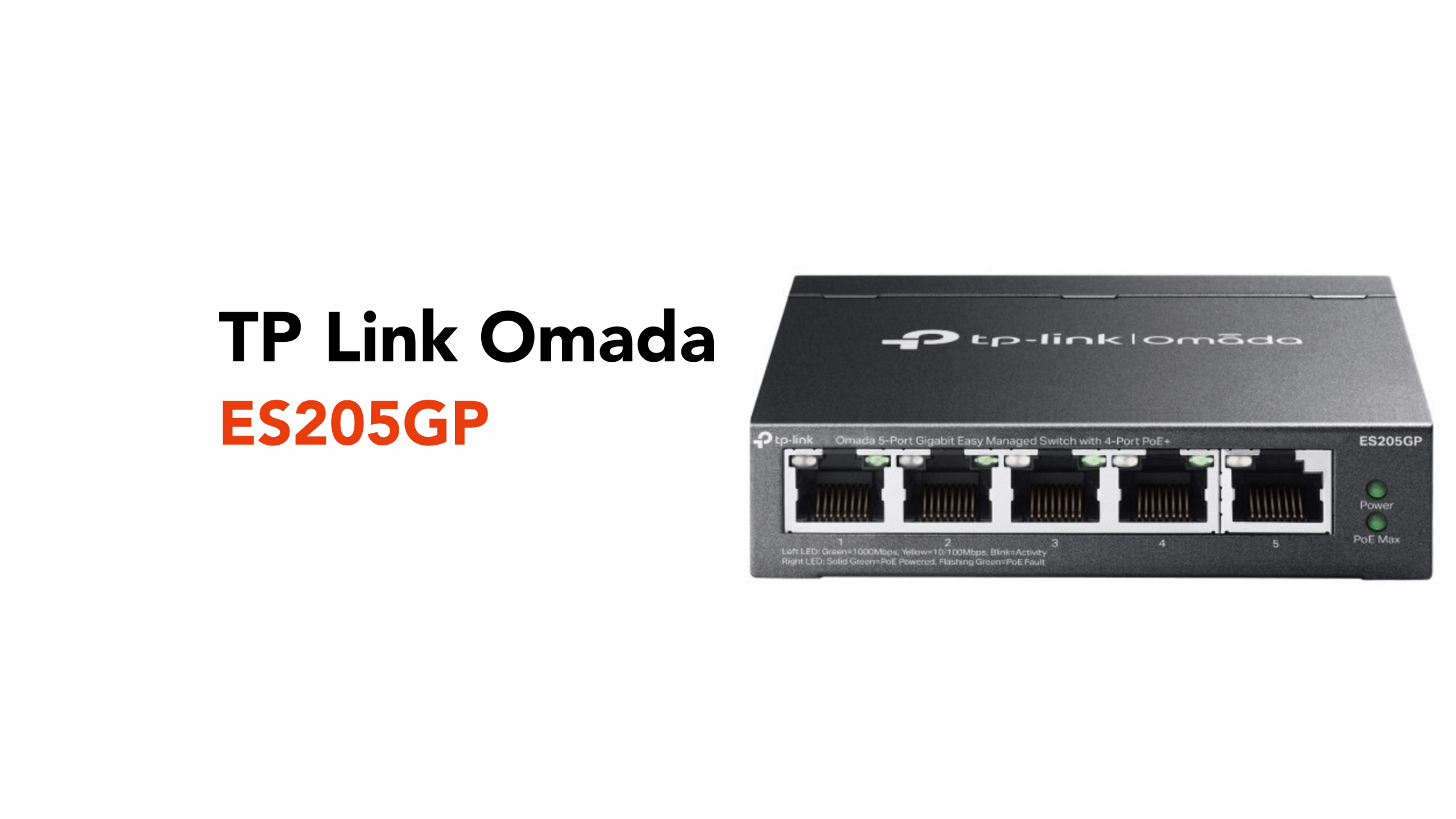
The TP-Link Omada ES205GP is built for exactly that job. It’s compact, cloud-managed, and designed to power and connect essential devices like access points, IP cameras, and VoIP phones without turning your network into a spaghetti junction.
Before discussing the TP-Link Omada ES205GP, let’s define what a smart network hub is.
What is a Smart Network Hub?
A smart network hub connects multiple devices while giving you control over how they communicate, perform, and stay powered.
Unlike basic switches, it doesn’t just pass data along. It allows you to monitor traffic, prioritise performance, and manage devices remotely through a central platform. It can also deliver power over the same cable, reducing the need for separate power supplies.
Put simply, it’s a compact solution that connects and powers multiple devices using a single cable per device, while keeping everything organised and manageable.
Now that we know what a smart network hub is, let’s look at the key features of the TP-Link Omada ES205GP.
TP-Link Omada ES205GP’s Core Features Explained
The TP-Link Omada ES205GP is built around a simple idea: give businesses more control, cleaner infrastructure, and reliable performance without adding complexity.
Its core features aren’t just technical specifications; they solve very real, everyday networking problems.
Power and Data Over a Single Cable (PoE+)
One of the ES205GP’s biggest advantages is its ability to deliver both power and data through a single Ethernet cable.
With four PoE+ ports and a total power budget of around 65W, it can comfortably power multiple devices, such as access points, IP cameras, and VoIP phones, without requiring separate power supplies.
This simplifies installations significantly. Fewer cables and plug points mean less clutter and allow devices to be placed in more flexible locations, including ceilings and outdoor areas.
Centralised Cloud Management (Omada SDN)
The ES205GP forms part of the broader Omada ecosystem, enabling centralised cloud management.
Businesses can monitor, configure, and manage their network remotely through a web interface or app, whether operating from a single site or across multiple locations.
Reliable Networking Features for Business Stability
The ES205GP includes built-in tools designed to maintain network stability and security.
Features like VLAN (Virtual Local Area Network segmentation) QoS (Quality of Service/traffic prioritisation), and port isolation ensure that critical applications receive the bandwidth they need while reducing congestion.
Additional protections, such as PoE Auto Recovery, automatically restart unresponsive devices, while loop prevention helps avoid network disruptions before they escalate.
Extended PoE Range and Surveillance Optimisation
For environments like security systems, the ES205GP supports extended PoE transmission distances of up to 250 metres in extended mode, making it suitable for longer cable runs where full gigabit speeds are not required (speed is capped at 10 Mbps in this mode).
This makes it particularly well-suited for CCTV deployments, warehouses, and larger office spaces where devices may be spread out. Combined with traffic prioritisation for video, it ensures consistent performance where reliability matters most.
Silent, Compact, and Durable Design
The ES205GP features a fanless design, meaning it operates silently, ideal for office environments where noise matters. It also comes in a compact metal casing that can be mounted on a desk or wall.
This makes it easy to deploy in almost any business setting without needing dedicated rack space or specialised cooling.
Plug-and-Play Simplicity with Advanced Control
Despite its advanced capabilities, the ES205GP remains easy to set up.
It supports plug-and-play connectivity for immediate use, while still offering deeper configuration options when needed. This balance between simplicity and control makes it especially appealing to small and medium-sized businesses.
You don’t need a full-time IT team to get value from it, but it’s powerful enough to grow with your network.
Now that we understand the key features of the TP-Link Omada ES205GP, what real-world scenarios would you use it in?
When Would You Need the TP-Link Omada ES205GP?
You’ll start needing a device like the TP-Link Omada ES205GP the moment your network becomes more than just a router and a few cables.
In a small office, that usually happens when you’re adding dedicated Wi-Fi access points, connecting multiple staff devices, or needing better control over how traffic is managed.
Instead of everything competing on one flat network, you get structure, stability, and far less troubleshooting.
In retail or hospitality environments, the need shows up quickly. POS systems, VoIP phones, and guest Wi-Fi all need to run reliably at the same time.
A PoE switch like this keeps everything connected and powered without cluttering the space with extra plugs and cables.
For CCTV setups, it becomes almost essential. If you’re installing up to four IP cameras across a building or site, being able to power and manage them.
And if you’re running multiple locations or managing a network remotely, that’s where it really earns its place. Instead of relying on someone on-site to fix issues, you can monitor, adjust, and troubleshoot everything through Omada Cloud from wherever you are.
It’s not about adding more hardware. It’s about reaching the point where your network needs to be organised, reliable, and easy to manage, without becoming complicated.
If you’re unsure how to implement the TP-Link Omada ES205GP correctly, it’s worth bringing in the experts.
Need Help Designing Your Network?
Reaching the point where your network needs more structure is a good problem to have, but getting it right is what makes the difference.
The real performance doesn’t come from a single device. It comes from how everything is designed, connected, and managed together.
Talk to circle.cloud about:
- Network design and planning
- Omada deployments
- Multi-site connectivity
- Business-grade WiFi optimisation
Build a network that works properly from day one and scales without the growing pains.