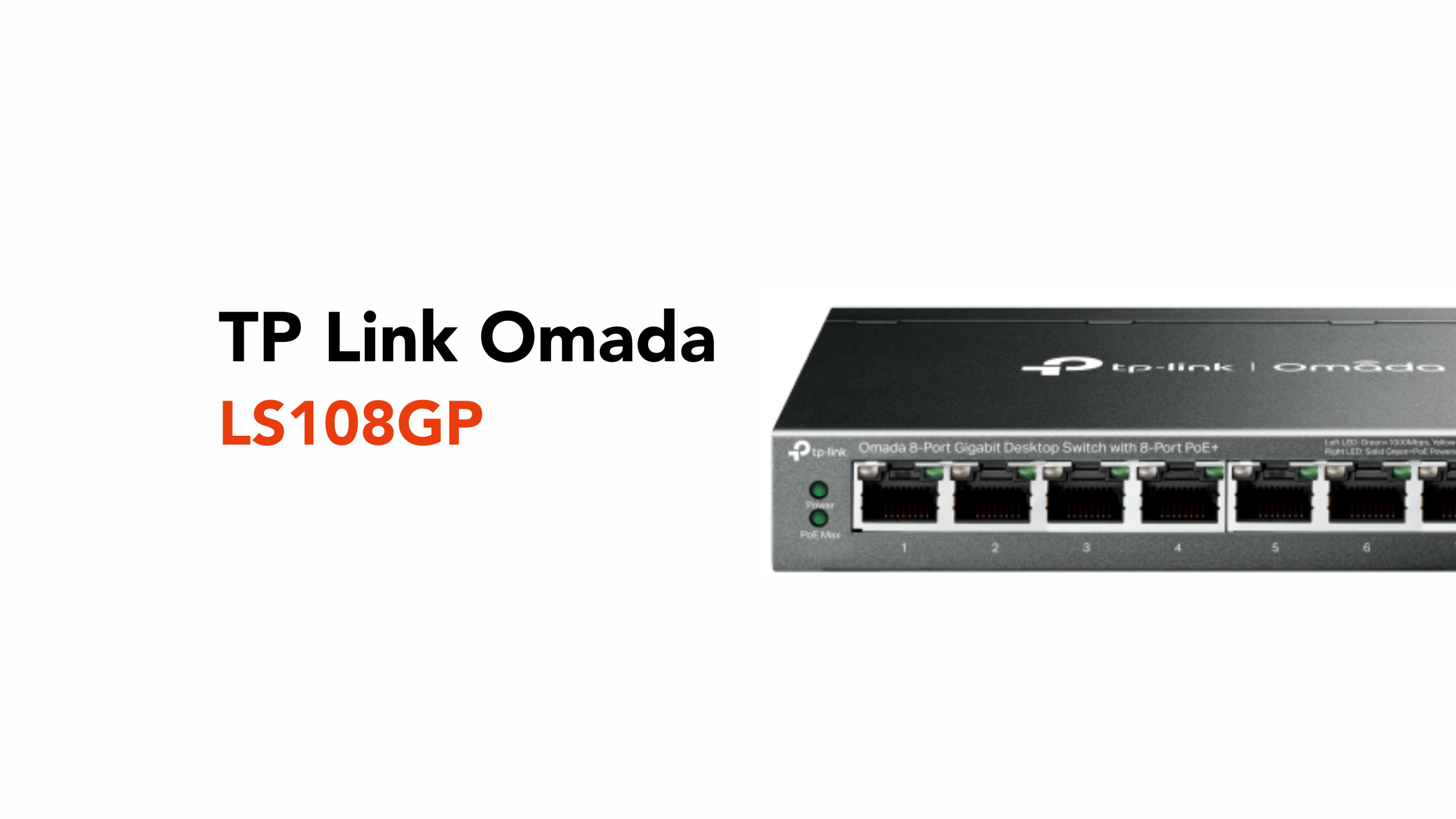
8-Port PoE Switching for Small Business
For small businesses, internet access isn’t just important; it’s foundational.
According to the UK Business Data Survey 2024, most UK businesses now rely on digital data as a core part of their operations. This includes everything from customer interactions and payments to internal systems and decision-making.
That data doesn’t sit in isolation. It moves through networks, cloud platforms, and connected devices.
So, when connectivity drops, it’s not just the internet that goes down. It’s the systems that keep the business running. Which means payments stop, communication breaks, and operations stall.
That’s why the infrastructure behind your network matters more than ever, and why simple, reliable hardware like the TP-Link Omada LS108GP plays such an important role.
By delivering both power and data across a single, stable platform, it helps eliminate common failure points and keeps critical devices online when it matters most.
So, what exactly is the LS108GP, and how can it help your small business operate as efficiently as possible?
From Risk to Resilience: Where the LS108GP Fits In
If modern businesses run on data, then the network is the bloodstream that keeps everything alive.
And like any system under pressure, it’s rarely the obvious things that cause failure.
It’s the weak links. The messy cabling. The overloaded power points. The devices that quietly drop offline when they shouldn’t.
This is exactly where the TP-Link LS108GP earns its place.
Commonly referred to as a Power over Ethernet (PoE) switch, it’s a core piece of network infrastructure that connects devices while supplying power through the same cable.
That means devices like WiFi access points, IP (Internet Protocol) cameras, and VoIP (Voice over Internet Protocol) phones don’t need separate power sources or additional wiring.
The LS108GP handles both connectivity and power delivery in a single unit, reducing clutter and simplifying installation. As an unmanaged switch, there’s nothing to set up or configure; it simply works straight out of the box.
With built-in PoE and features like automatic device recovery, it can reliably power and connect multiple devices at once, keeping everything running in the background without interruption.
For small businesses, that translates into a more stable, efficient network with fewer potential points of failure.
Why the TP-Link Omada LS108GP Matters for Small Businesses
Once everything is connected through a single, reliable point, the difference is immediate.
Instead of juggling multiple plugs, cables, and devices spread across your workspace, your network becomes simpler and far easier to manage.
Fewer moving parts mean fewer things that can go wrong, and when something does need attention, it’s easier to identify and resolve.
For small businesses, this kind of simplicity matters. Many rely on systems that must remain online constantly, from payments and connectivity to security and communication.
When the infrastructure behind those systems is stable, the business can operate without interruption.
It also removes the small, everyday friction that builds up over time. Less clutter, fewer workarounds, and no need to constantly troubleshoot connections or power issues. Everything just runs as it should.
In practice, that means a network that feels less like something you must manage, and more like something you can rely on.
So, what features make the LS108GP such a strong fit in this kind of setup?
Key Features of the TP-Link Omada LS108GP
The LS108GP is designed to do one thing exceptionally well: simplify and stabilise small business networks.
Its feature set isn’t about complexity; it’s about removing friction and ensuring that essential devices stay powered, connected, and reliable.
Let’s break down the core features that make that possible.
Full Gigabit Performance Across All Ports
At the heart of the LS108GP is its eight Gigabit Ethernet ports, each capable of delivering high-speed data without bottlenecks.
With a switching capacity of up to 16 Gigabits per second (Gbps), the device is built to handle multiple data streams at once, whether that’s video from cameras, VoIP calls, or cloud-based applications.
In real-world terms, this means:
- Smooth internal traffic between devices
- Reliable performance under load
- No slowdowns when multiple systems are active
It ensures your network keeps up with how modern businesses actually operate.
Power over Ethernet (PoE+) Across All 8 Ports
One of the standout features is full PoE+ support on every port.
The LS108GP supports the PoE+ standard (802.3at) on all 8 ports, providing up to 30W per port, provided the total draw remains within the switch’s overall 62W power budget.
It supports:
- Up to 30W per port
- A total of 62W power capacity across the switch
This allows you to run:
- Wireless access points
- IP cameras
- VoIP phones
All from one central device.
The result is a cleaner setup, fewer cables, and fewer potential failure points across your network.
Intelligent Power Management
The LS108GP doesn’t just supply power, it manages it.
When multiple devices are connected, the switch intelligently distributes power to ensure stability.
If total power consumption exceeds 62W, the switch will automatically cut power to the lowest-numbered port (Port 8) to protect the higher-priority devices on lower-numbered ports
This built-in protection:
- Prevents system instability
- Protects connected hardware
- Keeps essential devices running
It’s a subtle feature, but one that plays a big role in long-term reliability.
Extend Mode for Long-Distance Deployment
Standard Ethernet runs typically cap out at 100 metres.
With Extend Mode, the LS108GP can push both power and data up to 250 metres on supported ports. (In Extend Mode, the transmission distance increases to 250 metres, though the port speed will be capped at 10 Mbps)
This is particularly useful for:
- CCTV installations across large areas
- Warehouses and industrial spaces
- Outdoor deployments
It allows businesses to expand their network footprint without needing additional infrastructure.
PoE Auto Recovery (Self-Healing Network Behaviour)
One of the most practical features for SMEs is PoE Auto Recovery.
If a connected device becomes unresponsive, the switch can automatically:
- Detect the issue
- Restart the affected port
- Restore the connection
All without manual intervention.
This is especially valuable for:
- Security cameras
- Remote access points
- Always-on devices
It reduces downtime and removes the need for constant monitoring.
Plug-and-Play Deployment
The LS108GP is an unmanaged switch, which means:
- No configuration required
- No software setup
- No ongoing management
You simply connect your router and devices, and the network is live.
This makes it ideal for:
- Growing teams without IT teams
- Fast installations
- Plug-and-play upgrades
It’s networking without the overhead.
Silent, Fanless Operation
Unlike larger enterprise switches, the LS108GP uses a fanless design.
In practice, that means a switch that runs completely silently, uses less power, and has fewer moving parts that could fail over time.
You can place it in an office, behind a retail counter, or even in a reception area without anyone noticing it, with no noise or distractions, just reliable performance running quietly in the background.
Durable, Business-Ready Design
The LS108GP features a solid metal casing and can sit neatly on a desk or be mounted on a wall, depending on your setup. That flexibility makes it easy to use in different environments, whether it’s out in the office or tucked away in a backroom.
Once it’s in place, it’s designed to just keep running without needing attention.
Built-In Traffic Handling and Stability Features
Even though the LS108GP is an unmanaged switch, it still includes a few built-in features that help keep your network running smoothly behind the scenes.
- IEEE 802.3x flow control helps manage data flow so nothing gets overwhelmed when traffic increases. Think of it as a way of preventing data “traffic jams” on your network.
- QoS (Quality of Service) allows the switch to prioritise more important traffic, such as voice calls or video feeds, so they stay clear and uninterrupted even when the network is busy.
- IGMP snooping (Internet Group Management Protocol) helps manage how data, such as video streams, is sent across the network, ensuring it reaches only the devices that need it, rather than flooding everything.
- MAC (Media Access Control) address auto-learning allows the switch to automatically recognise and remember connected devices, so data is sent to the right place quickly and efficiently without manual setup.
Together, these features work quietly in the background to reduce congestion, improve overall performance, and keep data moving smoothly across your network.
Getting the most out of a switch like this isn’t just about the hardware; it’s about how everything is designed and connected, and that’s where circle.cloud can step in to ensure your network is built to perform from day one.
Need Help Getting Your Network Set Up Properly?
Having the right hardware is only part of the equation. The real difference comes from how your network is designed, installed, and connected as a whole.
That’s where circle.cloud comes in.
Whether you’re setting up a new office, upgrading your current infrastructure, or trying to fix ongoing connectivity issues, having the right setup behind the scenes makes all the difference.
A well-designed network doesn’t just support your business; it removes friction, reduces downtime, and allows everything to run as it should.
circle.cloud can help with:
Instead of piecing things together yourself, you get a network that’s built properly from the ground up, designed to handle how your business actually operates.
If you’re looking to simplify your setup, improve reliability, and get more from your infrastructure, it starts with getting the foundations right.