Businesses investing in conference room technology usually want clear, practical answers before making a decision. Audio quality, compatibility, ease of setup, security, and long-term reliability all play an important role when choosing a conference phone for professional use.
The Yealink CP925 is a popular SIP conference phone designed for modern meeting rooms, hybrid working environments, and hosted VoIP systems. It is widely used by UK businesses looking to improve collaboration without introducing unnecessary complexity into their communications setup.
However, many organisations still have important questions before deployment. They want to understand how the device performs in real business environments, whether it works with their existing phone systems, how secure it is, and whether it is suitable for their meeting spaces.
This guide answers the most common Yealink CP925 FAQs in plain English to help businesses understand whether the device is the right fit for their conferencing and cloud communications infrastructure.
What Is the Yealink CP925?
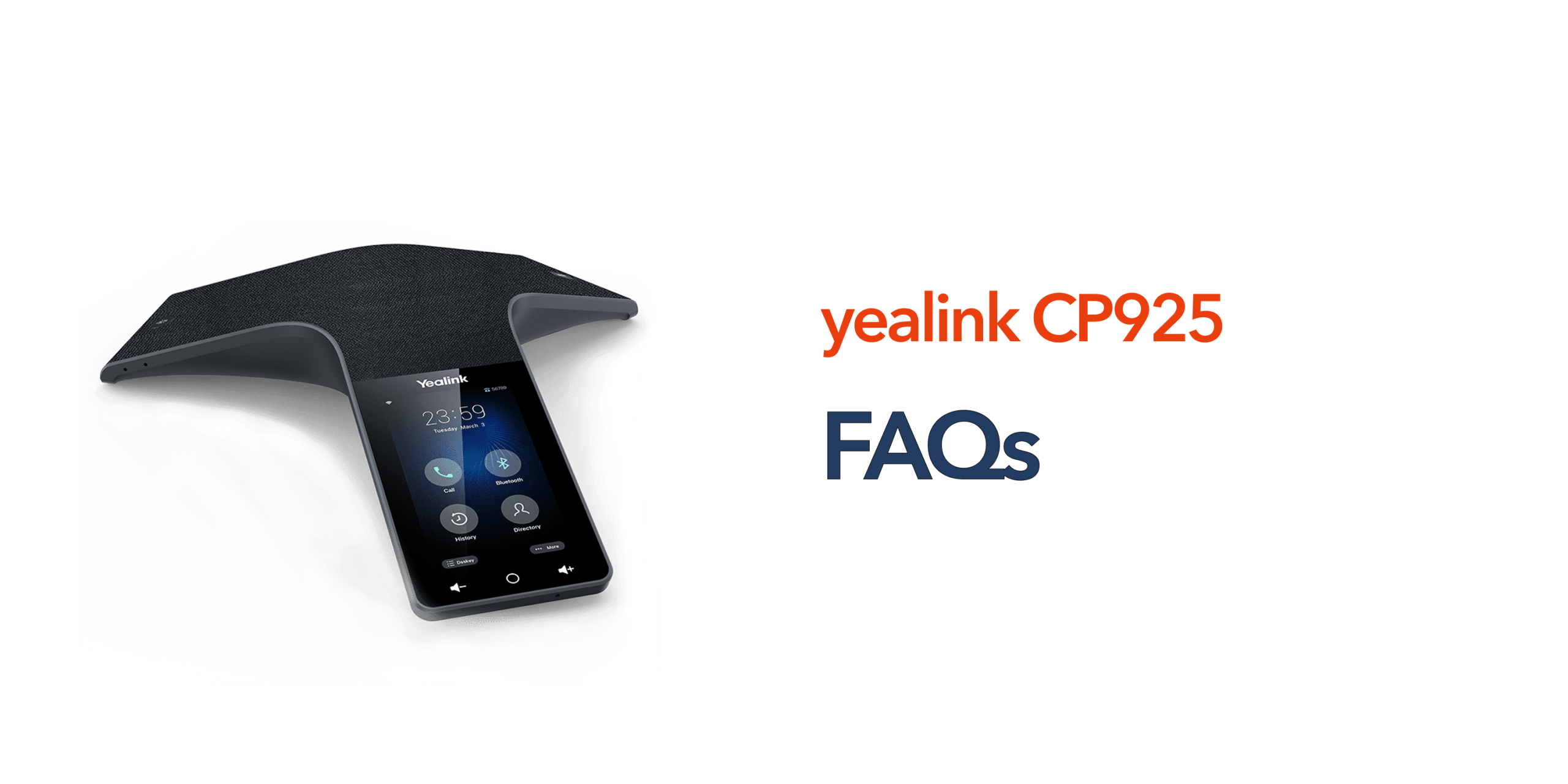
The Yealink CP925 is a professional SIP conference phone designed for small to medium-sized meeting rooms. It delivers HD audio conferencing with 360-degree voice pickup and integrates with hosted VoIP and cloud phone systems. The device includes:
- A 4-inch touch display
- Built-in Bluetooth and Wi-Fi
- Noise reduction technology
- Full-duplex audio
- 20-foot microphone pickup range
- Native SIP compatibility
The CP925 is commonly deployed in boardrooms, hybrid meeting spaces, shared conference rooms, SME offices, and client meeting areas. According to Yealink specifications, the phone includes a seven-microphone array designed to improve voice clarity during business calls.
Is the Yealink CP925 Compatible With Hosted VoIP Systems?
Yes. The Yealink CP925 is designed specifically for SIP-based hosted phone systems and cloud PBX environments. It supports integration with many business telephony platforms, including 3CX, BroadSoft, Asterisk, Microsoft Teams through supported integrations, Zoom Phone, and hosted SIP providers. For UK businesses already using hosted telephony, deployment is usually straightforward through auto-provisioning and remote configuration.
Does the Yealink CP925 Support Hybrid Meetings?
Yes. One of the main reasons businesses choose the CP925 is its ability to support hybrid working environments. The device can connect to smartphones via Bluetooth, PCs and laptops, SIP phone systems, and PSTN conferencing through supported accessories. This flexibility allows teams to combine remote participants with in-room attendees during meetings. Yealink specifically positions the CP925 for hybrid UC meetings using Bluetooth connectivity.
How Good Is the Audio Quality?
Audio quality is one of the strongest features of the CP925. The device includes HD voice technology, full-duplex audio, smart noise filtering, echo cancellation, and 360-degree microphone coverage. In practical business use, this means reduced background noise, fewer interruptions, clearer speech during group meetings, and better communication with remote participants. The built-in microphone array is designed to capture voices evenly across the room rather than favouring users closest to the device.
What Size Meeting Room Is the CP925 Best For?
The Yealink CP925 is best suited for small conference rooms, medium meeting rooms, huddle spaces, and executive offices. Its microphone pickup range extends up to approximately 20 feet with 360-degree coverage. For very large boardrooms or training spaces, businesses may require additional microphones or larger conferencing systems.
Does the CP925 Support Wi-Fi and Bluetooth?
Yes. The device includes dual-band Wi-Fi support and Bluetooth 4.2 connectivity. This enables wireless deployment flexibility, smartphone pairing, hybrid meeting support, and reduced cabling requirements. Businesses upgrading older conference phones often value the ability to simplify room layouts without compromising connectivity.
Is the Yealink CP925 Secure?
Security is a major concern for businesses using VoIP and cloud communications. The CP925 supports modern security protocols, including encrypted communications and TLS support. Yealink also references enhanced security mechanisms within its firmware platform. Best practice for businesses includes keeping firmware updated, using secure SIP credentials, deploying devices behind managed firewalls, and restricting admin access. For organisations with compliance requirements, managed provisioning through a hosted provider can further improve security and oversight.
Can the Yealink CP925 Record Calls?
Call recording is supported on the CP925, with recordings typically stored internally or on compatible USB storage devices. This can be useful for internal meetings, training reviews, compliance processes, and meeting documentation. Businesses should ensure they follow UK GDPR and consent regulations when recording conversations.
Is the Yealink CP925 Easy to Set Up?
In most hosted VoIP environments, setup is relatively simple. Deployment usually involves connecting power and network, applying provisioning settings, assigning SIP credentials, and testing audio and connectivity. Many hosted phone providers can remotely provision Yealink devices, reducing manual configuration work for internal IT teams.
Can the Yealink CP925 Be Managed Remotely?
Yes. The device supports remote provisioning and device management platforms. This helps IT teams push firmware updates, monitor device status, apply configuration changes, and troubleshoot remotely. For businesses managing multiple meeting rooms or locations, remote management significantly reduces operational overhead.
What Are the Most Common CP925 Issues?
Most reported issues are configuration-related rather than hardware failures. Common support queries include provisioning errors, Wi-Fi connectivity issues, Bluetooth pairing problems, firmware mismatches, and SIP registration failures. Many of these can be resolved through firmware updates, correct provisioning, or network configuration adjustments.
Does the Yealink CP925 Support Power over Ethernet (PoE)?
Yes. The CP925 supports Power over Ethernet, commonly known as PoE. This allows the device to receive both power and network connectivity through a single Ethernet cable rather than requiring separate cabling and power adapters. For businesses, this simplifies installation, reduces cable clutter in meeting rooms, and creates a cleaner conferencing setup. PoE can also make deployment easier for IT teams managing multiple conference rooms or office locations.
Can the Yealink CP925 Connect to Mobile Devices?
Yes. The CP925 supports Bluetooth connectivity, allowing businesses to pair smartphones and mobile devices directly with the conference phone. This can be particularly useful for hybrid meetings, mobile conferencing, and situations where employees may need flexibility between VoIP calling and mobile networks. Businesses often use this feature to improve meeting flexibility without relying entirely on fixed desk-based systems.
Does the Yealink CP925 Support Firmware Updates?
Yes. Yealink regularly releases firmware updates designed to improve security, system stability, compatibility, and overall performance. Keeping firmware updated helps businesses maintain secure communications while also ensuring compatibility with evolving hosted VoIP and cloud telephony platforms. Many hosted phone providers can manage firmware updates remotely, reducing the administrative workload for internal IT teams.
Is the Yealink CP925 Suitable for Remote and Hybrid Working?
Yes. The CP925 is designed specifically for modern hybrid working environments where meetings often include both in-room attendees and remote participants. Features such as Bluetooth connectivity, HD audio, smart noise reduction, and SIP compatibility help create smoother communication experiences across distributed teams. For businesses running regular video or conference calls, the CP925 can significantly improve meeting clarity and collaboration quality.
Can the Yealink CP925 Be Used Without a Hosted Phone System?
The CP925 is primarily designed for SIP-based hosted VoIP and cloud PBX environments. While it can operate within various SIP deployments, businesses typically achieve the best experience when the device is integrated into a professionally managed hosted telephony platform. This ensures easier provisioning, better support, enhanced security management, and more reliable ongoing performance.
Does the Yealink CP925 Support Wireless Deployment?
Yes. With built-in dual-band Wi-Fi support, the CP925 can be deployed in environments where wired network connections may be limited or impractical. This provides greater flexibility for modern meeting room layouts, temporary collaboration spaces, and agile office environments. Businesses upgrading older conference rooms often value the ability to reduce cabling while maintaining reliable connectivity.
How Long Does the Yealink CP925 Typically Last?
With proper maintenance and regular firmware updates, the CP925 is designed for long-term professional business use. Many organisations have used Yealink conference phones for several years as part of their wider hosted VoIP infrastructure. Longevity will depend on usage levels, deployment conditions, and ongoing maintenance, but Yealink devices are generally regarded as reliable business-grade conferencing hardware.
Is the Yealink CP925 Better Than a Standard Speakerphone?
For most professional meeting environments, yes. The CP925 is purpose-built for conference room audio and delivers significantly better microphone coverage, voice clarity, echo cancellation, and SIP integration compared to standard consumer speakerphones. Businesses that rely on regular conferencing often benefit from improved call quality, clearer communication, and a more professional meeting experience overall.
Is the Yealink CP925 Worth It for SMEs?
For many SMEs, yes. The CP925 offers enterprise-level audio quality, modern conferencing features, hosted VoIP compatibility, hybrid meeting support, and straightforward deployment. It is particularly suitable for businesses that frequently run remote meetings, use cloud telephony, need reliable boardroom audio, or want a dedicated conferencing device without excessive complexity. Compared to lower-cost speakerphones, the CP925 delivers more consistent audio performance and better integration with professional business phone systems.
Final Thoughts
The Yealink CP925 remains one of the most practical SIP conference phones for modern business environments. It balances professional audio quality, cloud telephony compatibility, and hybrid meeting functionality without unnecessary complexity. For UK businesses already using hosted VoIP or planning a meeting room upgrade, the CP925 offers a reliable conferencing solution that supports both in-office and remote collaboration. Working with an experienced hosted telephony provider also ensures the device is properly provisioned, secured, and integrated into your wider communications setup from day one.
If you’re weighing up the CP925 for your business, speak to circle.cloud for impartial advice on conferencing and hosted VoIP setup.