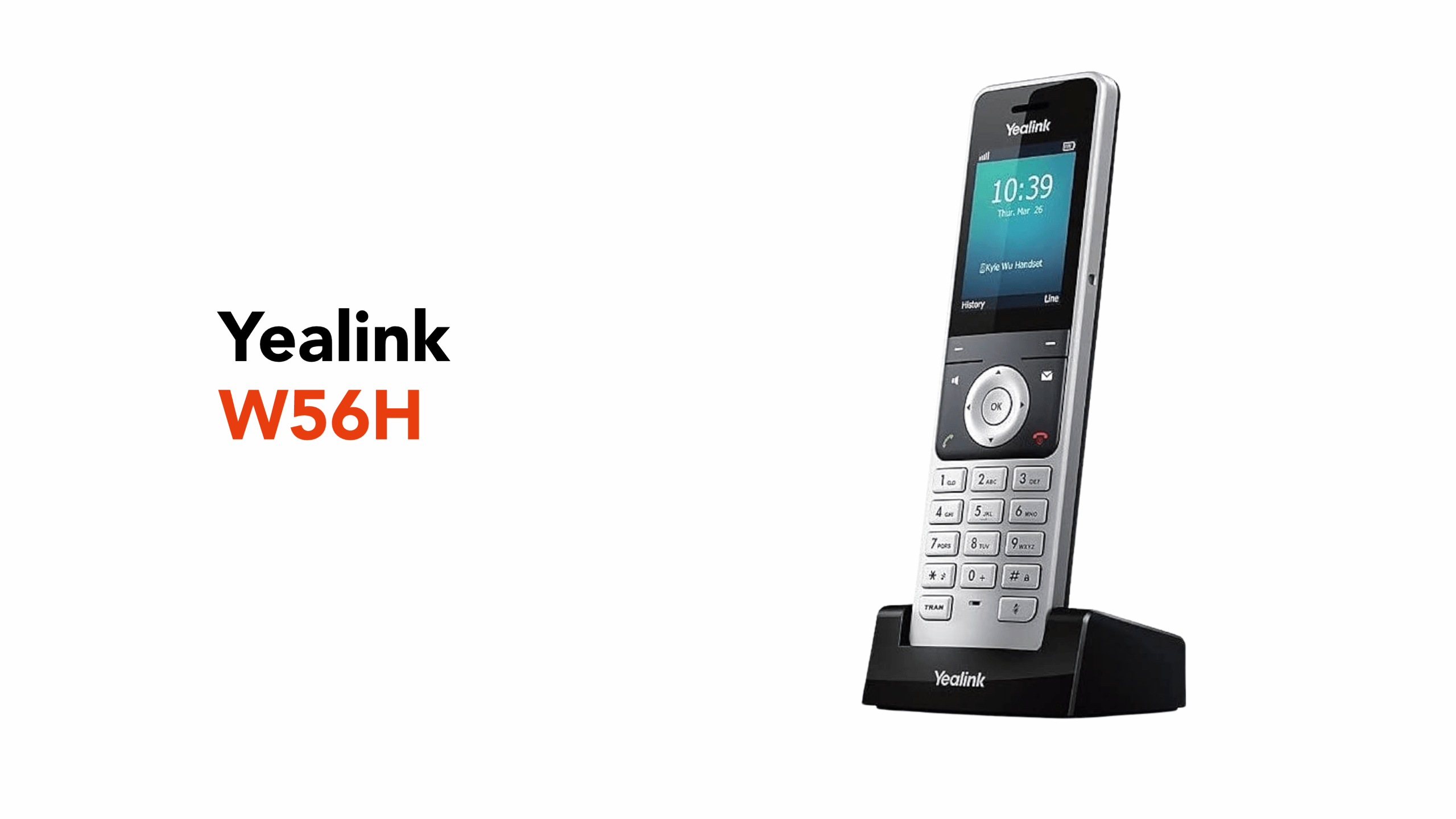
Modern businesses don’t stand still, which means your office phone shouldn’t either. In fact, workplace mobility has been a necessity for well over a decade.
That’s where the Yealink W56H fits in. Used in offices around the world for nearly 10 years, it has built a reputation as a reliable, trusted cordless business handset.
Whether you’re helping customers, managing a warehouse floor, or simply stepping away from your desk, the W56H helps ensure you never miss an important call.
Before we look at what’s included in the box, it helps to understand what the Yealink W56H actually is and how it works.
What the Yealink W56H Actually Is
At its core, the Yealink W56H is a cordless DECT (Digital Enhanced Cordless Telecommunications) handset designed for business VoIP (Voice over Internet Protocol) phone systems.
Unlike traditional desk phones that are fixed to a single location, the W56H lets you move freely around your workplace while staying connected to your office phone network.
This makes it especially useful in environments where employees aren’t always sitting at a desk.
The handset communicates wirelessly with a Yealink DECT base station, which connects to your VoIP phone system and manages the calls for all registered handsets.
Once connected, the W56H works just like a fully featured office phone. You can:
- Answer incoming business calls
- Transfer callers to colleagues
- Place calls on hold
- Join conference calls
- Access your company directory
All without needing to return to a desk phone.
Another advantage of DECT technology is its reliable wireless coverage. Compared with Wi-Fi calling devices, DECT handsets are specifically designed for voice communication, which usually means fewer dropped calls and more consistent audio quality throughout the building.
What Comes in the Box
Inside the Yealink W56H handset box is a small set of accessories for powering and charging the device.
These usually include:
- Yealink W56H handset
- Rechargeable lithium battery
- Charging cradle (USB charger base)
- Power adapter
- Belt clip
Once the battery is installed, you simply place the handset on the charger and register it with your system.
It’s worth noting that the W56H is sold as a handset-only device, meaning it requires a compatible Yealink DECT base station to connect to your VoIP phone system. In practice, this is commonly a Yealink single-cell base (such as W56P/W60B/W70B in supported deployments) or a Yealink multi-cell system (such as the W80 series)
Now that we know what’s included in the box, let’s talk about the W56H’s key features.
Key Features of the Yealink W56H
While the Yealink W56H is designed to be simple to use, it includes several features that make it a dependable cordless handset for everyday business communication.
From improved call clarity to long battery life, the handset is built for workplaces where consistent communication is essential.
Here are some of the W56H’s key features:
HD Voice Technology
The W56H supports HD (High-Definition) voice, which captures a wider range of sound frequencies than traditional cordless phones.
This results in clearer and more natural conversations, helping reduce misunderstandings during customer calls or internal discussions.
Long Battery Life
Battery performance is another strong point of the W56H.
The handset offers up to 30 hours of talk time and approximately 400 hours of standby time on a full charge.
For most workplaces, this means the handset can comfortably last through a full workday without needing to be recharged.
It’s worth noting that the W56H does use a removable rechargeable battery, making it easy to replace when it eventually wears out. However, the handset typically ships with a single battery rather than a spare.
2.4-Inch Colour Display
The handset includes a 2.4-inch colour screen, making it easy to navigate menus, view caller information, and access the company directory.
The interface is designed to be simple and intuitive, which helps new users become comfortable with the phone quickly.
Two Simultaneous Calls
The W56H can support up to two active calls at once. This allows users to place one caller on hold while speaking with another.
This is particularly useful in environments such as reception desks or customer support teams where multiple calls may need to be managed.
Built-In Call Management Tools
The handset also includes several built-in tools designed to make everyday call handling easier.
These include:
- Call hold
- Call transfer
- Three-way conferencing
- Do Not Disturb (DND) mode
- Caller ID and call waiting
These features allow staff to manage calls efficiently without needing additional software or devices.
Wireless Range and Coverage
The Yealink W56H is designed to provide reliable wireless coverage in most workplaces thanks to its DECT technology.
In ideal conditions, the handset can operate at distances of up to 50 metres indoors and up to 300 metres outdoors from its base station.
Because DECT networks operate on a dedicated wireless frequency, they are generally less affected by interference from Wi-Fi networks. Also, this helps maintain stable call quality, even in busy environments with multiple wireless devices in use.
In larger workplaces, businesses can expand coverage using a properly designed Yealink DECT deployment, such as repeaters (where supported) or a Yealink multi-cell solution, to maintain more consistent coverage across multiple floors or areas.
Headset Support
For users who spend long periods on calls, the W56H includes a 3.5 mm headset jack that lets wired headsets connect for hands-free communication.
This can make longer conversations more comfortable, especially in customer support or service environments.
Unfortunately, the W56H does not include built-in Bluetooth, so headset connectivity is via the 3.5 mm headset jack instead. Newer Yealink DECT handset models in the range introduced Bluetooth support on selected models..
The idea was to keep the device reliable and simple for business environments.
However, newer Yealink handsets have now included Bluetooth support, such as the:
- W73H
- W78H
- W59R (rugged handset)
We’ve mentioned that the W56H is an intuitive device to use. Which is also true for setting it up in your professional environment.
Setup Guide: Getting Started With the Yealink W56H
Setting up the Yealink W56H is usually a quick process once your phone system is ready.
Because the handset connects wirelessly, most configuration occurs through the DECT base station connected to your VoIP network.
Here’s a simple step-by-step overview of how the setup typically works.
Step 1: Install the Battery
Start by removing the back cover of the handset and inserting the rechargeable battery included in the box.
After inserting the battery, place the handset on the charging cradle and allow it to charge fully before first use. Charging time can vary depending on battery condition, charger, and environment.
Step 2: Power On the Handset
After the battery is installed and has had an opportunity to recharge, press and hold the power/end call button to turn on the device.
The handset will boot up and display the home screen.
Step 3: Put the Base Station Into Registration Mode
To connect the handset to your phone system, the base station must first be placed into registration mode.
This usually involves pressing and holding the pairing button on the base station until its indicator light begins flashing.
Step 4: Register the Handset
On the handset itself:
- Press OK to open the main menu
- Navigate to Settings
- Select Registration
- Choose Register Handset
The handset will search for available base stations and connect once the correct one is selected.
Step 5: Start Making Calls
Once registered, the handset becomes part of your business phone system.
At this point, you can begin making and receiving calls just like you would on a desk phone.
In many workplaces, several handsets are registered to the same system so staff can stay reachable across the building.
Now that we know how to set up the W56H, let’s talk about its business uses.
Business Use Cases for the Yealink W56H
The W56H is designed for workplaces where mobility matters.
Here are some common environments where cordless VoIP handsets like the W56H work particularly well.
Retail Stores
Retail staff are rarely sitting behind a desk. With a cordless handset, employees can answer customer calls while assisting people on the shop floor.
Warehouses and Workshops
In larger spaces such as warehouses or manufacturing environments, workers often move between different areas during the day.
A cordless handset allows supervisors and team members to stay reachable without returning to an office phone.
Offices With Flexible Workspaces
Modern offices often include meeting rooms, breakout spaces, and shared work areas. A cordless handset allows employees to move between these spaces while still answering calls.
Reception and Front-Desk Teams
Receptionists often need to step away from their desks to greet visitors or assist colleagues. A cordless handset ensures incoming calls can still be answered without interruption.
For businesses looking for a dependable DECT handset, the Yealink W56H remains a well-established option in many business phone deployments..
Looking for a Reliable Telecom Provider?
If you’re exploring cordless options for your VoIP phone system, speaking with a VoIP specialist can help you determine whether the W56H or another Yealink handset is the best fit for your workplace.
To find out how a Yealink DECT solution could support communication in your business, get in touch with us at circle.cloud today.
If you’d like to see how other businesses are already benefiting from our telecom solutions, check out our customer testimonial videos on the circle.cloud YouTube channel.