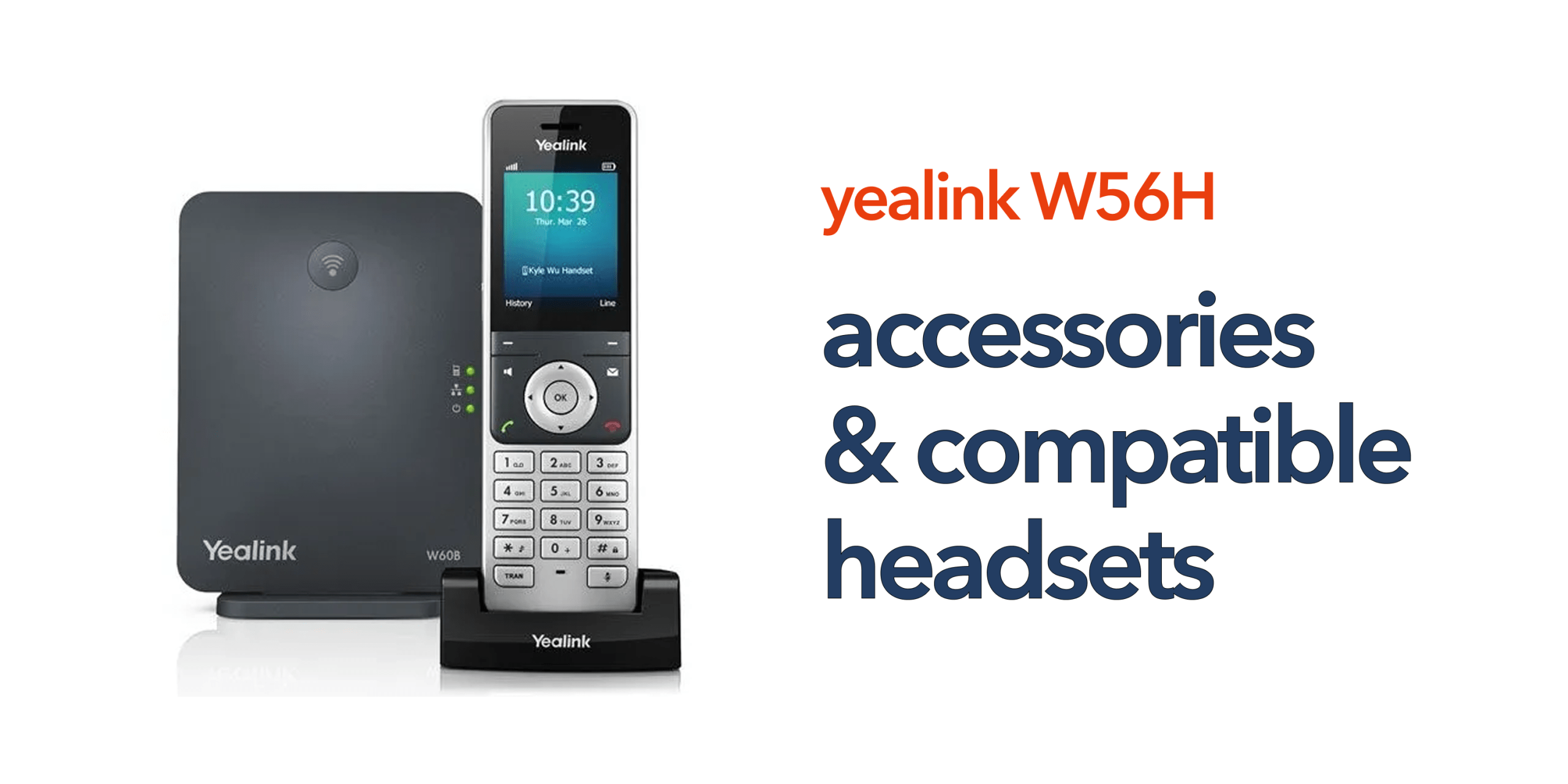
The Yealink W56H is a widely used DECT handset across UK businesses because of its reliability, strong call quality, and smooth integration with VoIP systems. While it performs well as a standalone device, the right accessories can further improve comfort, usability, and overall day-to-day efficiency. This is why Yealink W56H accessories are not just optional add-ons. They directly influence how effectively the handset is used in real business environments. Accessories such as compatible headsets for hands-free calling, additional charging options, and spare batteries can help support longer usage, reduce interruptions, and improve workflow efficiency, especially in busy office settings.
By selecting the right Yealink W56H accessories, businesses can better tailor the handset to different working styles, improve user convenience, and get more value from their DECT communication system while maintaining reliable and consistent performance across the team.
Core Yealink W56H Accessories
The Yealink W56H supports a range of essential accessories that enhance usability, comfort, and performance in daily business use. These core add-ons help users get more flexibility and efficiency from their handset setup.
1. DECT Base Stations
The most important accessory for the Yealink W56H is the DECT base station, as the handset cannot operate without it. It acts as the central connection point between your handset and your VoIP or cloud phone system. Common compatible options include:
- Yealink W60B Base Station
- Yealink W70B Base Station
These devices connect your handset to your business communication system and manage all call activity.
Why it matters:
The base station determines call capacity, wireless range, and scalability. Choosing the right model ensures your system can grow smoothly with your business.
2. Additional Handsets
The Yealink W56H system allows multiple handsets to be connected to a single DECT base station, making it easy to expand your communication setup as your team grows. Adding extra Yealink W56H handsets is a practical way to extend coverage within the same system without increasing complexity. This is particularly useful for expanding teams, multi-room office layouts, and shared communication environments where several users need access to the same phone system.
Business benefit:
This approach allows businesses to scale their communication setup gradually without replacing the entire system, keeping costs and management simple.
3. Charging Cradles and Spare Batteries
In busy working environments, uninterrupted communication is essential, and having reliable power solutions plays a key role in achieving this. Accessories such as spare battery packs and additional charging docks help ensure that devices remain operational throughout the day. These accessories are especially useful in high-usage roles where handsets are in constant use, and regular charging cycles are required to maintain availability.
Why it matters:
Keeping devices fully charged ensures that team members remain reachable at all times, reducing downtime and improving overall communication reliability.
4. DECT Repeaters
For larger office spaces or environments with physical barriers, DECT repeaters may be required to extend wireless coverage. Devices such as the Yealink RT30 Repeater help strengthen the DECT signal and improve overall range. This is particularly relevant for warehouses, multi-floor offices, and industrial environments where thick walls or distance can impact signal strength.
Business benefit:
DECT repeaters improve coverage and eliminate dead zones without the need to install additional base stations, making them a cost-effective way to enhance system performance.
Compatible Headsets for the Yealink W56H
Unlike traditional desk phones, the Yealink W56H has limited direct headset compatibility. It does not support standard wired or Bluetooth headsets directly, so headset usage depends on how your overall communication system is designed. However, there are still several practical options depending on your office setup and working style.
Option 1: DECT Handset with Built-in Speakerphone
The Yealink W56H includes a built-in hands-free speakerphone function, allowing users to take calls without holding the handset. This provides a simple and convenient alternative to headsets for everyday use. This option is best suited for quick or short calls, standard office environments, and low-noise workspaces.
Limitation:
It is not ideal for long conversations or noisy environments, where a dedicated headset would normally provide better comfort and clarity.
Option 2: Use Headsets via Desk Phone Integration
In setups where businesses use both DECT handsets and desk phones, headset functionality is typically managed through the desk phone rather than the W56H handset itself. This allows users to still benefit from professional headset solutions while using a mixed communication setup. Compatible headsets in such environments include:
- Yealink WH62 Wireless Headset
- Yealink WH66 Wireless Headset
In this setup, desk phones handle headset connectivity, while DECT handsets like the W56H are used for mobility around the office.
Business benefit:
This provides flexibility, allowing users to switch between desk-based calling with headsets and mobile communication using DECT handsets depending on their workflow.
Option 3: Softphone and Unified Communications Integration
For businesses using modern unified communications platforms, headsets are often connected directly to laptops or mobile devices instead of the DECT handset itself. This approach supports more flexible, device-independent communication. This typically includes USB or Bluetooth headsets connected to computers and softphone applications linked to a VoIP or cloud phone system.
Why this matters:
It enables seamless switching between devices such as laptops, mobiles, and office systems, helping businesses overcome handset limitations while supporting remote and hybrid working environments.
Choosing the Right Accessories for Your Business
Not every business needs the full range of Yealink W56H accessories. The right setup depends on team size, office layout, and daily communication needs. Choosing only what is required keeps the system simple, cost-effective, and easy to manage.
Small Offices
Small offices usually need a basic setup with a base station and a few W56H handsets. Spare batteries can be added if needed, but overall, the system stays simple and affordable, making it ideal for smaller teams.
Growing Businesses
As teams expand, businesses may need a scalable base station and additional handsets. If the workspace grows, DECT repeaters can help maintain coverage. This setup supports growth without disrupting existing communication.
Warehouses or Large Sites
Large sites often require multiple base stations or DECT repeaters to ensure full coverage. Reliable charging solutions are also important to keep devices operational throughout the day in high-usage environments.
Hybrid and Desk-Based Teams
Hybrid setups often combine DECT handsets with desk phones. Headsets can also be added for desk users. This creates a flexible system that supports both mobility and desk-based communication.
Common Mistakes to Avoid
When setting up a Yealink W56H system, many issues come from poor planning rather than the hardware itself. Avoiding these mistakes helps ensure better performance, stability, and long-term usability.
- Buying accessories without proper coverage planning: Without proper coverage planning, even good accessories cannot prevent signal issues, dropped calls, or poor audio quality.
- Assuming headset compatibility: The W56H does not support direct wired or Bluetooth headsets like desk phones, so compatibility depends on your overall system setup.
- Focusing only on hardware: Accessories alone are not enough. Your VoIP platform and network infrastructure have a much greater impact on overall call performance and reliability.
The Bigger Picture: System Performance
Accessories can enhance usability and improve day-to-day experience, but they cannot compensate for a poorly designed telecom setup. If the underlying system is not properly planned, even the best devices and add-ons will not deliver consistent results.
For optimal performance, your system should be correctly configured, designed according to your specific working environment, and supported by a reliable network and VoIP infrastructure. When these elements are aligned, your Yealink devices can deliver stable, clear, and consistent communication across your business.
Final Thoughts
The Yealink W56H is a flexible and reliable handset, but its real value depends on how well it is integrated into your overall communication setup. When paired with the right accessories, it can significantly improve day-to-day business communication. A well-planned setup can improve mobility across the workplace, extend wireless coverage in larger environments, support business growth, and enhance overall productivity by ensuring smoother communication.
Choosing the right combination of handset, accessories, and system design ensures your communication setup aligns with how your business actually operates. If you are planning your Yealink setup and want to ensure your accessories, coverage, and VoIP system all work together effectively, circle.cloud can design a tailored solution for your business. Speak to our team today.
FAQs
Can I connect a headset directly to the Yealink W56H?
No. The W56H does not natively support wired or Bluetooth headsets.
What is the most important accessory for the W56H?
A compatible DECT base station is essential for operation.
How do I improve coverage with the W56H?
You can use repeaters or additional base stations depending on your environment.
Are Yealink wireless headsets compatible?
Yes, but typically through desk phones or softphone systems, not directly with the handset.
Can I use the W56H in large buildings?
Yes, but you may need repeaters or multiple base stations for full coverage.