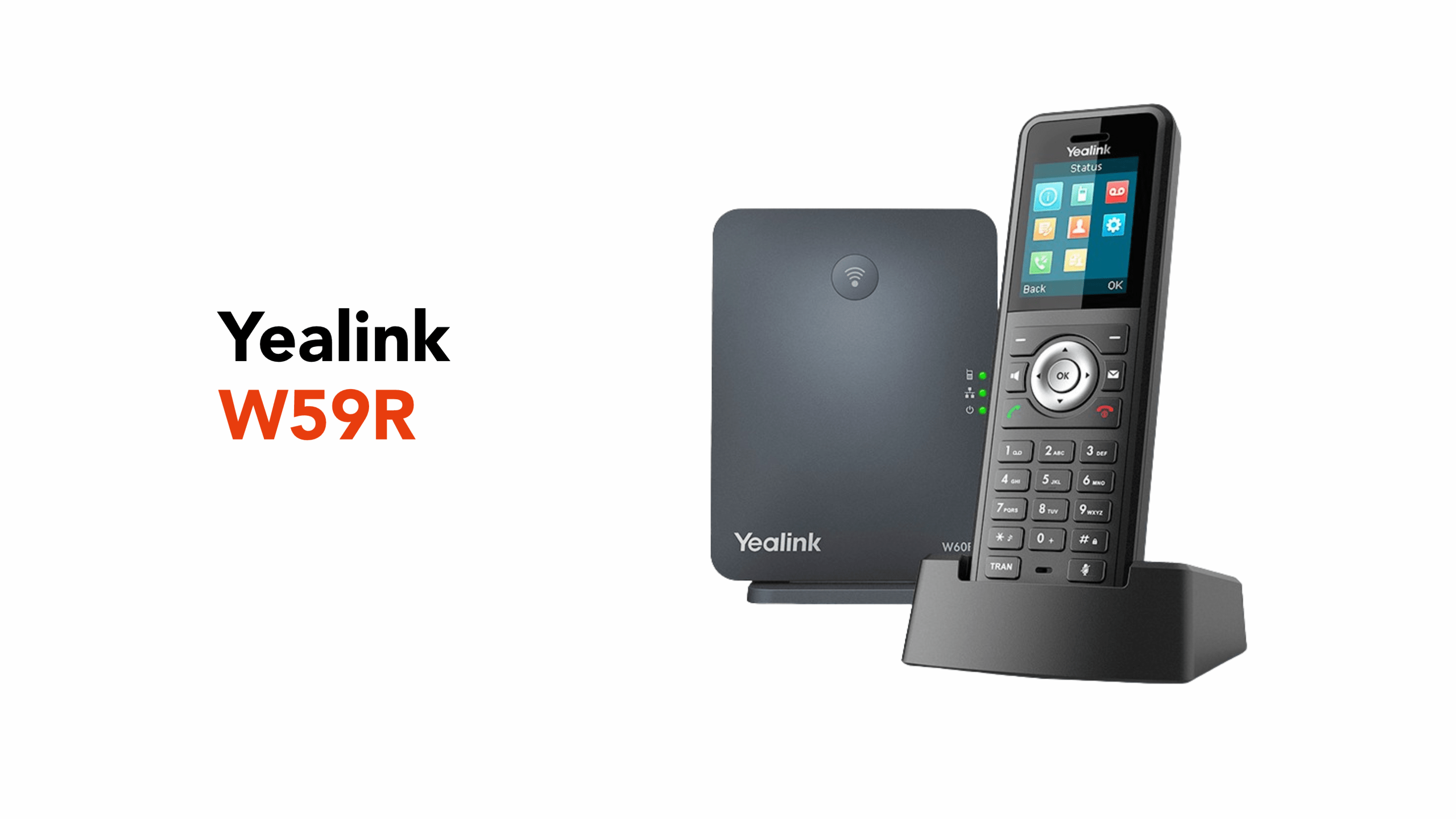
If your workday includes forklifts, spills, and the occasional “phone-meets-floor” moment, the Yealink W59R is built for exactly that kind of reality.
Designed for rugged, high-impact environments, this handset is ready for warehouses, hospitals, construction sites, retail floors, and anywhere a standard office phone would quickly give up.
What Makes the W59R Special?
The W59R is a professional, strong DECT (Digital Enhanced Cordless Telecommunications) cordless VoIP handset designed for harsh working environments and certified to IP67 standards.
For those interested, IP67 is an official protection rating under theIEC 60529 standard.
To break down what this certification means, IP stands for Ingress Protection, with the two numbers representing two different protection levels:
- 6: Fully dust-tight, which means no dust can get inside.
- 7: Protected against water immersion up to 1 metre for 30 minutes
However, be aware that even this durable device has its limits: it’s not designed for lengthy use in swimming pools, high-pressure water jets, or exposure to harsh chemicals and extreme heat.
Performance and Hardware Specifications
Your business phone needs reliable performance so you don’t miss important calls or opportunities.
This is where the W59R’s hardware specs make a difference. It packs a 1460 mAh lithium-ion battery that supports up to 28 hours of talk time and approximately 360 hours of standby time.
It also features a bright 1.8-inch colour screen, built-in Bluetooth for headsets, and a handy vibration alert so you never miss a call on a noisy shop floor.
Audio Quality in Noisy Workplaces
Warehouses aren’t quiet, and neither are kitchens or factory lines.
The Yealink W59R addresses this with High Definition (HD) Voice, Flexible Noise Reduction, and full-duplex audio, so both sides of the call remain clear even with nearby machinery.
Additionally, its hearing aid compatibility adds another layer of usability for mixed teams.
Built-In Safety Features
A great value-added feature for those who operate in potentially dangerous environments is that the handset includes several alarm functions that the administrator can configure.
These alarms include:
- Push-button alarm
- No-movement alarm
- Man-down alarm
- Running alarm (running detection alert)
These are designed to minimise safety risks and shorten response times.
Everyday Features You Expect From a Business Handset
Beyond its robust build, the Yealink W59R includes all the standard business-phone features teams rely on every day.
You get caller ID, call transfer, call hold, call forwarding, call waiting, and three-way conferencing, along with a shared company directory and local contact storage.
The handset also supports speed dial, voicemail access, do-not-disturb mode, and adjustable ringtones and vibration alerts for noisy environments.
It’s small things like these that keep operations running smoothly. Staff can route calls to the right colleague, join quick team conversations, or check missed calls without returning to a desk.
For most businesses, it means the W59R feels familiar to use while still offering sturdy reliability.
Created for Tough Business Environments
As mentioned, the W59R is IP67-certified and includes vibration alerts and multiple safety alarms. These key features make it suitable for dusty, humid, or high-impact environments.
For those unsure where this handset should be used, typical deployment sites include:
- Warehouses and logistics centres
- Hospitals and clinics
- Manufacturing plants
- Hospitality venues
- Construction and facilities teams
You will notice that this handset includes a charging dock but no base station.
So, which base station from the Yealink catalogue is right for your office?
Choosing the Right Base Station for Your W59R
The Yealink W59R works with a range of Yealink DECT systems. In practice, you’ll usually see it paired with:
• Single-cell: W70B / W75B (and W60B in older estates)
• Multi-cell: W80 and W90 series (for larger sites and roaming)
Picking the right base isn’t just about compatibility. It’s about matching your handset to your workplace.
What to Consider When Choosing a Base
Think about how your team actually works day-to-day.
A small office may only need a single-cell base like the W70B, while warehouses, hospitals, or hotels often need multi-cell systems like the W80B or W90B for seamless roaming.
Also, check how many staff will use handsets and how many calls may happen at once. Larger teams need bases with higher capacity.
If your workplace has thick walls, steel shelving, multiple floors, or outdoor areas, these factors affect signal strength.
Proper base placement, strategically placing range extenders, or multi-cell systems prevent dropped calls. If you plan to expand into new buildings or add more staff, choosing a scalable base now will avoid costly upgrades later.
Why the Base Matters
The DECT base station is the communication hub of your cordless system. It keeps staff mobile and reachable, manages handset provisioning, and connects your phones to your VoIP platform.
Choosing the right one ensures clear calls, reliable coverage, and room to grow as your business expands.
How These DECT Bases Connect to Your VoIP System
When you change a DECT base, you’re also changing how your phones connect to your VoIP platform through Session Initiation Protocol (SIP).
SIP is the signalling system that sets up and manages calls between your handsets and your hosted phone service.
In simple terms, it’s what enables a cordless handset like the Yealink W59R to connect to your cloud PBX.
Why Network Setup Matters
Your DECT base doesn’t just plug into the wall.
It connects to your business network, so factors such as PoE (Power over Ethernet) switches, bandwidth, and VLAN (Virtual Local Area Network) configuration affect call quality.
A properly configured VLAN separates voice traffic from general data traffic.
This keeps calls clear even when someone is downloading large files or streaming video on the same network.
For example, many businesses run individual VLANs for:
- Computers
- Guest Wi-Fi
- And phones
This prioritises voice traffic, improves security, and makes troubleshooting easier for IT teams.
Security and Reliability Benefits
Using VLANs alongside secure SIP settings helps to:
- Reduce call dropouts
- Improve audio quality
- Protect sensitive call data
- And keep voice systems stable during network congestion
This is especially important in warehouses, hospitals, hotels, and multi-site businesses where reliable communication is critical.
Microsoft Teams Integration
An additional benefit of the W59R is that it can be used as part of a wider Microsoft Teams calling setup when deployed with a compatible Yealink DECT IP base and the right voice configuration(for example, via a SIP gateway/SBC approach).
Because the W59R is a DECT handset (not a standalone SIP desk phone), the detail that matters is the base station and voice platform configuration, which is why it’s worth getting the design checked before rollout..
As you can tell, having the expertise can be tricky. That’s why you need an expert to assist with setup.
Let circle.cloud Help You
Getting SIP accounts, VLAN setup, and base-station placement right from the start prevents most VoIP headaches later. It also helps minimise downtime during installation and future upgrades.
Start with a circle.cloud VoIP survey and we’ll map your coverage, SIP capacity, and network setup. Contact us directly for more information.