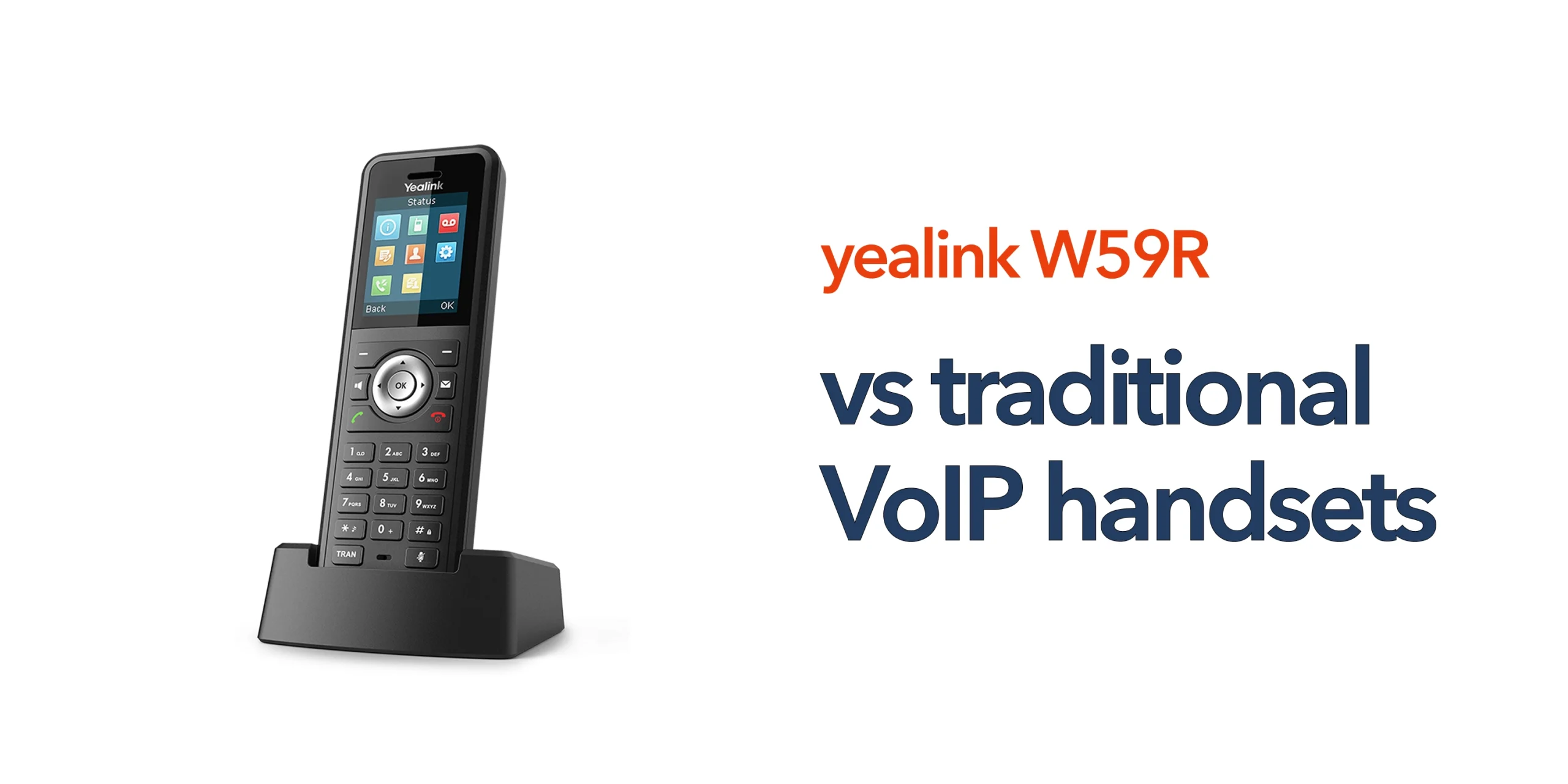
Choosing the right business handset is not just about features on a spec sheet. It is about whether the device will perform reliably in your day-to-day working environment, especially in settings where movement, noise, and physical conditions can impact communication.
The Yealink W59R is designed for durability, mobility, and consistent performance in demanding environments. From warehouses to manufacturing sites, it is built to handle situations where standard devices often fall short. However, before investing, most businesses want clear answers around coverage, setup, compatibility, and long-term value.
This guide answers the most common Yealink W59R FAQs, helping you understand not just what the device does, but how it performs in real-world conditions. It is designed to give you the confidence to choose a solution that fits your operational needs and supports your wider telecom infrastructure.
What Is the Yealink W59R?
The Yealink W59R is a rugged cordless DECT handset designed for business use in challenging environments. Unlike standard office phones, it is built to handle dust, moisture, and physical impact. It is commonly used in:
- Warehouses
- Manufacturing facilities
- Construction sites
- Logistics operations
It combines mobility with reliability, making it suitable for teams that need to stay connected while moving across large sites.
Is the Yealink W59R Waterproof and Dustproof?
Yes, the Yealink W59R is rated IP67, meaning it is fully protected against dust and can withstand temporary immersion in water. This level of protection makes it suitable for environments where exposure to moisture, dirt, and debris is common. In industrial settings, this significantly reduces the risk of device failure and ensures communication remains consistent even in challenging conditions. For businesses, it means fewer disruptions and greater confidence in day-to-day operations.
How Durable Is the Yealink W59R?
The W59R is specifically designed for durability, with a shock-resistant build that can handle drops, knocks, and general wear and tear. This is particularly important in fast-paced environments where devices are frequently handled or used on the move. Over time, this durability translates into fewer replacements, reduced downtime, and lower overall costs. It is built to keep working reliably, even when conditions are far from ideal.
Does the Yealink W59R Use Wi-Fi or DECT?
The Yealink W59R uses DECT technology rather than Wi-Fi, which is a key advantage in many business environments. DECT operates on a dedicated frequency, providing more stable call quality, wider coverage, and reduced interference from other devices. In industrial settings where Wi-Fi networks are often congested or unreliable, DECT offers a more consistent and dependable communication experience. This makes it a practical choice for businesses that cannot afford interruptions.
What Is the Range of the Yealink W59R?
The range of the W59R depends on how your DECT system is configured. In ideal conditions, DECT can cover large areas, especially when multiple base stations are deployed. In real-world environments, factors such as building layout, metal structures, and machinery can affect coverage. To maintain consistent performance across larger sites, businesses often install multiple base stations, ensuring seamless communication without dead zones.
Can the Yealink W59R Be Used in Large Warehouses?
Yes, the W59R is well-suited to large environments such as warehouses, factories, and distribution centres. When paired with a properly configured DECT system, it allows employees to move freely across the site while maintaining clear and uninterrupted communication. This is particularly valuable in operations where coordination and responsiveness are critical. It supports mobility without compromising call quality.
Does the Yealink W59R Support Multiple Handsets?
Yes, the Yealink W59R can be used as part of a multi-handset DECT system when paired with compatible base stations. This allows businesses to deploy multiple devices across teams and locations while maintaining a unified communication setup. It is particularly useful for larger sites where multiple users need reliable wireless communication.
What Base Stations Are Compatible with the Yealink W59R?
The W59R works with Yealink DECT base stations such as the W70B, W80B, and W90B. These base stations determine coverage, scalability, and performance. Choosing the right base station setup is essential for ensuring reliable communication across your environment.
Is the Yealink W59R Suitable for Outdoor Use?
The W59R is suitable for outdoor use in many scenarios due to its IP67 rating and rugged design. It can handle exposure to dust, moisture, and varying temperatures, making it practical for construction sites, logistics yards, and outdoor operations. However, coverage will still depend on DECT base station placement.
How Long Does the Battery Last?
The Yealink W59R is designed for extended use, offering battery performance that supports full working shifts. Because it is optimised for voice communication, it uses power more efficiently than smartphones running Wi-Fi calling applications. This reduces the need for frequent charging and ensures staff remain reachable throughout the day. In shift-based environments, this reliability is essential for maintaining productivity.
Is the Yealink W59R Easy to Set Up?
The handset itself is relatively straightforward to deploy, especially when used with compatible Yealink base stations. However, overall performance depends on correct setup, including base station placement, network configuration, and SIP provisioning. Poor setup can lead to coverage issues or reduced call quality. Many businesses choose professional support to ensure the system is configured correctly from the start and performs as expected.
Does the Yealink W59R Work with Cloud Phone Systems?
Yes, the W59R integrates with modern cloud phone systems using SIP, making it suitable for businesses moving to cloud-based communications. It supports features such as call routing, voicemail, extension management, and remote configuration. This allows businesses to create a flexible and scalable communication setup that works across multiple locations. It fits naturally into modern telecom environments.
Is the Yealink W59R Suitable for Office Use?
While the W59R can be used in office environments, it is primarily designed for more demanding conditions. For standard office use, a non-rugged DECT handset may be a more cost-effective option. The W59R delivers the most value in environments where durability, mobility, and reliability are essential. Choosing the right device depends on how and where it will be used.
Can the Yealink W59R Be Used with Existing Phone Systems?
The W59R can work with existing VoIP or SIP-based phone systems, provided they are compatible with DECT base stations. Businesses using legacy systems may need to upgrade to a cloud or SIP-enabled platform to take full advantage of its capabilities. Compatibility should always be checked as part of the planning process.
How Does the Yealink W59R Support Worker Safety?
The W59R includes features that support worker safety, particularly in environments where staff may be working alone or in higher-risk areas. These can include alarm functions, emergency alerts, and reliable connectivity that ensures communication is always available. In industrial settings, this adds an extra layer of protection and helps businesses meet safety requirements. It is not just a communication tool, but part of a safer working environment.
Does the Yealink W59R Support Call Features Like Hold and Transfer?
Yes, the W59R supports standard business call features, including call hold, transfer, forwarding, and conferencing. When integrated with a cloud phone system, it can also support more advanced features such as call routing and voicemail management.
What Is the Audio Quality Like on the Yealink W59R?
The W59R delivers HD voice quality, designed to provide clear and consistent audio even in noisy environments. This is particularly important in industrial settings where background noise can otherwise make communication difficult.
What Should You Consider Before Buying?
Before choosing the Yealink W59R, it is important to consider your specific business needs. This includes your working environment, the size of the area requiring coverage, how mobile your staff are, and your existing telecom infrastructure. The device delivers the best results when it is aligned with a well-planned communication system. Taking the time to assess these factors ensures you get the most value from your investment.
Conclusion
The Yealink W59R is not just a handset. It is a communication tool designed for environments where reliability matters. If your business operates in demanding conditions, it offers durability, mobility, and consistent performance that standard devices cannot match. If you are planning to upgrade your business communication system, speak to circle.cloud. We will help you choose the right setup and ensure everything works together from day one.