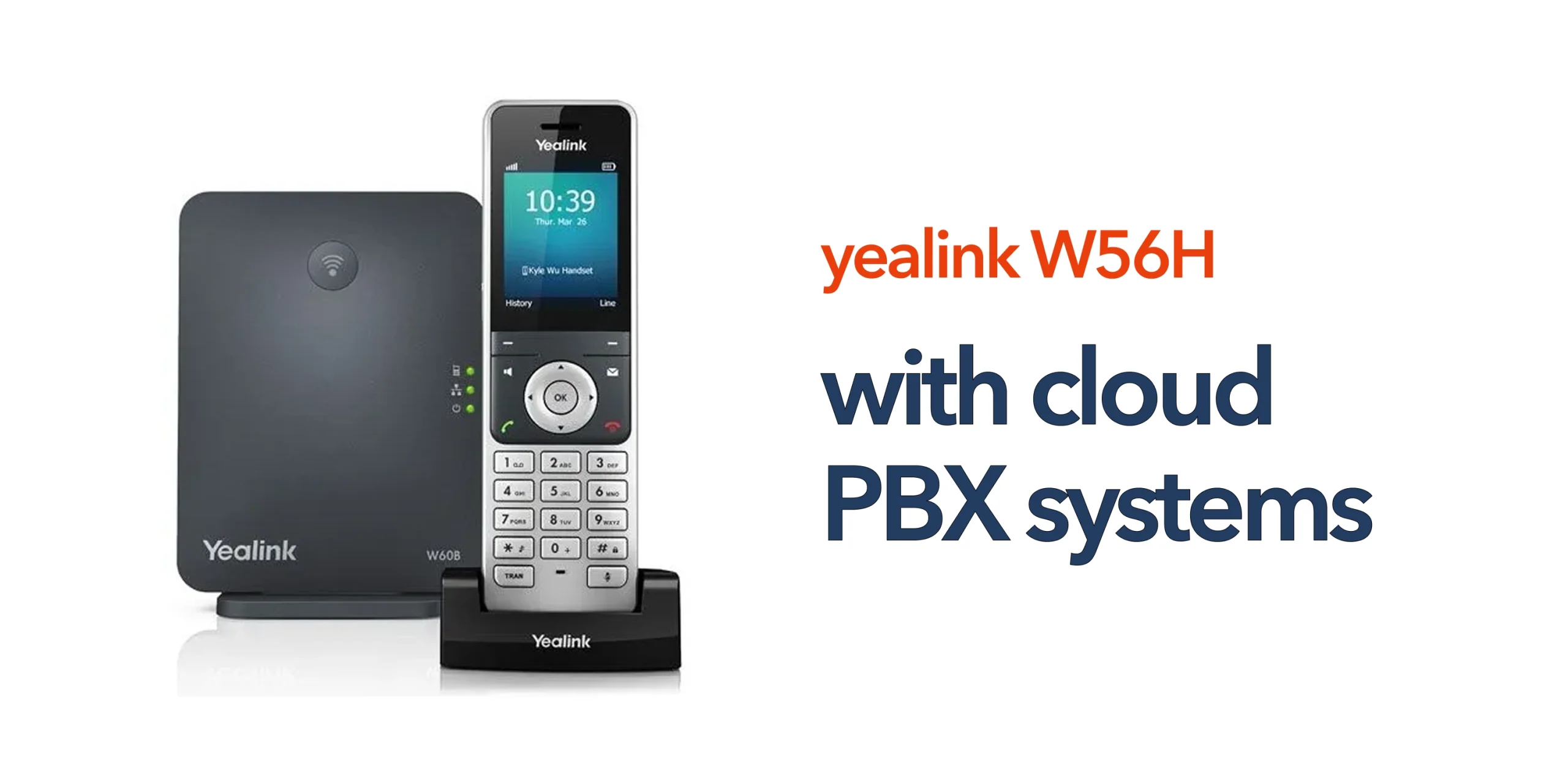
Traditional phone systems are being rapidly replaced by cloud-based PBX solutions that offer greater flexibility, scalability, and control. However, many UK businesses still have a practical question when making the switch: how does a cordless handset like the Yealink W56H actually fit into modern cloud PBX systems?
The key is understanding that the W56H is not a standalone system. It is part of a wider setup that combines DECT wireless technology with cloud-based call management. The handset connects to a DECT base station, which then links your business to the cloud PBX over the internet. This allows the handset to remain fully mobile while all call routing, features, and system controls are handled centrally in the cloud.
Understanding this connection is important because it directly affects how your system performs in real business conditions. It helps you choose the right setup, avoid configuration issues, and ensure your communication system is reliable from the start. When properly deployed, this combination delivers a stable, flexible solution that supports both day-to-day operations and future business growth.
What Are Cloud PBX Systems?
Cloud PBX systems are internet-based phone systems that replace traditional on-site PBX hardware. Instead of managing equipment in your office, your call system is hosted securely in the cloud. This allows businesses to:
- Make and receive calls over the internet
- Manage users and features remotely
- Scale without installing new hardware
For UK businesses preparing for the PSTN switch-off, cloud PBX systems provide a modern and future-ready solution.
How the Yealink W56H Connects to Cloud PBX Systems
The Yealink W56H does not connect directly to the cloud. Instead, it forms part of a simple, structured setup that links the handset to your cloud PBX system through a DECT base station. The handset connects wirelessly to the base station, which is then connected to your internet network. From there, the network links directly to your cloud PBX system, allowing all call management and routing to take place in the cloud.
This structure means the handset functions purely as the user interface, while the cloud PBX system handles the core communication tasks such as call routing, feature management, and connectivity across your business.
What Happens During a Call?
When a call is made using the Yealink W56H, the process begins at the handset, which sends the call signal to the DECT base station. The base station then converts and transmits this signal over your internet connection to the cloud PBX system. From there, the cloud PBX routes the call to the correct destination, whether that is an internal extension, an external number, or a remote team member.
This entire process happens almost instantly in the background, giving users a seamless calling experience that feels similar to traditional phone systems but with significantly more flexibility, control, and scalability.
Benefits of Using Yealink W56H with Cloud PBX Systems
Combining a DECT handset like the Yealink W56H with cloud PBX systems creates a communication setup that is both reliable and flexible. It allows businesses to support mobile working while still maintaining full control over call management through a central cloud platform.
Mobility Without Complexity
The Yealink W56H gives staff the freedom to move around the workplace while staying fully connected to the business phone system. Whether employees are in an office, warehouse, or customer-facing environment, they can take and make calls without being tied to a desk. This mobility is achieved without adding complexity, as the handset remains simple to use while the cloud PBX handles all system-level functions in the background.
Centralised Call Management
All core call functions, including routing, voicemail, call forwarding, and transfers, are managed centrally through the cloud PBX system. This means administrators can control and update communication settings from a single platform without needing to access physical hardware. It also ensures consistency across the organisation, as all users operate within the same managed system regardless of location or device.
Easy Scalability
One of the key advantages of cloud PBX systems is how easily they scale. Adding new users, extensions, or Yealink W56H handsets does not require significant infrastructure changes or complex installations. Businesses can expand their communication setup quickly as they grow, making it easier to support new staff, new sites, or changing operational needs without disruption.
Reduced On-Site Hardware
Using a cloud PBX system significantly reduces the need for physical telecom equipment on-site. With no traditional PBX hardware to install or maintain, businesses can simplify their setup and reduce ongoing maintenance requirements. This not only lowers the burden on internal IT teams but also improves reliability by shifting system management to the cloud.
Typical Business Use Cases
This setup works well across a wide range of industries where flexibility and reliable communication are essential. In office environments, the Yealink W56H allows staff to move freely between desks, meeting rooms, and collaborative spaces while staying fully reachable at all times, improving internal communication and responsiveness.
In warehouses and logistics operations, cordless DECT communication is especially valuable, enabling teams to stay connected across large operational areas without being restricted to fixed desk phones. This supports faster coordination and more efficient workflows in fast-moving environments.
In healthcare and retail settings, the ability to respond quickly is critical. The W56H allows staff to communicate instantly without being tied to a specific location, helping improve customer service, patient support, and overall operational efficiency.
Key Considerations Before Deployment
To achieve reliable performance from cloud PBX systems, it is important to plan the setup properly before deployment. A few core factors will directly impact call quality, system stability, and overall user experience.
- Internet Quality: A stable and high-quality internet connection is essential for consistent VoIP performance. Poor bandwidth, congestion, or unstable connectivity can quickly lead to dropped calls, latency, or reduced audio quality. Businesses should ensure their connection is suitable for voice traffic and prioritised accordingly.
- DECT Coverage: Strong and consistent DECT coverage is critical for cordless devices like the Yealink W56H. Your base station placement and overall coverage design should eliminate weak zones across the workspace to prevent call dropouts or signal loss during movement.
- System Compatibility: Not all hosted or cloud PBX providers offer the same level of support for Yealink devices. It is important to ensure full compatibility, including proper provisioning, feature support, and configuration options to avoid limitations after deployment.
- Security and Configuration: Correct system configuration is essential for both performance and protection. Proper firewall settings, SIP configuration, and secure provisioning help ensure the system runs smoothly while safeguarding your business communication infrastructure.
When Things Do Not Work as Expected
If your system is not performing correctly, the issue is often not caused by the handset itself. In most cases, problems arise from the wider network or system configuration rather than the Yealink W56H device.
Common causes include network instability, where poor or inconsistent internet connectivity affects call quality and reliability. Incorrect cloud PBX configuration can also lead to issues such as failed registrations, missing features, or disrupted call routing. In some cases, firewall settings or SIP-related restrictions can block or limit voice traffic, resulting in one-way audio or dropped calls.
This is why it is important to view your communication setup as a complete system rather than focusing on individual components. The handset, network, and cloud PBX all work together, and performance depends on how well these elements are configured and maintained as a whole.
Build a Cloud PBX Setup That Works for Your Business
Cloud PBX systems offer flexibility and scalability, but only when implemented correctly. The right setup ensures your team can communicate reliably without technical barriers. circle.cloud helps UK businesses deploy cloud PBX systems that are simple to manage and built for real-world use. With expert guidance and UK-based support, your Yealink W56H handsets can be fully integrated into a system that works seamlessly. Speak to our team to design a cloud PBX solution that supports your business now and as it grows.
FAQs
Do I need a base station for the Yealink W56H?
Yes. The handset connects to a DECT base station, which links it to the cloud PBX system.
Are cloud PBX systems reliable for business use?
Yes. With a stable internet connection and proper configuration, they provide consistent and dependable communication.
Can I add more handsets easily?
Yes. Cloud PBX systems are designed to scale, allowing you to add users and devices as needed.
Is this setup suitable for multi-site businesses?
Yes. Cloud PBX systems can connect multiple locations under one unified communication platform.