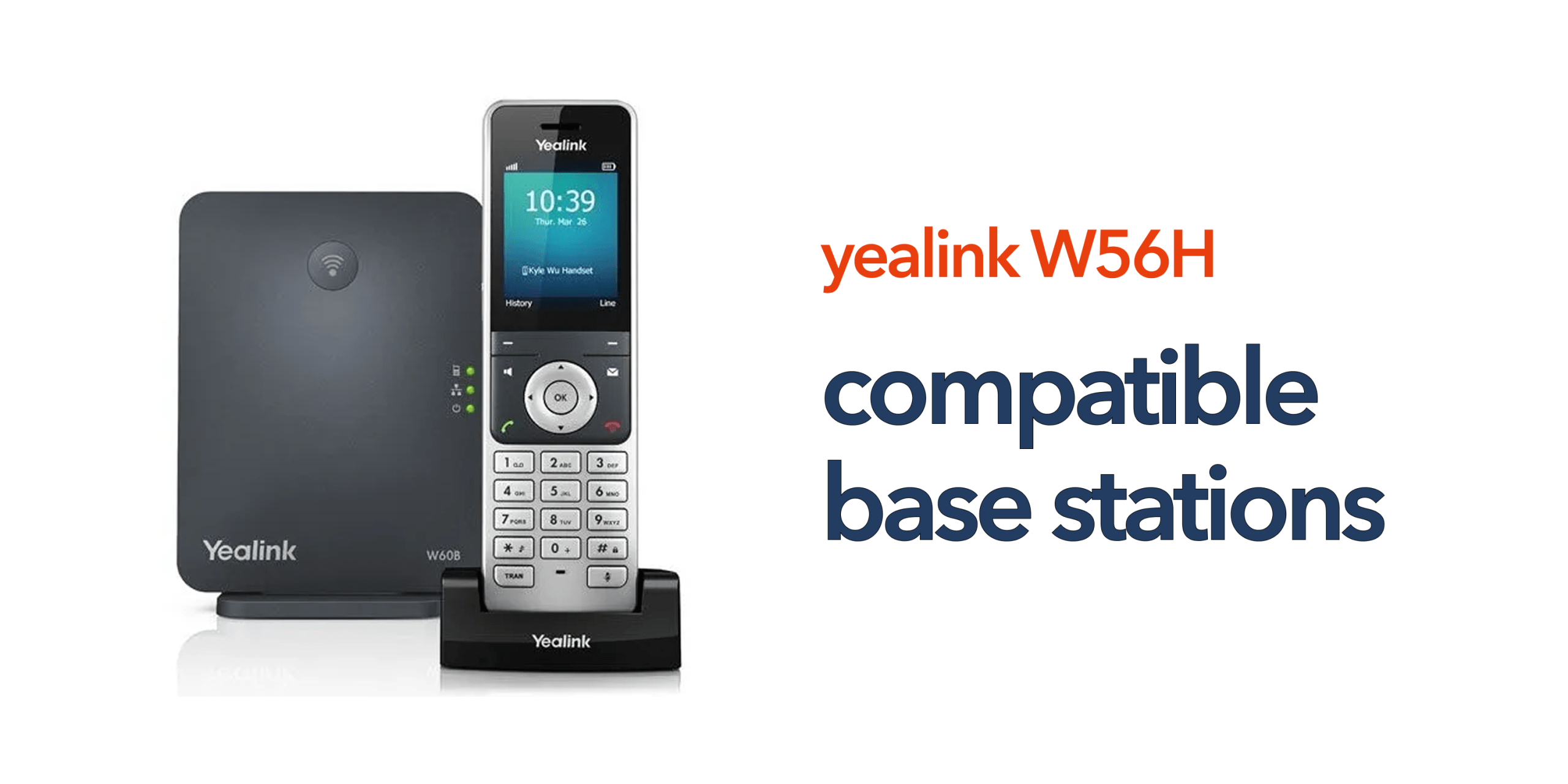
When reviewing Yealink W56H compatible base stations, one of the first things businesses realise is that the handset itself is only part of the solution. The base station is what brings the entire system to life. The Yealink W56H does not operate independently. It must connect to a compatible DECT base station to handle calls, manage connectivity, and link into your wider VoIP phone system. This is where many deployment decisions are won or lost.
The base station directly controls how your system performs day to day. It determines how many handsets you can connect, how many calls your team can handle at once, and how well coverage holds up across your workspace. For example, a small office with a handful of users may only need a single-cell base station. But a growing business with multiple rooms, floors, or departments will quickly need something more scalable. Without the right base in place, you may experience dropped calls, limited capacity, or coverage gaps that disrupt communication.
Understanding compatible base stations for Yealink W56H is therefore not just about compatibility. It is about choosing a setup that supports your business as it operates today and as it grows. Taking the time to match the right base station to your environment ensures your cordless VoIP system remains reliable, flexible, and easy to scale without unnecessary upgrades later.
Why Base Station Compatibility Matters
When looking at compatible base stations for Yealink W56H, the base station is the core of your system, not just an add-on. The Yealink W56H relies on the base station to connect to your VoIP platform and manage all communication. It controls:
- How many handsets can you use
- How many calls can happen at once
- Coverage across your workspace
- Integration with your phone system
Because different base stations offer different capabilities, choosing the right one is essential for reliability, scalability, and consistent performance.
Main Yealink W56H Compatible Base Stations
Here are the primary base stations that work with the Yealink W56H, along with what they actually mean for your business in day-to-day use.
Yealink W60B Base Station
The Yealink W60B is one of the most widely deployed base stations in small to medium-sized business environments. It offers a dependable entry point into cordless VoIP without unnecessary complexity. Setup is straightforward, and it delivers consistent performance for everyday communication needs.
Key Capabilities
- Supports up to 8 handsets
- Handles multiple simultaneous calls efficiently
- Provides stable coverage for typical office layouts
What This Means in Practice
For most SMEs, the W60B offers everything needed to get started. It supports a full team without overloading the system and maintains reliable call quality throughout the working day.
Best For
- SMEs with straightforward communication needs
- Offices with moderate call traffic
- Businesses looking for a simple, cost-effective solution
Yealink W70B Base Station
The Yealink W70B builds on the W60B by offering improved performance and greater capacity. It is designed for businesses that expect growth or already handle higher call volumes.
Key Capabilities
- Supports up to 10 handsets
- Higher number of concurrent calls
- Improved processing power and system stability
What This Means in Practice
The W70B gives you more headroom. It handles busier environments with ease and reduces the risk of performance issues as your team expands.
Best For
- Growing businesses planning ahead
- Teams with higher daily call volumes
- Organisations that want a more future-ready setup
Yealink W80B (Multi-Cell System)
The Yealink W80B is designed for larger spaces where a single base station is not enough. It forms part of a multi-cell system, allowing multiple base units to work together as one network.
Key Capabilities
- Seamless roaming between base stations
- Wide coverage across large or complex spaces
- Centralised system management
What This Means in Practice
Users can move freely across buildings without call drops. The system automatically hands over calls between base stations, ensuring uninterrupted communication.
Best For
- Large offices with multiple zones
- Warehouses and industrial environments
- Multi-floor or multi-site operations
Yealink W90B (Enterprise Multi-Cell System)
The Yealink W90B is a high-capacity, enterprise-grade solution built for complex and high-demand environments. It is designed to support large-scale deployments where performance and reliability are critical.
Key Capabilities
- Supports a large number of handsets across the system
- High simultaneous call capacity
- Advanced architecture for complex deployments
What This Means in Practice
The W90B is built for scale. It supports large teams, heavy call traffic, and demanding environments without compromising performance.
Best For
- Large organisations with high communication needs
- High-density environments such as hospitals or logistics hubs
- Businesses requiring maximum scalability and control
How to Choose the Right Base Station
Selecting the right base station depends on how your business operates today and how you expect it to grow. The right choice ensures reliable performance and avoids unnecessary upgrades later.
Choose W60B if:
You have a small team, a limited coverage area, and need a simple, straightforward setup. The Yealink W60B is ideal for SMEs that want reliable communication without added complexity or advanced configuration.
Choose W70B if:
You expect your business to grow, need more capacity, or want improved performance. The Yealink W70B is better suited to expanding teams that require additional handsets and stronger call handling without moving into enterprise-level systems too early.
Choose W80B or W90B if:
You operate in large or complex environments, need seamless roaming across different areas, or require enterprise-level scalability. The Yealink W80B and Yealink W90B are designed for larger deployments where coverage, mobility, and system capacity are critical.
Common Mistakes to Avoid
When setting up a wireless communication system, small planning oversights can quickly lead to performance issues and unnecessary costs down the line. Avoiding these common mistakes will help ensure a more stable, scalable, and efficient setup.
- Underestimating Growth: Choosing a base station that cannot scale with your business can force you into early and costly upgrades.
- Ignoring Coverage Planning: Even a high-quality base station will underperform if it is poorly positioned or if coverage areas are not properly mapped.
- Overloading a Single Base: Connecting too many handsets without increasing system capacity can lead to reduced call quality and overall performance issues.
The Bigger Picture
The Yealink W56H is only one part of your communication system, while the base station you choose plays a key role in determining overall performance. A properly matched setup ensures consistent call quality, reliable coverage, smooth scalability, and minimal disruption as your business grows.
Final Thoughts
Understanding Yealink W56H compatible base stations makes it much easier to build a system that works from day one. Whether you need a simple office setup or a large multi-site deployment, there is a base station designed to support your requirements. If you are unsure which option is right, getting expert advice can save time, cost, and future disruption. Speak to our team to design a DECT solution that fits your business perfectly.
FAQs
Can the Yealink W56H work without a base station?
No, it must be connected to a compatible DECT base station to function.
Can I mix different Yealink base stations?
In multi-cell systems, specific models are designed to work together, but standard single-cell bases are typically used independently.
How many handsets can I connect?
This depends on the base station, ranging from 8 to enterprise-level capacity.
Is the W70B better than the W60B?
Yes, it offers higher capacity and improved performance, making it more suitable for growing businesses.