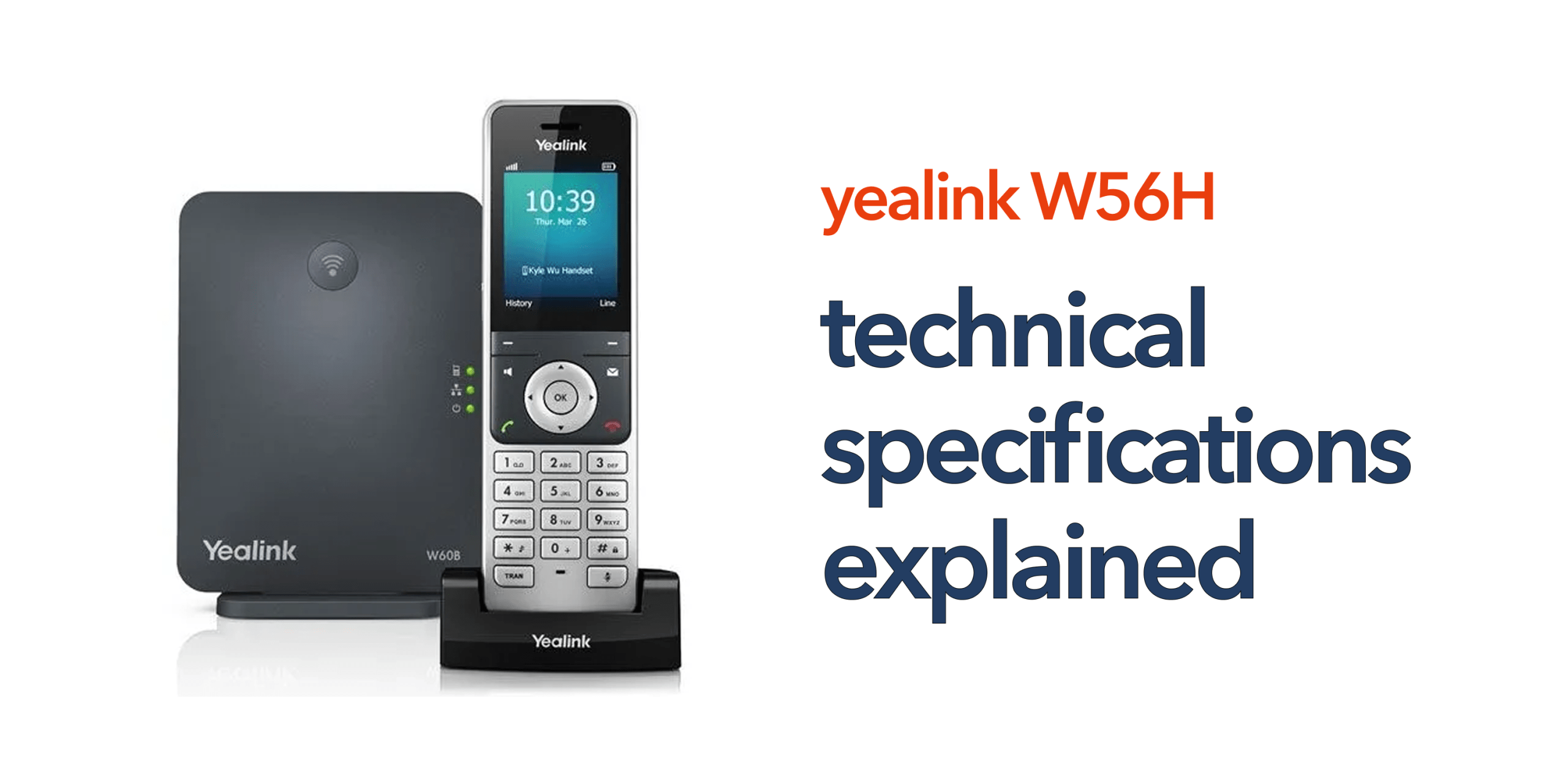
Technical specifications often look like a long list of complex numbers and terms that don’t clearly explain real-world performance. For many businesses, this makes it difficult to judge whether a device is truly suitable for daily use or future growth. The Yealink W56H technical specifications belong to a widely used cordless VoIP handset designed for business communication. However, understanding what these specifications actually mean in practical terms is essential before making a decision.
Instead of focusing only on technical jargon, it’s more useful to interpret how each feature affects call quality, mobility, battery life, and overall system performance. This guide breaks everything down into simple, plain English so you can clearly understand what the Yealink W56H offers and whether it fits your business requirements.
What Is the Yealink W56H?
The Yealink W56H is a business-grade cordless VoIP handset designed to work with DECT base stations, making it a reliable choice for professional communication environments. It is built specifically for offices, warehouses, retail spaces, and other workplaces where employees need both mobility and consistent call quality.
Instead of restricting users to a fixed desk phone, the W56H allows staff to move freely within the coverage range while staying connected to the same phone system. This makes it especially useful in dynamic work environments where communication needs to remain uninterrupted as employees move around.
Display and User Interface
A key part of any business handset is how easy it is to use on a daily basis. The Yealink W56H focuses on simplicity without compromising on functionality, making it suitable for fast-paced work environments.
Specification:
- 2.4-inch colour screen
- Intuitive menu interface
What This Means in Practice
The display is bright, clear, and easy to read even in busy office or on-the-move environments. The colour screen helps users quickly distinguish between different functions and call information at a glance.
The intuitive menu layout ensures that staff can easily navigate contacts, call history, and device settings without needing technical training. This reduces onboarding time for new employees and makes day-to-day operations smoother and more efficient, especially in teams where quick communication is essential.
Battery Life
Reliable battery performance is one of the strongest advantages of the Yealink W56H, especially for users who need continuous communication throughout the day.
Specification:
- Up to 30 hours of talk time
- Up to 400 hours of standby time
What This Means in Practice
Before the technical details, it’s important to understand that battery life directly affects how “mobile” a cordless handset really is in a working environment. A strong battery means fewer interruptions, less downtime, and more freedom for staff who are constantly on the move.
In real-world use, the handset can easily last multiple working days on a single charge under normal usage. This is particularly valuable for reception staff, warehouse teams, and customer service roles where calls are frequent and consistent availability is essential.
It also reduces dependency on constant charging cycles, helping avoid disruptions during peak business hours and ensuring the device remains ready when needed most.
Wireless Technology (DECT)
A core part of the Yealink W56H’s performance comes from the wireless technology it uses, which is designed specifically for voice communication rather than general internet traffic.
Specification:
- DECT wireless standard
- Dedicated frequency band
What This Means in Practice
Before diving into technical terms, it helps to understand that DECT is purpose-built for voice calls, unlike Wi-Fi, which handles many types of data at the same time. This specialisation makes a noticeable difference in call reliability and clarity in real-world business environments.
Because the handset does not rely on Wi-Fi, it avoids common issues like network congestion and bandwidth competition with other devices. Instead, it operates on a dedicated wireless system designed solely for voice communication.
This leads to more stable calls, reduced interference from other office equipment or networks, and consistent performance across the workspace, even in busy environments where multiple devices are connected at the same time.
Range and Coverage
One of the most important factors in any cordless business phone system is how far you can move while staying connected. The Yealink W56H is designed to provide dependable coverage for both small and medium-sized work environments.
Specification:
- Up to 50 metres indoors
- Up to 300 metres outdoors (ideal conditions)
What This Means in Practice
In a typical office environment, the handset delivers reliable coverage across multiple rooms, corridors, and even different floors, depending on the building layout. This allows staff to stay connected while moving between workstations, meeting rooms, or service areas without dropping calls.
However, the real-world range can vary based on physical obstacles. Walls, metal structures, glass partitions, and dense office layouts can reduce signal strength and limit coverage in certain areas. In larger workplaces such as warehouses, hotels, or multi-floor buildings, a single base station may not be sufficient.
In such cases, adding additional base stations or planning a multi-cell setup helps ensure full, uninterrupted coverage across the entire workspace.
Audio Quality
Clear communication is essential in any business phone system, and the Yealink W56H is designed to deliver consistently strong voice performance.
Specification:
- HD voice support
- Full-duplex speakerphone
What This Means in Practice
Before looking at the technical terms, the key idea is that this handset is built to make conversations sound as natural and clear as possible, even in busy work environments.
With HD voice support, calls are sharper and more detailed, making it easier to understand speech without needing repetition. This improves overall communication quality, especially in customer service or client-facing roles where clarity matters.
The full-duplex speakerphone allows both people to speak and be heard at the same time, just like a normal face-to-face conversation. This eliminates the common issue of audio cutting in and out when two people talk simultaneously.
Together, these features reduce misunderstandings, improve call flow, and create a more professional communication experience in day-to-day business use.
Call Handling Features
Modern business communication requires more than just making and receiving calls; it needs flexibility to manage multiple conversations efficiently. The Yealink W56H is designed to support essential call management tools without adding unnecessary complexity.
Specification:
- Multiple line support
- Call transfer, hold, and forwarding
- Three-way conferencing
What This Means in Practice
Before diving into features, the main advantage here is control. These tools allow teams to handle daily call workflows smoothly, especially in busy office environments where communication is constant.
With multiple line support, users can manage more than one call identity or conversation at the same time, helping reduce missed connections. Call transfer, hold, and forwarding functions make it easy to redirect calls to the right person or department without dropping the caller, ensuring a more professional experience.
The three-way conferencing feature allows quick group discussions between colleagues or clients, removing the need for separate meeting tools in simple coordination tasks.
Overall, these call handling capabilities help teams stay organised, respond faster, and maintain consistent professional communication standards throughout the day.
Scalability
As businesses grow, their communication system needs to grow with them without requiring a complete overhaul. A scalable handset setup helps avoid unnecessary costs and disruption. The Yealink W56H is designed with this flexibility in mind, making it suitable for both small teams and expanding organisations.
Specification:
- Up to 8 handsets per base station
- Multiple simultaneous calls (depending on base station model)
What This Means in Practice
You can start with a small setup and gradually expand as your team increases, without replacing the entire system. This makes it a cost-effective solution for SMEs where requirements often change over time.
Support for multiple simultaneous calls ensures that several users can communicate at once, helping maintain a smooth workflow even during busy periods.
Security Features
Security is a critical part of any business communication system, especially when handling sensitive or client-related information. The Yealink W56H includes built-in protections to keep calls secure and access controlled. These features are designed to work in the background without affecting usability.
Specification:
- DECT encryption
- Secure handset registration
What This Means in Practice
DECT encryption helps protect voice calls from interception, ensuring conversations remain private during transmission. This adds an important layer of security for everyday business communication.
Secure handset registration ensures that only authorised devices can connect to the system, reducing the risk of unauthorised access and maintaining control over your communication network.
Build and Design
Security is a critical part of any business communication system, especially when handling sensitive or client-related information. The Yealink W56H includes built-in protections to keep calls secure and access controlled. These features are designed to work in the background without affecting usability.
Specification:
- DECT encryption
- Secure handset registration
What This Means in Practice
DECT encryption helps protect voice calls from interception, ensuring conversations remain private during transmission. This adds an important layer of security for everyday business communication.
Secure handset registration ensures that only authorised devices can connect to the system, reducing the risk of unauthorised access and maintaining control over your communication network.
What Do These Specifications Mean for Your Business?
When you look beyond the technical terms, the Yealink W56H delivers practical benefits that directly support everyday business operations. It provides reliable cordless communication that allows staff to stay connected while moving around the workplace, along with strong battery performance that reduces the need for frequent charging. The handset also ensures clear audio quality for smooth and professional conversations, while its easy scalability makes it suitable for both small teams and growing businesses. Overall, it is designed to simplify communication and enhance productivity rather than add unnecessary complexity.
Is the Yealink W56H Right for You?
The Yealink W56H is designed for business environments where mobility, reliability, and simple communication are priorities. It works particularly well in setups where staff need to stay connected while moving around rather than being fixed to a desk. It is also a practical choice for organisations shifting toward modern VoIP-based communication systems. This handset is a good fit for:
- Offices with mobile staff
- Retail and warehouse environments
- SMEs looking for simple, reliable communication
- Businesses moving to VoIP systems
However, it delivers the best results when it is part of a properly planned and well-configured telecom setup, including the right base station and coverage design.
Final Thoughts
The Yealink W56H combines practical features with business-focused performance. When explained in plain English, its specifications show a device built for reliability, simplicity, and everyday use. If you are reviewing your current setup or planning an upgrade, understanding these details helps you make a confident decision. Speak to our experts to ensure your communication system is set up for reliability and long-term growth.
FAQs
Do I need technical knowledge to use the W56H?
No, the interface is simple and designed for everyday business users.
Can I expand the system later?
Yes, additional handsets and base stations can be added as your business grows.
Does it work with all VoIP systems?
It is compatible with most major VoIP platforms when paired with the correct base station.
Is it suitable for large businesses?
Yes, but larger deployments require proper planning and configuration.