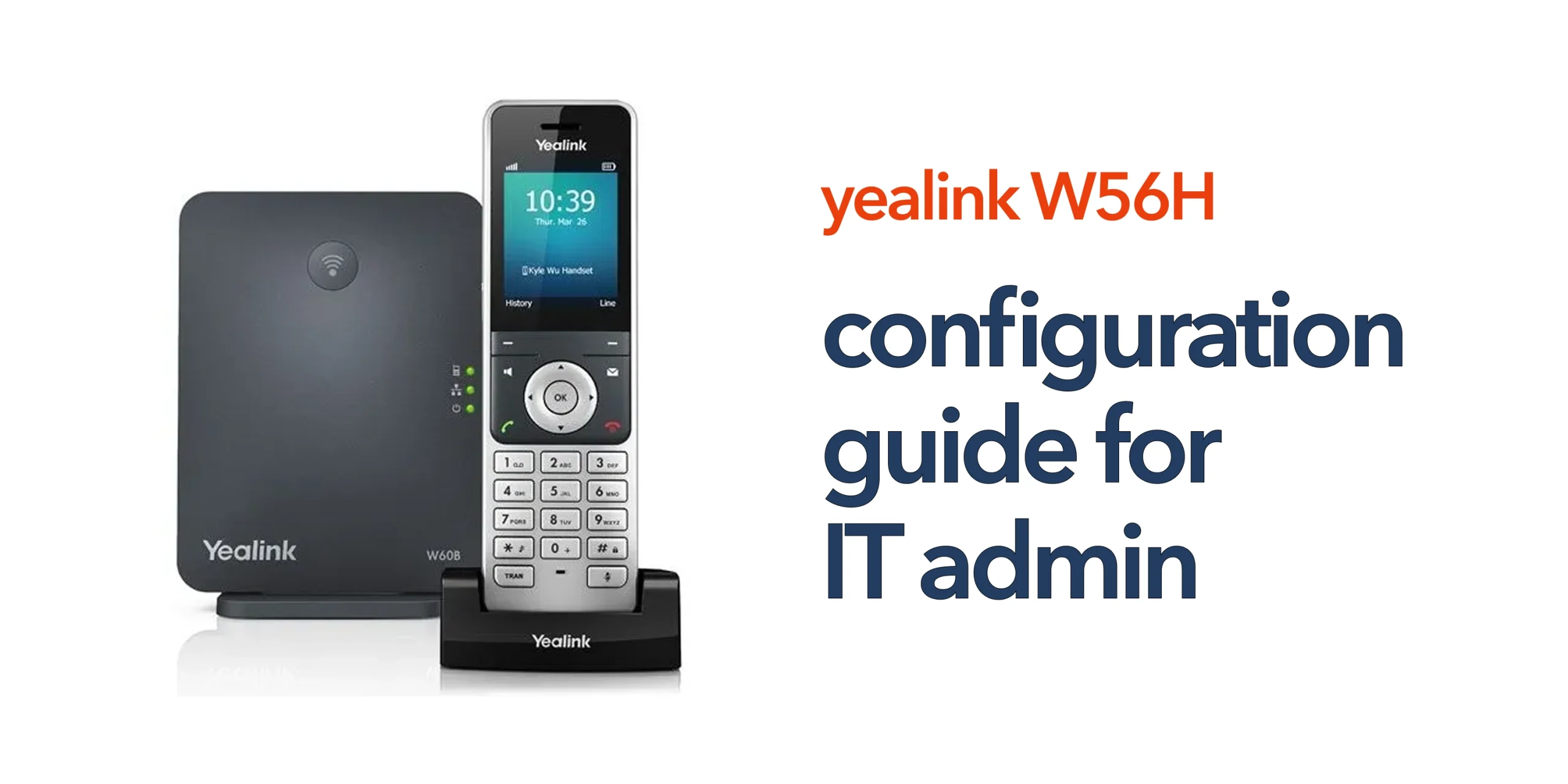
Configuring wireless VoIP handsets can quickly become complex when the process is not approached in a structured way. Many IT administrators encounter issues such as failed registrations, poor call quality, or inconsistent connectivity, not because of the device itself, but due to gaps in the wider system configuration.
The Yealink W56H is designed to be straightforward to deploy, but like any VoIP device, it relies on correct setup across the base station, network, and cloud telephony platform to perform reliably. Without this, even a properly registered handset may not deliver the expected results.
This Yealink W56H configuration guide is designed to give IT administrators a clear and practical framework for setup. It covers not just the core configuration steps, but also how the device fits into your wider telecom infrastructure, helping you build a stable, scalable, and reliable communication system for your business.
Understanding the Configuration Structure
Prior to starting any work, it is important to understand how the device fits into your overall system. The handset itself does not store VoIP credentials directly. Instead, all core configuration takes place at the base station level, which is responsible for managing SIP account registration, call routing and extensions, network connectivity, and integration with your cloud phone system. Once the handset is registered, it inherits these settings from the base station. This is why getting the base station configuration right is critical to ensuring the handset works reliably within your business telecom environment.
Pre-Configuration Checklist
Before starting the process through the Yealink W56H configuration guide, it is important to make sure your environment is fully prepared. A few simple checks at this stage can prevent common issues such as failed registrations, poor call quality, or connectivity problems later.
- Ensure the base station is connected to your network via Ethernet and powered on.
- Have your SIP credentials ready from your VoIP or cloud phone provider.
- Confirm the DHCP or static IP configuration is correctly set on your network.
- Check that firmware is up to date on both the base station and the handset.
- Plan DECT coverage to ensure a consistent signal across your working environment.
Skipping these steps often leads to avoidable issues during setup and can impact the long-term reliability of your VoIP system.
Configuring the Base Station
The base station is the core of your setup and is where all key configuration takes place. Getting this stage right ensures your handsets connect properly and your VoIP system operates reliably across your business.
Access the Web Interface
To begin configuring your system, you first need access to the base station’s web interface. This is where all core settings are managed and controlled. Start by locating the base station’s IP address, which can typically be found through your router or directly via the handset. Enter this IP address into a web browser and log in using the administrator credentials. Once inside, you will have full access to the configuration environment required to set up your VoIP system properly.
Configure SIP Account Settings
Within the web interface, the next step is to configure your SIP account settings. Navigate to the account or VoIP section and enter the required details, including the SIP username, password, and server information provided by your VoIP provider. You will also need to assign this account to a specific handset or extension. Accurate SIP configuration is essential, as this is what enables your system to make and receive calls reliably.
Set Up Extensions and Users
Once the SIP account is configured, you should set up extensions and map them to individual users or handsets. Each device should have a clearly assigned extension number to ensure calls are routed correctly. Labelling devices appropriately also makes management easier, especially in larger environments. It is important to ensure that call routing rules are aligned with your business requirements, as this step plays a key role in how communication flows across your organisation.
Registering the Handset
After completing the base station configuration, the next step in this Yealink W56H configuration guide is to register the handset. This involves enabling registration mode on the base station, then accessing the handset menu to begin the registration process. From there, select the registration option and connect using the required PIN. Once registration is complete, the handset will automatically inherit all configured settings from the base station, allowing it to function as part of your wider VoIP system.
Registering the Handset
Once the base station is fully configured, the next step in this Yealink W56H configuration guide is to register the handset. This involves enabling registration mode on the base station, then accessing the handset menu to begin the process. From there, select the registration option and connect using the required PIN. Once completed, the handset will automatically inherit all configured settings from the base station, allowing it to operate as part of your wider VoIP system.
Network and VoIP Optimisation
Configuration does not end with registration. Network performance plays a critical role in overall VoIP quality and reliability. To ensure optimal performance, your network should have sufficient bandwidth to support concurrent calls, and Quality of Service (QoS) should be configured to prioritise voice traffic. It is also important to avoid network congestion caused by heavy data usage and to use VLANs where required to separate voice and data traffic. A stable and well-optimised network environment is essential for maintaining consistent call quality across your business.
Common Configuration Mistakes to Avoid
Even when following a structured Yealink W56H configuration guide, it is easy for key details to be overlooked. These small mistakes can lead to ongoing issues that affect call quality, connectivity, and overall system reliability.
Incorrect SIP Credentials
One of the most common issues is incorrect SIP credentials. Even minor errors in usernames, passwords, or server details will prevent the system from registering properly, resulting in failed calls or no connectivity at all.
Poor Base Station Placement
Base station placement has a direct impact on DECT coverage. Positioning it in the wrong location can lead to weak signal areas, dropped calls, and inconsistent performance across your environment. Proper placement is essential for reliable communication.
Ignoring Firmware Updates
Running outdated firmware can create compatibility issues and expose your system to security risks. Keeping both the base station and handset updated ensures optimal performance and access to the latest fixes and improvements.
Lack of Network Optimisation
VoIP performance depends heavily on network quality. Without proper optimisation, such as bandwidth management and traffic prioritisation, call quality will suffer regardless of how well the devices are configured.
Avoiding these common mistakes helps ensure a stable, reliable deployment that supports your business communication effectively.
Best Practices for IT Administrators
To get the most from your Yealink W56H deployment, it is important to follow a consistent and structured approach. Good configuration practices not only improve performance but also make ongoing management much easier.
- Standardise configuration across all devices to ensure consistency and simplify troubleshooting
- Document SIP credentials and extension assignments for better visibility and control
- Test call quality after setup to confirm the system is working as expected
- Monitor performance regularly to identify and resolve issues early
- Plan for scalability, so your system can support future growth without major reconfiguration
Following these best practices helps reduce support issues, improve reliability, and ensure your telecom system continues to perform effectively as your business evolves.
Supporting Multi-Site and Scalable Deployments
For growing businesses, configuration should always be planned with expansion in mind. The Yealink W56H works particularly well in environments that require multiple base stations across different sites, supported by a centralised VoIP platform. It also allows for remote device management, making it easier for IT teams to maintain and update systems without being on-site. With the right setup, businesses can deliver a consistent user experience across all locations. Taking a structured approach from the start makes scaling your telecom system much simpler and more efficient as your organisation grows.
When to Use Professional Support
While this Yealink W56H configuration guide covers the core steps, many businesses benefit from working with an experienced telecom provider to ensure everything is set up correctly from the start. A managed approach helps avoid common issues and ensures the system performs reliably in real-world conditions.
A telecom provider can configure your system accurately from day one, optimise your network and VoIP performance, and reduce the time and risk involved in deployment. They also provide ongoing technical support, which is particularly valuable for multi-site environments or businesses with high call volumes. This level of support helps maintain consistent performance and ensures your communication system continues to meet your needs as your business grows.
Get Your Configuration Right First Time
Configuration is not just about getting devices online. It is about ensuring your entire communication system works reliably under real business conditions. circle.cloud helps UK businesses deploy and manage cloud-first telecom systems that are simple, reliable, and built to scale. Speak to our team to get your Yealink W56H configured correctly and ready for long-term performance.