Small meeting rooms often create significant communication challenges. Voices can echo, participants may speak over one another, and remote attendees often struggle to hear conversations clearly. Many businesses attempt to solve these issues using laptops or mobile phones, but this approach rarely delivers consistent or professional results.
A dedicated conference phone addresses these problems directly. It provides clear, consistent audio quality and creates a more structured and professional meeting experience for both in-room and remote participants. However, not every device is suitable for smaller spaces, where audio balance and room coverage are especially important.
This guide explores the best conference phones for small meeting rooms and explains where the Yealink CP925 fits within that category.
What Makes a Conference Phone Right for Small Rooms
Not every conference phone is designed with compact meeting spaces in mind. Small rooms have unique acoustic conditions, and choosing the wrong device can lead to muffled voices, uneven pickup, or unnecessary background noise. In many cases, this results in poor collaboration and wasted investment rather than improved communication.
For small meeting rooms, the priority should be clarity, balance, and ease of use rather than raw power or large-room coverage.
360-Degree Voice Pickup
In small meeting rooms, participants are usually seated close together around a table, which makes even voice coverage essential. A good conference phone should capture sound evenly from all directions so that every speaker is heard clearly without needing to lean forward or raise their voice.
This is especially important in hybrid meetings where remote participants rely entirely on microphone accuracy to follow the discussion. Omnidirectional pickup ensures natural conversation flow without forcing people to manage the device while speaking.
Controlled Pickup Range
More range is not always better in smaller spaces. Devices designed for large boardrooms often pick up unnecessary ambient noise in compact rooms, such as paper movement, keyboard typing, or background chatter outside the meeting space.
For small rooms, a controlled pickup range is more effective. Systems optimised for around 3 to 8 participants tend to deliver cleaner audio because they focus only on the relevant speaking area. This improves clarity and reduces distractions for remote attendees.
Simple Setup
Small meeting rooms are often shared across teams, which means equipment needs to be easy to use without technical assistance. A complex setup process can slow down meetings and discourage proper usage.
The ideal conference phone should offer plug-and-play functionality, quick connectivity, and minimal configuration. Users should be able to start a meeting within seconds, regardless of technical experience. This simplicity also increases adoption across the organisation.
VoIP Compatibility
Modern communication relies heavily on cloud-based telephony and collaboration platforms. Because of this, conference phones must integrate smoothly with VoIP systems to remain useful in today’s workplace.
Strong VoIP compatibility ensures better call quality, easier scalability, and seamless integration with tools like Microsoft Teams, Zoom, and SIP-based systems. This allows small meeting rooms to function as fully connected collaboration spaces without additional hardware complexity.
Best Conference Phones for Small Meeting Rooms
Small meeting rooms need conference phones that deliver clear audio without unnecessary complexity. The right device ensures every participant is heard, even in compact or acoustically challenging spaces. Choosing wisely improves both in-room collaboration and remote communication. Here are some of the best options suited for small meeting environments.
Yealink CP925: Best All-Round Choice for SMEs
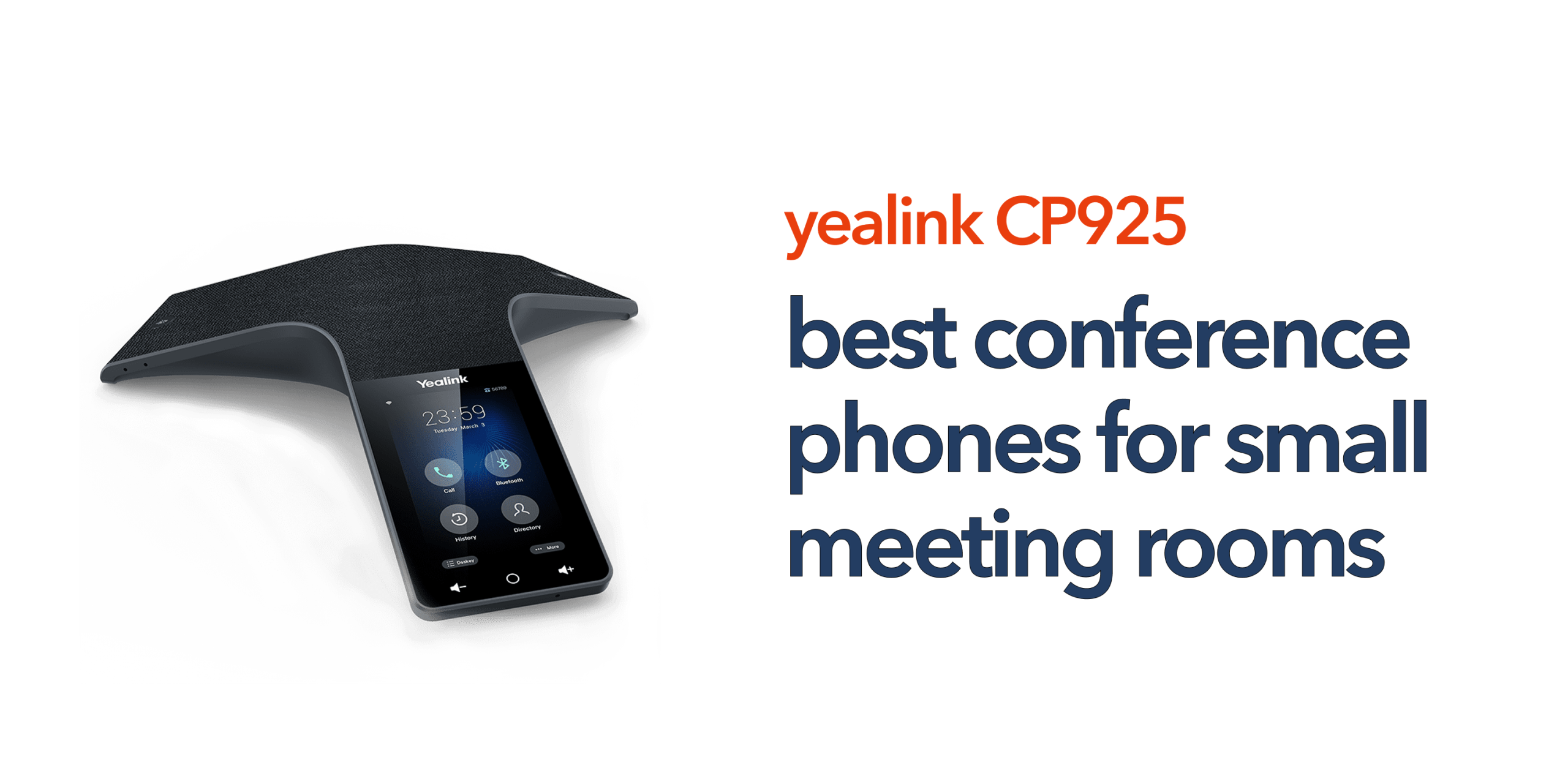
The Yealink CP925 is specifically designed for small to medium meeting rooms, making it a natural fit for most UK businesses. It offers a 360-degree microphone array with a pickup range of up to 6 metres, ensuring everyone at the table is heard clearly. What makes it stand out is its balance. It delivers strong audio performance without the complexity or cost of larger boardroom systems.
Key advantages include:
- Clear HD audio with noise filtering
- Built-in Bluetooth and WiFi for flexible connectivity
- Touchscreen interface for easy meeting control
- Designed for VoIP and hybrid working environments
For most SMEs, this is the practical choice. It covers typical meeting room sizes without over-engineering the solution.
Yealink CP935W: Best for Wireless Flexibility
If cabling is a concern, the CP935W offers a wireless alternative. It is useful in rooms where running Ethernet is difficult. However, wireless setups can introduce stability considerations depending on your network.
It is best suited for flexible workspaces, temporary meeting rooms, and businesses prioritising mobility.
Other Conference Phone Options for Small Meeting Rooms
Some teams prefer flexible or budget-friendly alternatives instead of fully dedicated systems. The Poly Sync 20 and Poly Sync 40 are commonly used for hybrid work because they connect easily via USB and Bluetooth. They work well with Zoom or Microsoft Teams and are ideal for laptop-based meetings, but offer limited VoIP integration.
For tighter budgets, devices like the Logitech P710e are a practical choice for very small huddle spaces. They are simple to use and suitable for 2 to 4-person meetings, but lack the advanced audio coverage and clarity of dedicated conference phones.
These options are best for lightweight use, where convenience matters more than full-room audio performance.
Product Comparison Table
| Feature | Yealink CP925 | Yealink CP935W |
| Ideal Room Size | Small–Medium | Small–Medium |
| Connectivity | VoIP, Bluetooth, WiFi | Wireless DECT/WiFi |
| Voice Pickup | 360° / 6m | 360° |
| Audio Quality | HD + noise filtering | HD |
| Best Use Case | Business VoIP rooms | Flexible setups |
Why the Yealink CP925 Fits Most Small Meeting Rooms
Many businesses tend to overcomplicate their meeting room setups by investing in oversized systems designed for large boardrooms. This often leads to unnecessary costs and features that are rarely used in day-to-day meetings.
The Yealink CP925 avoids this problem by being purpose-built for small team environments. It is designed for people seated around a table, hybrid meetings with remote participants, and quick, frequent discussions where simplicity and clarity matter most. Its setup also requires minimal IT involvement, making it easy to deploy and use across shared meeting spaces.
In addition, it integrates smoothly with modern cloud phone systems, allowing it to function as part of a wider communication infrastructure rather than a standalone device. This makes it a practical and scalable choice for growing businesses that rely on VoIP-based collaboration.
Choosing the Right Conference Phone for Your Business
The best conference phone depends on how your team communicates on a daily basis and the type of meeting spaces you use. Different setups require different levels of integration, audio coverage, and flexibility.
Choose a solution like the Yealink CP925 if:
- You run regular team or client meetings where clear audio is essential
- You use a VoIP or cloud phone system for business communication
- You want a reliable, always-ready setup that works with minimal effort
Consider alternatives if:
- You need a full wireless deployment and maximum mobility
- Your meetings are primarily laptop-based, using apps like Zoom or Teams
- Your room size is extremely small or very large, requiring more specialised coverage
The Bigger Picture: Conference Phones and Modern Telecoms
A conference phone is no longer just a standalone device. It has become an important part of a company’s overall communication system, directly influencing how teams collaborate and connect.
With the UK moving away from legacy phone lines, more businesses are adopting cloud-based and VoIP solutions to support modern communication needs. As a result, meeting room technology must now be designed to integrate seamlessly with these systems.
This means your setup should work smoothly with VoIP platforms, support hybrid working environments, and deliver consistent call quality across all meetings. In this context, choosing the right hardware plays a key role in ensuring reliable and efficient communication.
Ready to Upgrade Your Meeting Rooms?
If your meetings are affected by poor audio quality, inconsistent setups, or frequent technical issues, it may be time to upgrade your meeting room solution. Clear communication is critical, especially in hybrid work environments where remote participants rely entirely on sound clarity. A dedicated conference phone like the Yealink CP925 offers a simple, professional upgrade. It improves voice clarity, reduces setup problems, and ensures meetings start quickly without technical delays.
Speak to our team to find the right setup for your meeting spaces and improve overall communication across your business.
FAQs
What is the best conference phone for a small meeting room?
For most UK businesses, the Yealink CP925 is one of the best options due to its balance of audio quality, ease of use, and VoIP compatibility.
How many people can a small conference phone support?
Typically, 3 to 8 participants. Devices like the CP925 can handle up to 8 comfortably, depending on the room layout.
Do conference phones work with Microsoft Teams and Zoom?
Yes. Most modern conference phones support SIP and can integrate with platforms like Teams and Zoom.
Is a conference phone better than a laptop speaker?
Yes. Conference phones provide 360-degree audio pickup and noise filtering, which laptops cannot match.