 Skip to content
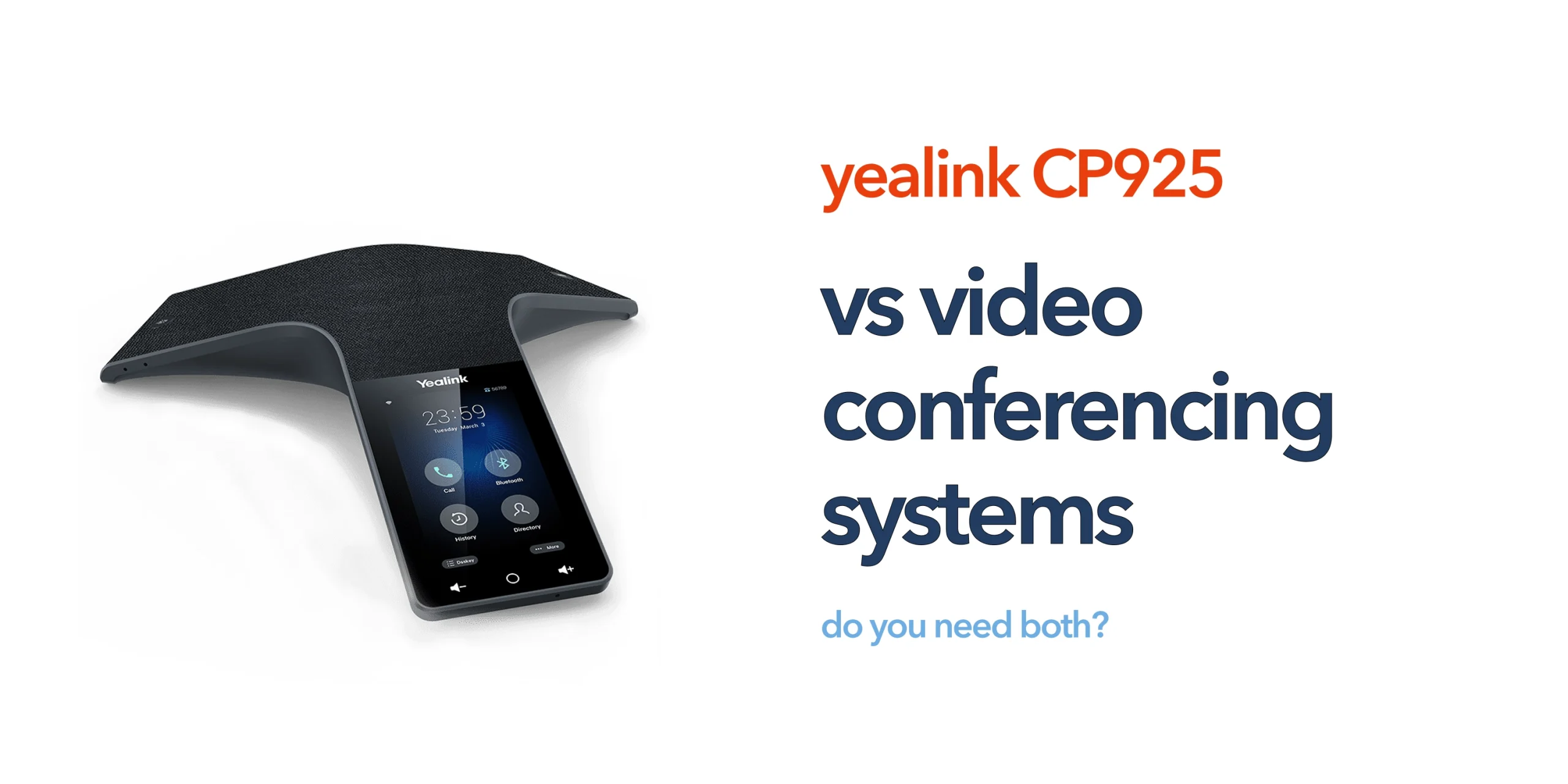
Many businesses upgrading their meeting rooms eventually face the same question: should they invest in a dedicated conference phone like the Yealink CP925, a full video conferencing system, or a combination of both?
It is often assumed that adding more technology automatically improves communication, but that is not always the case. The most effective setup depends on how your teams actually meet, collaborate, and interact on a daily basis, rather than how advanced the system appears.
This guide explains the key differences between audio-focused conference phones and full video conferencing systems, helping you choose the right setup for your business needs without unnecessary complexity or cost.
What the Yealink CP925 Is Designed For
The Yealink CP925 is an audio-first conference phone built for small to medium meeting rooms. It connects directly to your VoIP system and provides clear, consistent audio for meetings without relying on laptops or external devices. Its role is simple. Make sure everyone can hear and be heard clearly. This is still the most important part of any meeting.
What Video Conferencing Systems Offer
Video conferencing systems combine cameras, microphones, speakers, and software into one solution. They are designed for visual collaboration as well as audio communication. Typical features include:
- HD video with wide-angle cameras
- Integrated microphones and speakers
- Screen sharing and presentation tools
- Native integration with platforms like Microsoft Teams and Zoom
They are often positioned as all-in-one meeting room solutions.
Key Differences Between the Two
Conference phones like the Yealink CP925 focus on delivering clear, reliable audio for meetings, while video conferencing systems add visual collaboration on top of communication. Each serves a different purpose, and the right choice depends on how your teams prefer to meet and collaborate.
Audio vs Visual Focus
The Yealink CP925 is designed with a primary focus on delivering high-quality audio for meetings, ensuring clear voice communication without distractions. In contrast, video conferencing systems are built to combine both audio and visual elements, allowing participants to see each other, share presentations, and collaborate in a more visual environment. Each approach serves a different communication need depending on whether clarity of speech or visual interaction is the priority.
Complexity
Conference phones like the Yealink CP925 are generally simple to deploy, configure, and use, making them ideal for shared meeting rooms and fast-paced environments. Video conferencing systems, on the other hand, require more extensive setup, including cameras, displays, software integration, and ongoing IT management. This added complexity can increase deployment time and require more technical support to maintain smooth operation.
Cost
The Yealink CP925 is a more cost-effective solution for businesses that primarily need reliable audio communication without additional visual infrastructure. Video conferencing systems typically involve a higher upfront investment, along with potential ongoing costs such as software subscriptions, hardware upgrades, and licensing fees, making them a more resource-intensive option.
Use Case
Conference phones are best suited for everyday business calls, internal team meetings, and quick discussions where fast and reliable audio communication is the main requirement. Video conferencing systems are more appropriate for presentations, client-facing meetings, training sessions, and collaborative work where visual engagement and screen sharing play an important role in communication.
Do You Actually Need Video in Every Meeting?
Many businesses assume video is essential. In practice, most internal meetings are audio-first. Teams focus on discussion, updates, and decision-making rather than visual collaboration. Adding video to every meeting can:
- Increase setup time
- Create unnecessary complexity
- Require higher bandwidth and infrastructure
For many SMEs, video is useful but not always necessary.
When the Yealink CP925 Is Enough
The Yealink CP925 is often more than sufficient for businesses whose meetings are primarily audio-focused. It works best in environments where discussions are voice-based, such as short internal catch-ups, regular team calls, and day-to-day coordination. In these scenarios, clarity and reliability matter more than visual elements. The device provides a consistent, always-ready solution that does not depend on laptops or individual user setups, making meetings quicker to start and easier to manage.
When a Video Conferencing System Makes Sense
A video conferencing system becomes a better choice when meetings rely heavily on visual interaction. This includes client presentations, collaborative sessions that require screen sharing, training workshops, and hybrid team meetings where face-to-face engagement improves communication. In these cases, video adds meaningful value by enhancing understanding, engagement, and overall collaboration.
When You Might Need Both
In some business environments, combining both solutions offers the best results. This is common in multi-purpose meeting rooms, client-facing spaces, and growing organisations with varied communication needs. In these setups, the Yealink CP925 ensures consistent, high-quality audio for every meeting, while the video conferencing system adds visual collaboration when required. This balanced approach provides flexibility without compromising on audio performance, allowing teams to adapt to different types of meetings with ease.
The Role of VoIP and Cloud Communication
Both conference phones and video conferencing systems depend on the strength of your underlying communication infrastructure. As UK businesses continue shifting towards cloud telephony, meeting room technology must be designed to work seamlessly within this environment. It should integrate smoothly with your VoIP system, support hybrid working models, and maintain consistent call quality across all types of meetings. The Yealink CP925 fits naturally into this setup, acting as a reliable audio endpoint within a broader cloud communication ecosystem rather than a standalone device.
Cost vs Practical Value
It is easy for businesses to overspend on meeting room technology by prioritising features that are rarely used. The more important consideration is how closely the investment aligns with actual day-to-day usage. Businesses should evaluate how often video is truly required, whether most meetings are internal or client-facing, and whether advanced collaboration tools are genuinely necessary or if clear, reliable communication is sufficient. For many organisations, a focused audio solution like the Yealink CP925 delivers stronger practical value and a better return on investment than more complex systems.
Making the Right Choice for Your Business
There is no universal solution when it comes to meeting room technology, as the right choice depends on how your teams communicate. The Yealink CP925 is ideal if you need simple, reliable audio for everyday meetings, easy deployment with minimal IT involvement, and a cost-effective solution for small meeting rooms.
A video conferencing system is more suitable if your business relies on visual collaboration, conducts frequent client-facing presentations, or requires a more immersive meeting experience. In some cases, using both solutions together provides the greatest flexibility, allowing businesses to adapt to different meeting formats without compromise.
Final Thoughts
The decision is not about choosing the most advanced technology. It is about choosing the right tool for how your business communicates. The Yealink CP925 remains a strong, practical choice for audio-focused meetings. Video conferencing systems add value when visual collaboration is essential. For many UK businesses, the best approach is not replacing one with the other, but understanding when each is needed.
Choosing between conference phones and video systems can be confusing without the right guidance. The best setup depends on your space, your team, and how you work. Speak to our team for clear, practical advice on building a meeting room solution that fits your business.